2388-MANUL-V10.00.00-UTP2 Operating Manual
Page 42 of 74
3.16.5 Asset Tag
We suggest two NFC tags per panel, one on the front and one on the rear. The asset tag will store the following
information required in the Metadata screen of Survey mode:
Asset Name (up to 127 characters)
Panel Number (up to 127 characters)
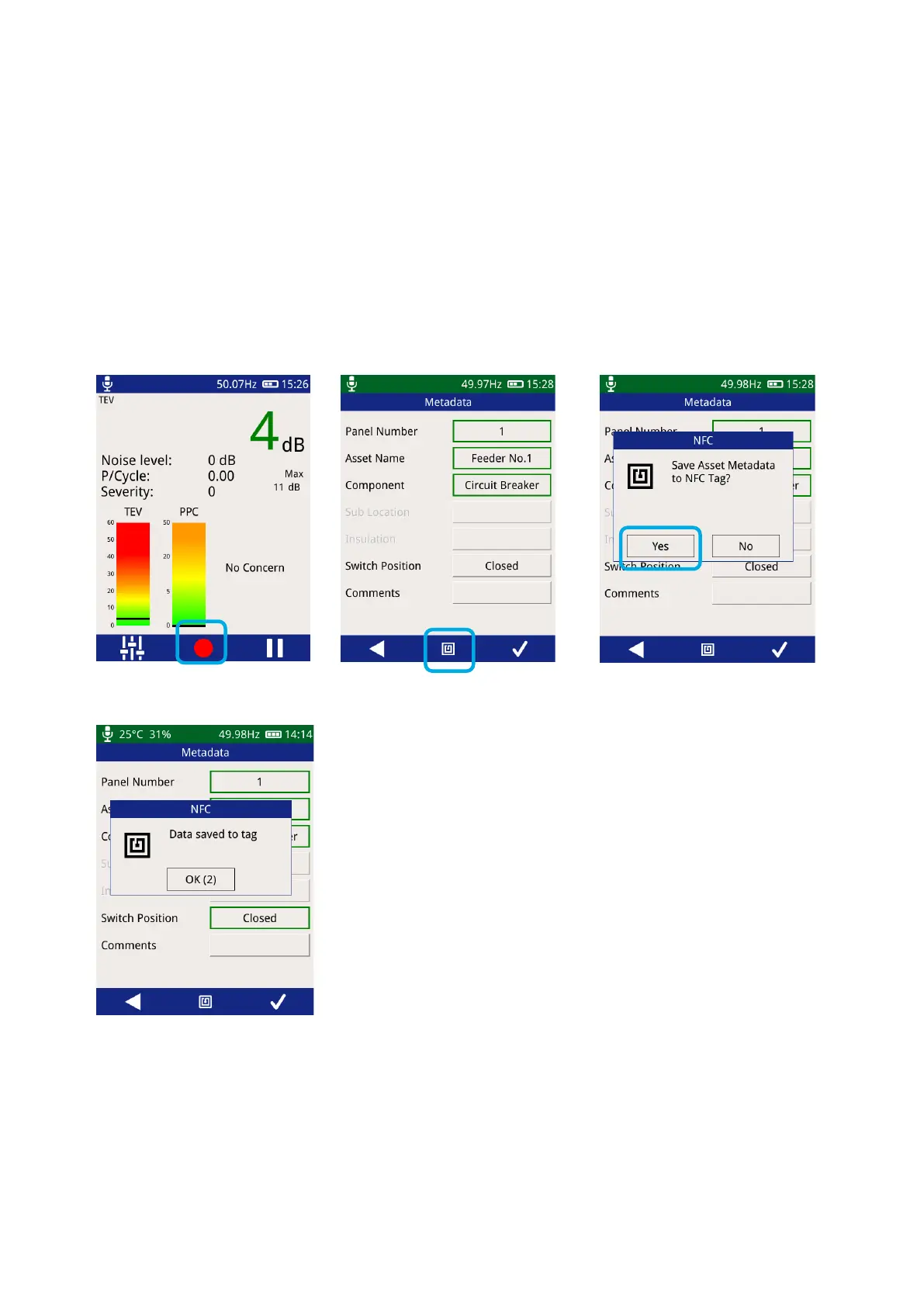
3.16.6 Writing to an Asset Tag
The recording data option is available in Survey, TEV and Ultrasonic mode.
The UTP2 will beep once to
indicate a tag has been detected,
followed by two beeps to indicate
a successful tag write



 To Next Page