2388-MANUL-V10.00.00-UTP2 Operating Manual
Page 46 of 74
The MicroSD card will contain a separate .zip file (compressed folder) for each survey and ad-hoc measurement
undertaken. Inside each folder there is an html page named ‘index.html’. Extracting the zip file and then opening
the ‘index.html’ file inside this folder will direct you to the analysis pages.
3.17.5 Data Analysis Screens
The UTP2 has a web interface for analysing data captured by the instrument. These analysis pages can be
accessed through a web browser or downloaded for offline analysis as detailed above.
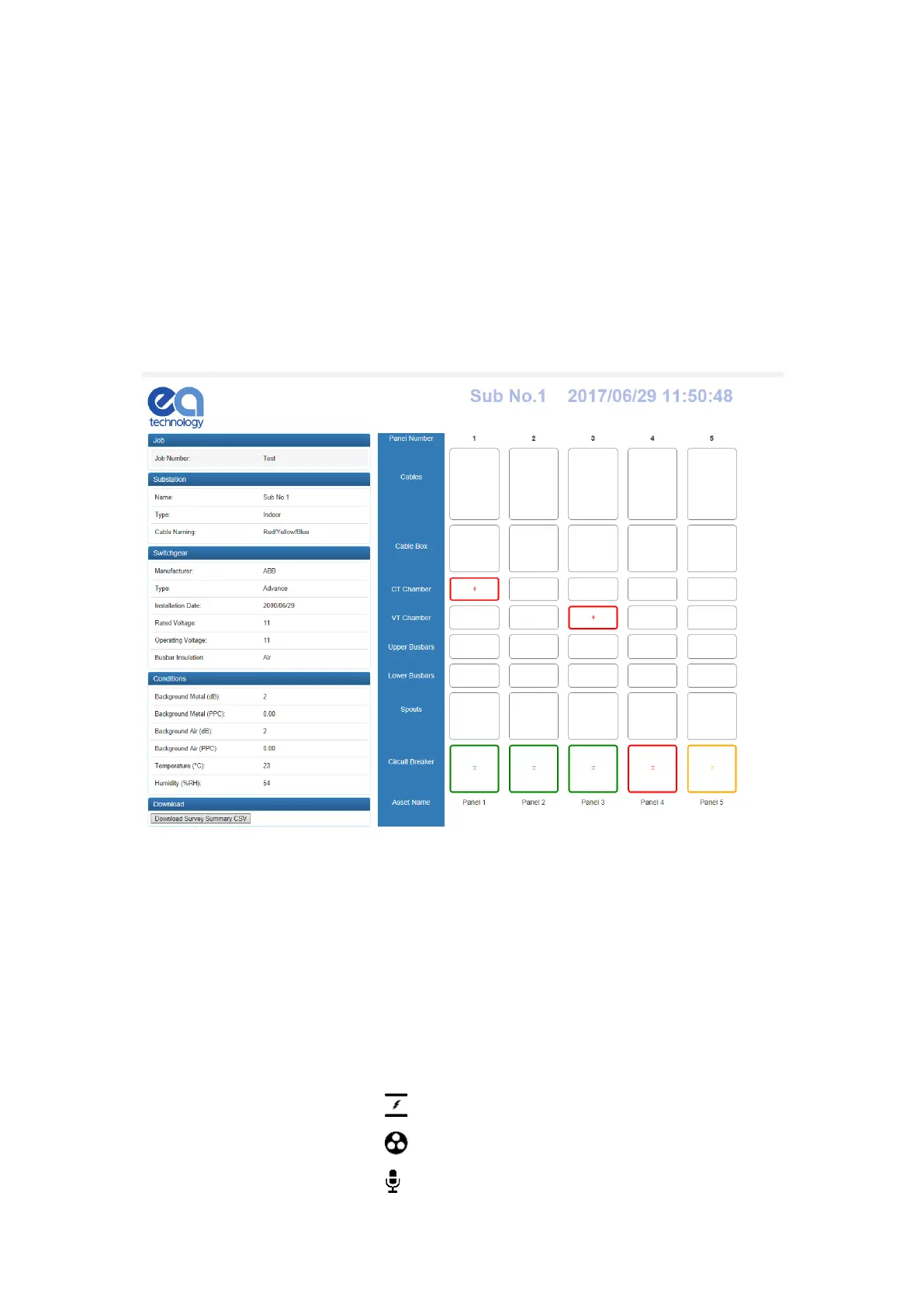
Following selection of ‘View’ on the landing page, or opening of an ‘index.html’ file from the decompressed zip
folder, a new page will appear with a visualisation of the switchgear surveyed.
The overview or ‘index’ page provides diagrammatic representation of the switchgear surveyed along with an
icon detailing each measurement. An overview of the metadata entered during the substation visit is included
on the left hand side of the page. This data includes substation information such as site name and switchgear
information such as manufacturer, voltage etc. Below the metadata on the left hand side of the page a
‘download survey summary’ button is available. When pressed this button downloads a Comma Separated
Variable (CSV) file containing an overview of the survey results.
The measurement icons shown below are positioned on the panels as per the location entered during the site
survey. Clicking any of the available measurements on a panel component will open the analysis page for the
corresponding measurement. The measurement section is colour coded, to correspond with the
green/amber/red thresholds.
- TEV
- Cable PD
- Ultrasonic



 To Next Page