2388-MANUL-V10.00.00-UTP2 Operating Manual
Page 63 of 74
4.4.8 Clipping
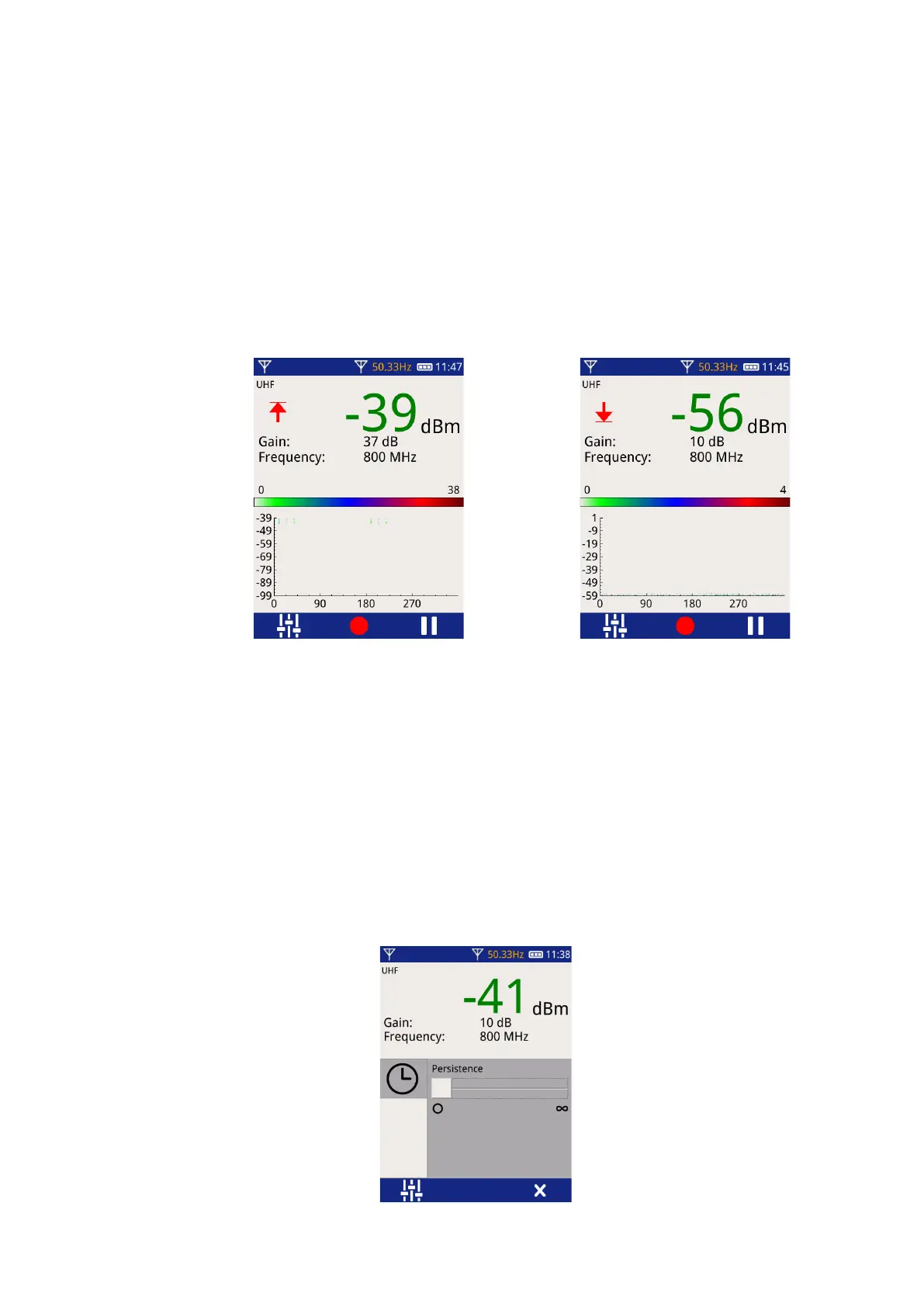
If the received signal is close to the upper or lower measurement range limit, a clipping indicate will be shown.
• If the signal is close to the upper limit of the measurement range, an arrow pointing upwards towards
a bar will be shown. In narrowband mode, it may be possible to achieve a better measurement by
reducing the gain.
• If the signal is close to the lower limit of the measurement range, an arrow pointing downwards towards
a bar will be shown. In narrowband mode, it may be possible to achieve a better measurement by
increasing the gain.
4.4.9 Persistence Level
On the Phase Plot and Histogram screens, it is possible to control the persistence of the display.
To access this setting, press the Context Settings button. It may be necessary to press the button more than
once to scroll through different settings pages until the Persistence control is shown.
• Persistence can be set to 4 different levels by moving the slider.
• Moving the slider to the “O” position indicates the shortest level of persistence. The display will regularly
refresh itself, only showing recent activity.
• Moving the slider to the “∞” position indicates infinite persistence. The display will show all activity that
has occurred since the display was last manually reset.



 To Next Page