2.10 Connecting the device
Please read the SAFETY sections carefully before continuing. All wiring works must be conducted with the control
panel disconnected from the power supply.
The internal wiring of the electromechanical actuator made by the manufacturer cannot be modified in any way.
Electrical wiring
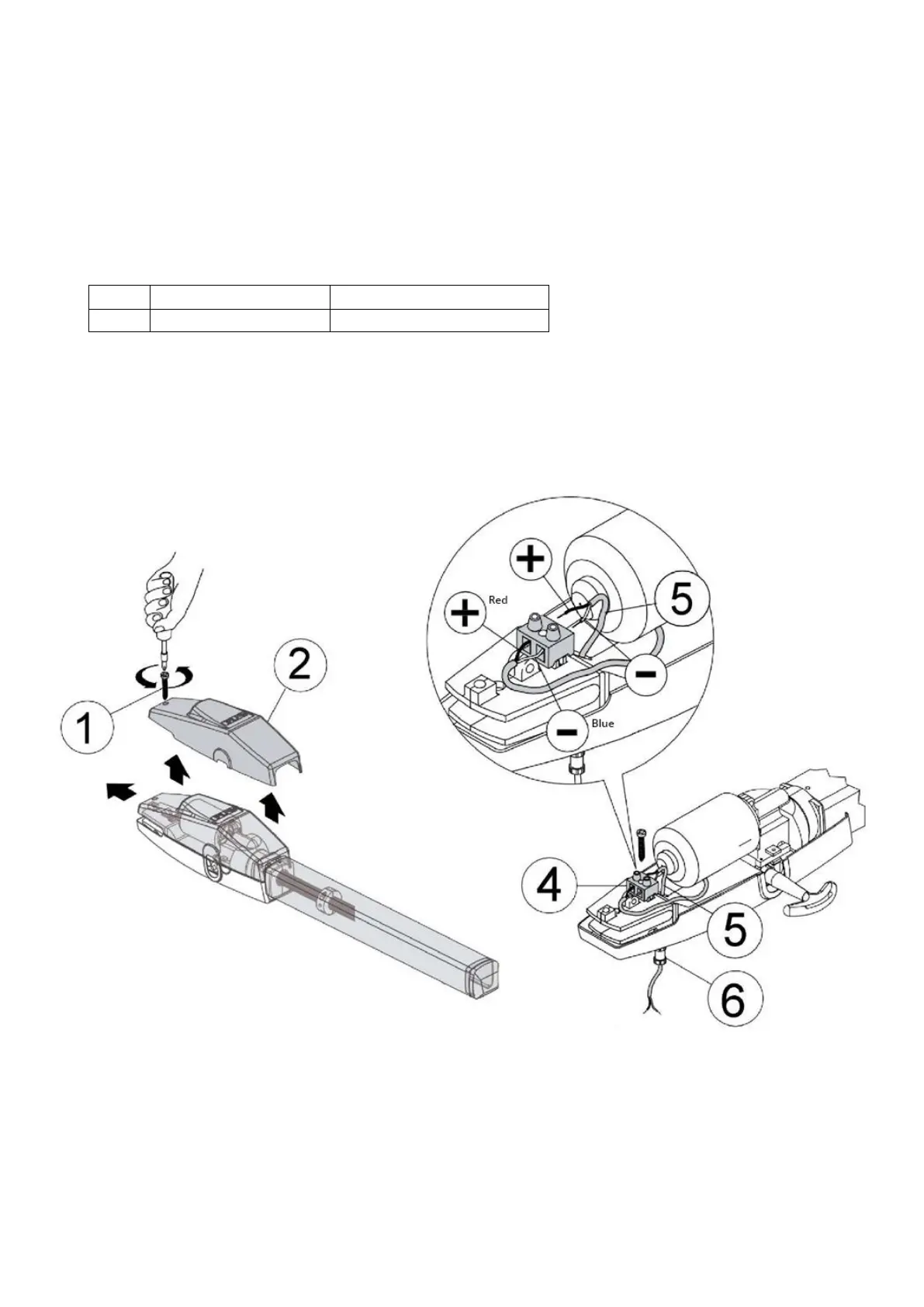
To access the internal wiring, lift the cover (1) by unscrewing the bolt (2) - see the image below.
Description of the electric wiring
Attach the power cables (5) 2x1.5 mm2 to the plug (4). Remember that the red wire is “+” and the blue wire is
“-”.
Tighten the cable gland (6), leaving a little bit of loose cable on the clamp side.


 To Next Page