Wait 20 seconds or press the CLOCK BUTTON again
to exit programming mode.
ATTENTION
Slowdown CANNOT be completely turned off.
7. SPEED AND SENSITIVITY
7.1 Speed adjustment
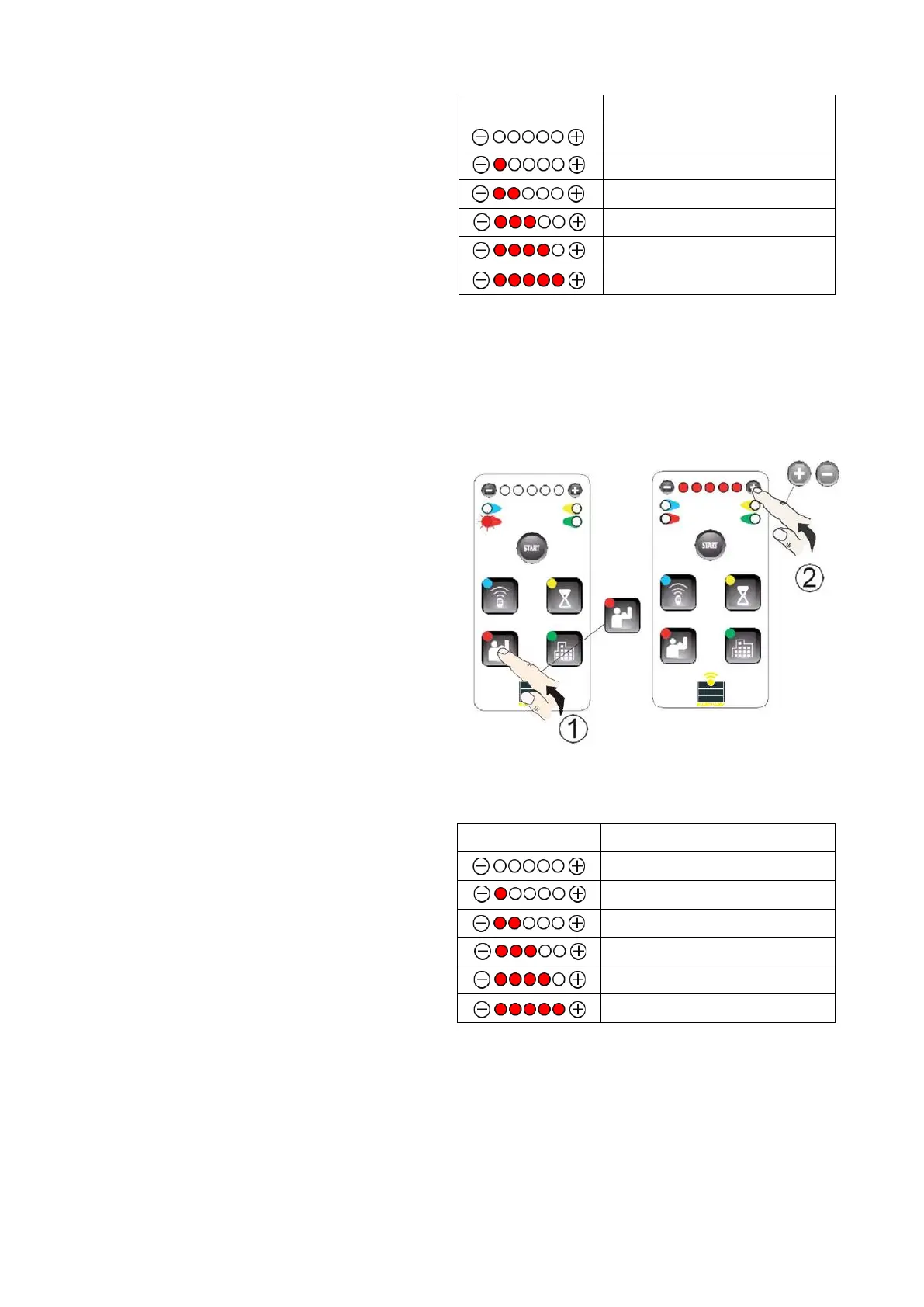
a) Press ADJUST BUTTON - the red LED on the left
will turn on:
By pressing “-” or “+”, you can adjust the speed.
Wait 20 seconds or press the ADJUST BUTTON again
to exit programming mode.


 To Next Page