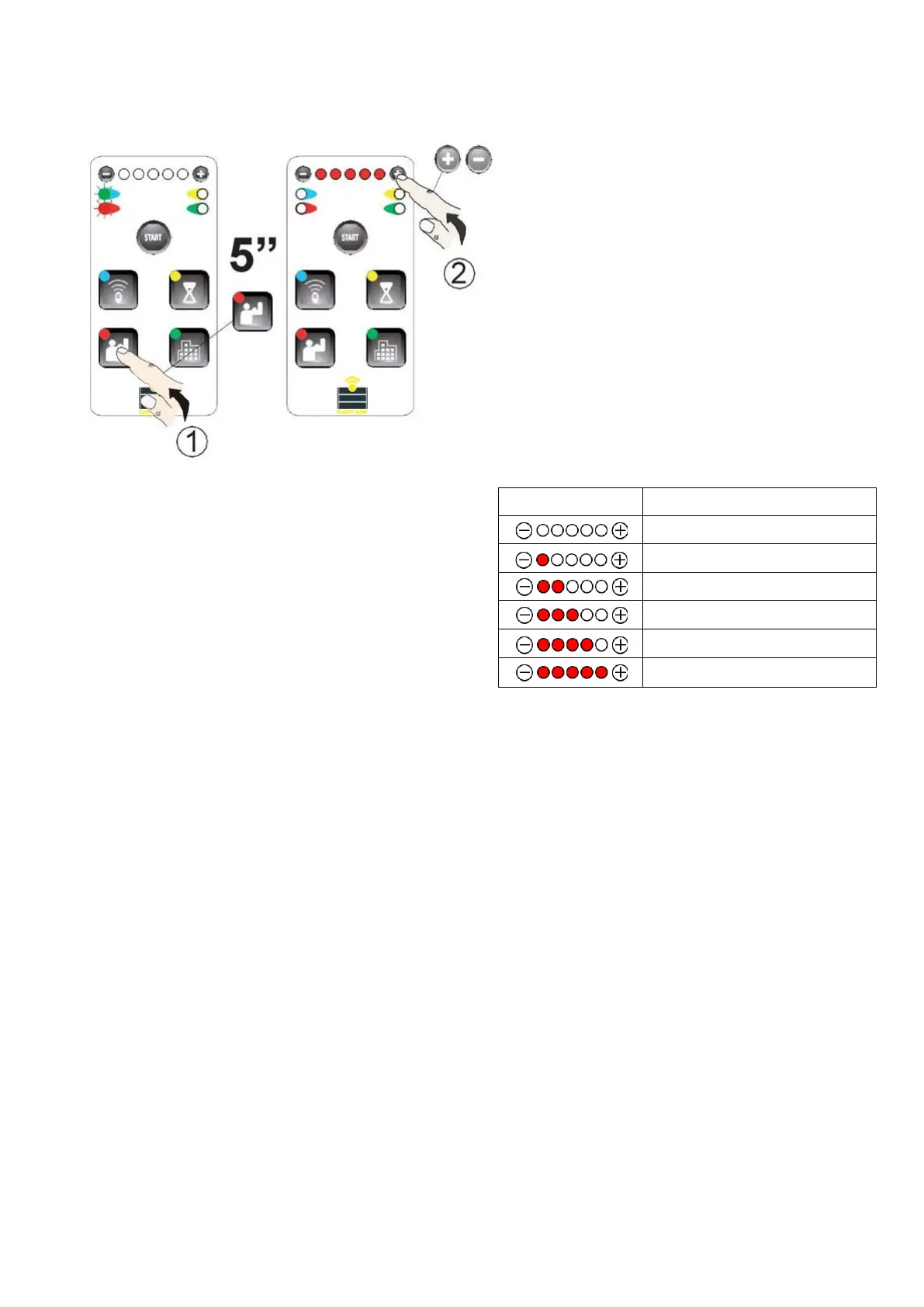
7.2 Sensitivity adjustment
a) Press the ADJUST BUTTON for 5 seconds -
green and red LEDs on the left side will turn
on. By pressing “-” or “+”, you can adjust the
sensitivity.
Wait 20 seconds or press the ADJUST BUTTON again to exit
programming mode.
ATTENTION
Based on the construction of the gate and the way it is
used, it is necessary to adjust parameters such as
sensitivity and speed in accordance with the regulations in
force in your country.
8. OPTIONS MENU
8.1 Options 1
Press the OPTIONS BUTTON to move to the OPTION 1 MENU, then press again to advance to the next options
menu.
Blinking LEDs indicate the item and the corresponding option.
Pressing the “+” button activates the function (the red LED turns on) while pressing the “-” button disables the
function (the LED turns off).


 To Next Page