Section 14. Primary Flight Display (PFD) Eclipse 5OO Systems Manual
Copyright © — Eclipse Aviation Corporation
332 Version 2.0 April 2007
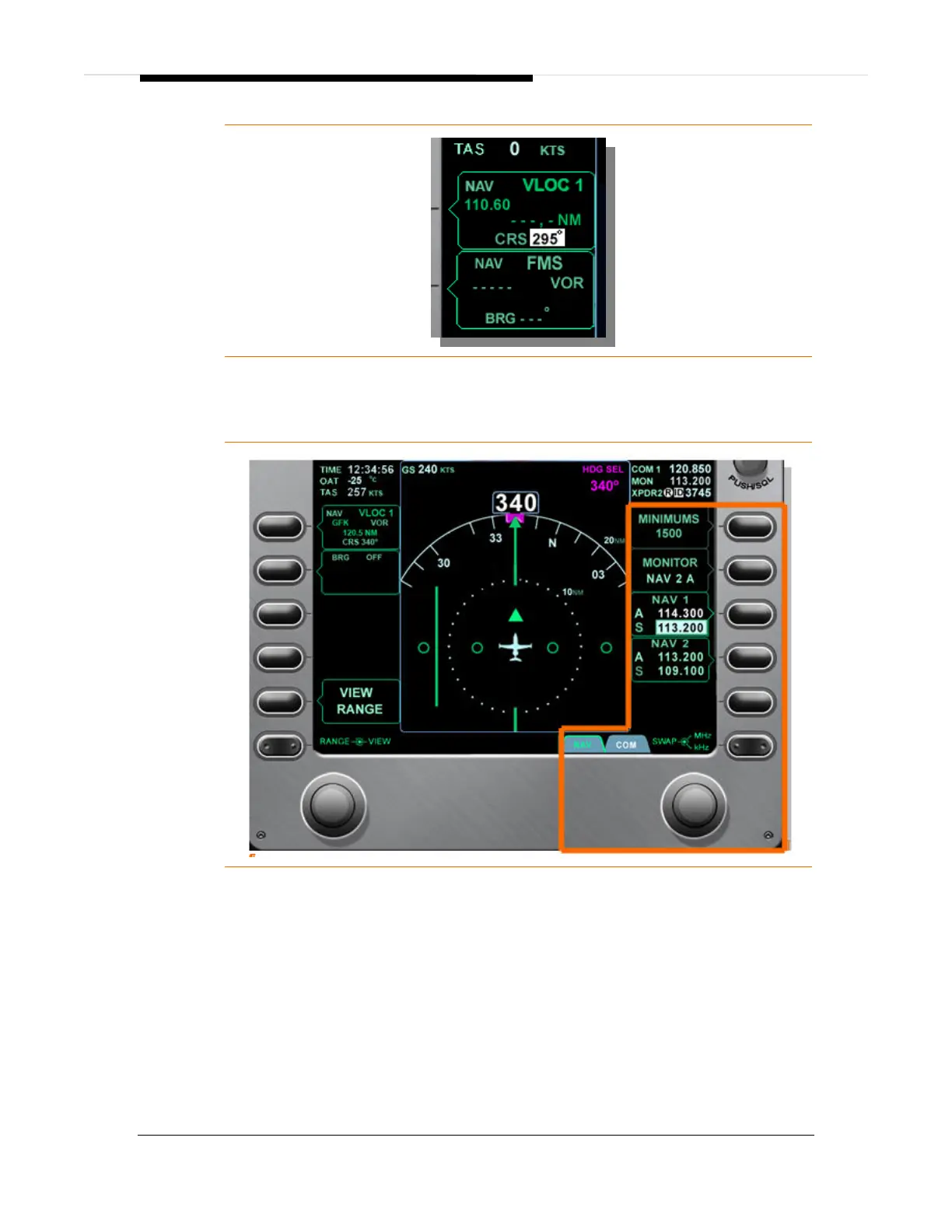
Figure 220. Secondary NAV Source Selection- FMS
Nav Radio Tuning
Figure 221. NAV Radio Tuning
1. Select NAV page using the rocker key.
2. Only a standby (S) frequency can be tuned.
3. Press right line select key 3 to tune the standby frequency for NAV 1, or right
line select key 4 to tune the standby frequency for NAV 2.
4. Tune the standby frequency by using the right concentric knob. Rotating the
outer portion of the concentric knob bi-directionally scrolls through the range
108 to 117 MHz in 1 MHz increments. Rotating the inner portion of the
concentric knob bi-directionally scrolls through the range 0 to 950 KHz in 50
KHz increments.



 To Next Page