Section 14. Primary Flight Display (PFD) Eclipse 5OO Systems Manual
Copyright © — Eclipse Aviation Corporation
334 Version 2.0 April 2007
TRANSPONDER
Active Transponder Selection
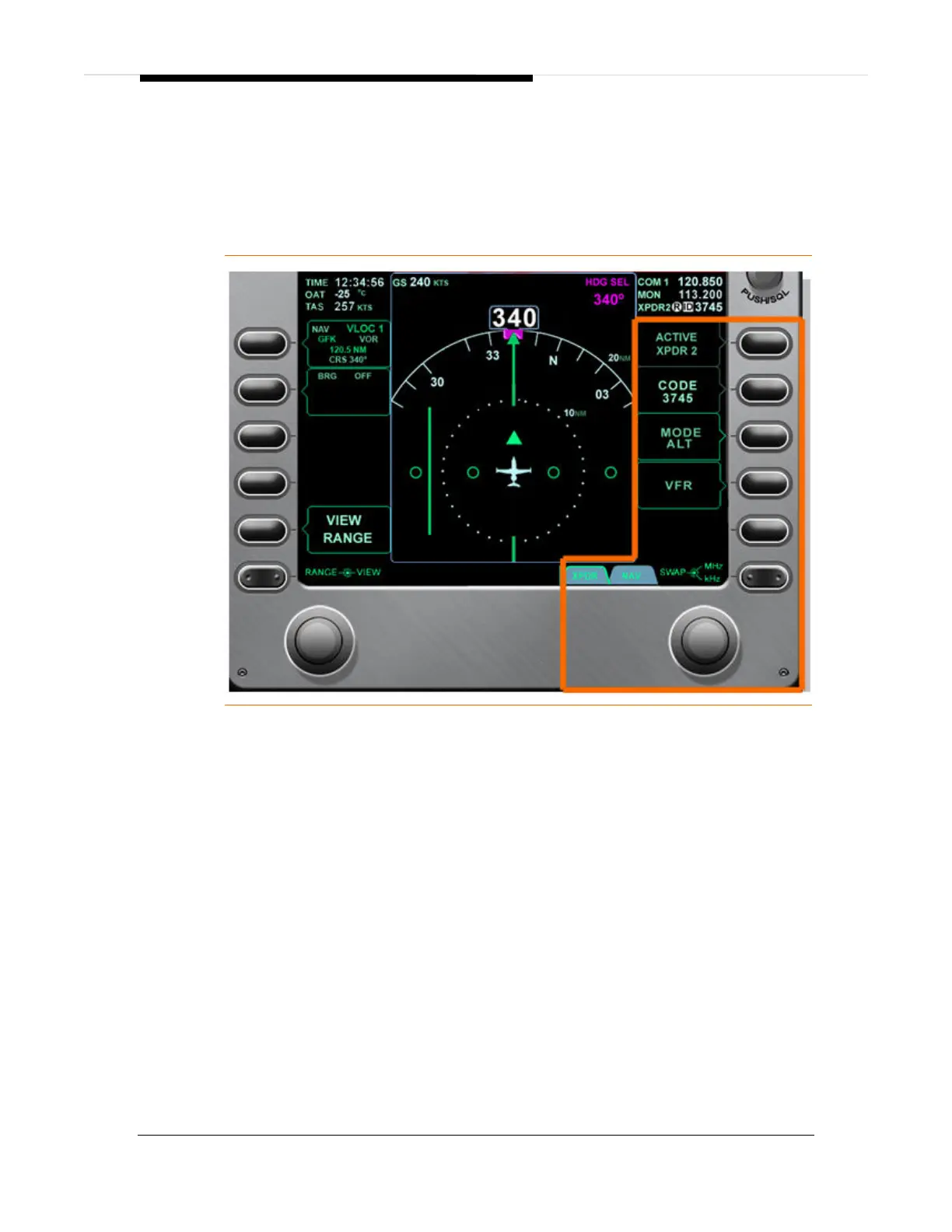
The active transponder (XPDR) is selected with the ACTIVE line select key;
pressing the line select key swaps between XPDR 1 and XPDR 2. This is also
accomplished using the keyboard by pressing the XPDR 1 or XPDR 2 keys.
Figure 222. Transponder Control
Transponder Code Entry
1. Select XPDR page using the rocker key.
2. Press right line select key 2 to activate a cursor in the CODE window.
3. Rotating the outer portion of the concentric knob moves the cursor between
digits, while rotating the inner portion of the concentric knob changes
individual digits.
Transponder codes can also be set using the keyboard.
1. Press the XPDR 1 or XPDR 2 key, verify associated green light illuminates
indicating transponder is selected
2. Press XPDR SQWK key.
3. Enter the transponder code using the number keys on the keyboard
Mode Selection
1. Press right line select key 3 to change mode between SBY, GND



 To Next Page