Section 15. Multi Function Display (MFD) Eclipse 5OO Systems Manual
Copyright © — Eclipse Aviation Corporation
392 Version 2.0 April 2007
15.9.2 Composite Group
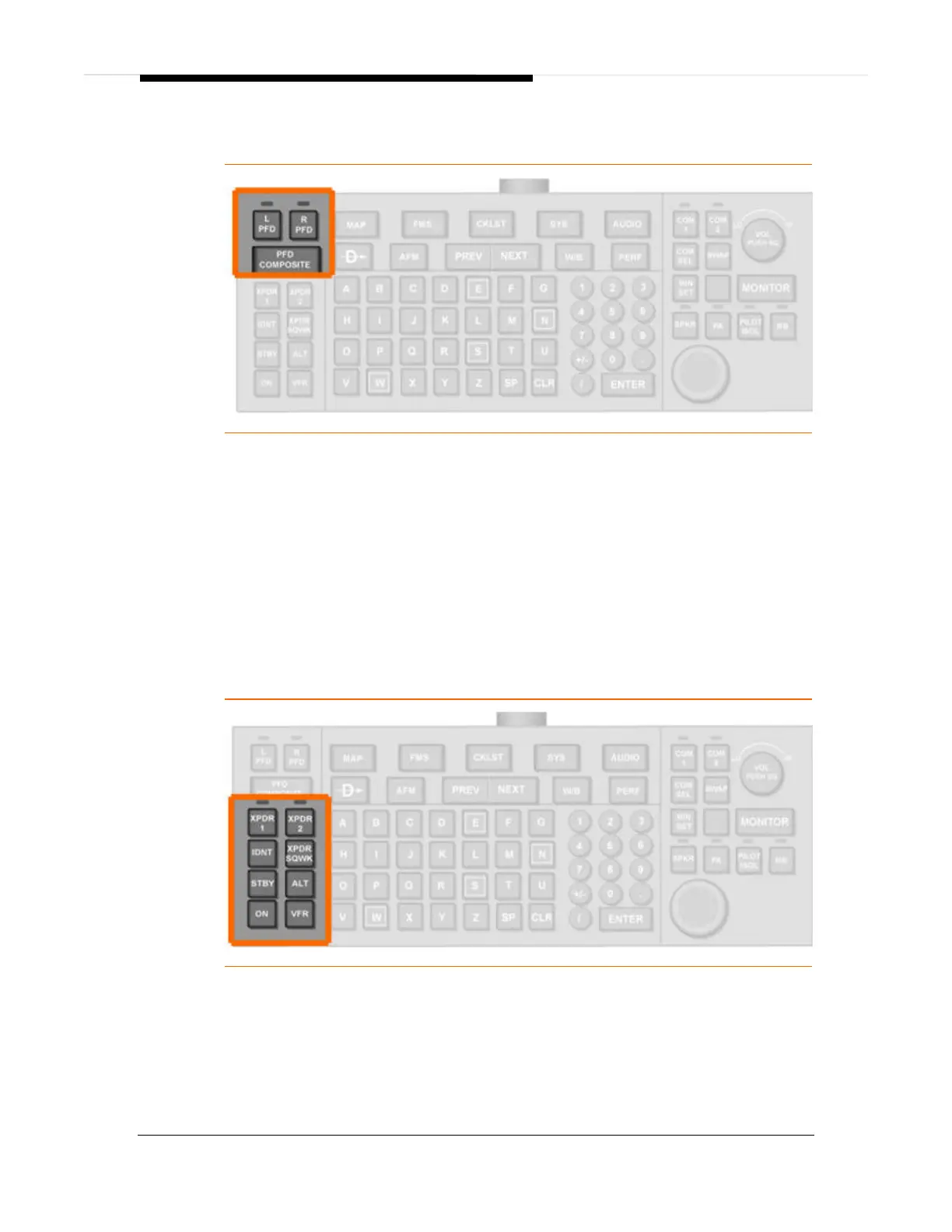
Figure 274. Keyboard Composite Group
Control of PFD composite mode is accomplished using three keys labeled L PFD, R
PFD, and PFD COMPOSITE. When the L PFD or R PFD are selected, a light above
the key illuminates, indicating that it is active. If pressed again, the selected PFD key
becomes inactive and the light on the button turns off. If the L PFD key is active,
pressing PFD COMPOSITE one time changes the left PFD into Composite Mode.
Pressing PFD COMPOSITE again toggles the left PFD back to Normal Mode. If the
R PFD key is active, pressing PFD COMPOSITE one time changes the right PFD
into Composite Mode. Pressing PFD COMPOSITE again toggles the right PFD back
to Normal Mode. Only one of the L PFD or R PFD keys can be active at any time.
15.9.3 Transponder Group
Figure 275. Keyboard Transponder Group
XPDR 1 & XPDR 2
Selecting a transponder (XPDR) for control is accomplished using two keys labeled
XPDR1 and XPDR2. When either XPDR1 or XPDR2 key is pressed, a green light
above the XPDR1 or XPDR2 key illuminates and the selected transponder becomes
active. This also automatically selects the XPDR page on the PFD. One



 To Next Page