23
Basic operation
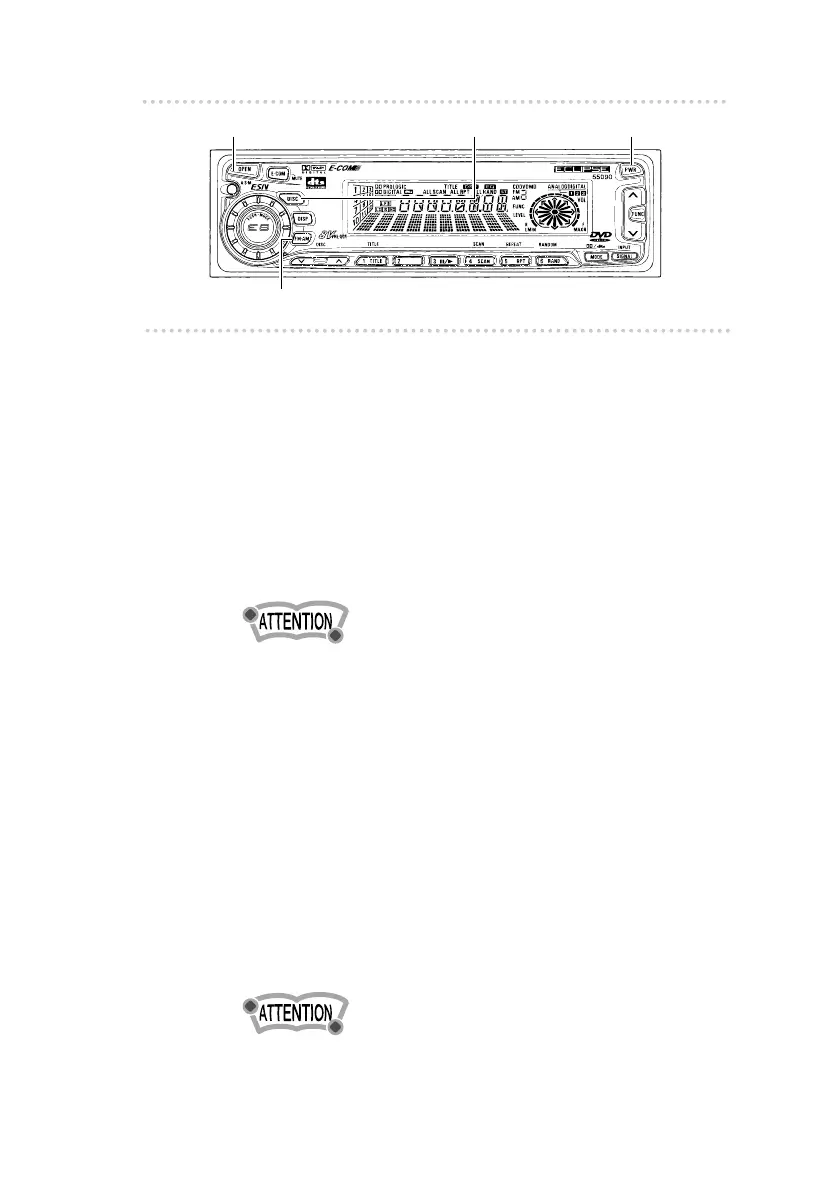
[FM・AM] button
[PWR] button
u
Basic operation
This section covers basic operating procedures. For
additional details, please refer to the sections on specific
functions.
n Turning the power on and off
1 .
Press the [PWR] button.
Pressing the button turns the power on and off.
Less than two seconds : Stand by
More than two seconds : Off
•If a car is not eguipped with an ACC position (for example,
a European car), keep the [PWR] button depessed for more
than two seconds.
You may also press the [FM•AM] button to turn on the
power. (When there is a disc loaded, you may also
press the [DISC] button to turn on the power.)
n Playing back discs
1 .
Press the [OPEN] button.
The front panel opens.
2 .
Insert a disc into the disc slot, label side up.
If the inserted disc is an audio CD, playback will then
start. If the disc is a DVD, the pictures will be played
back (only when a separate monitor is connected).
•When a disc is already loaded, pressing the [DISC] button
starts playing the disc.
[OPEN] button
[DISC] button



 To Next Page