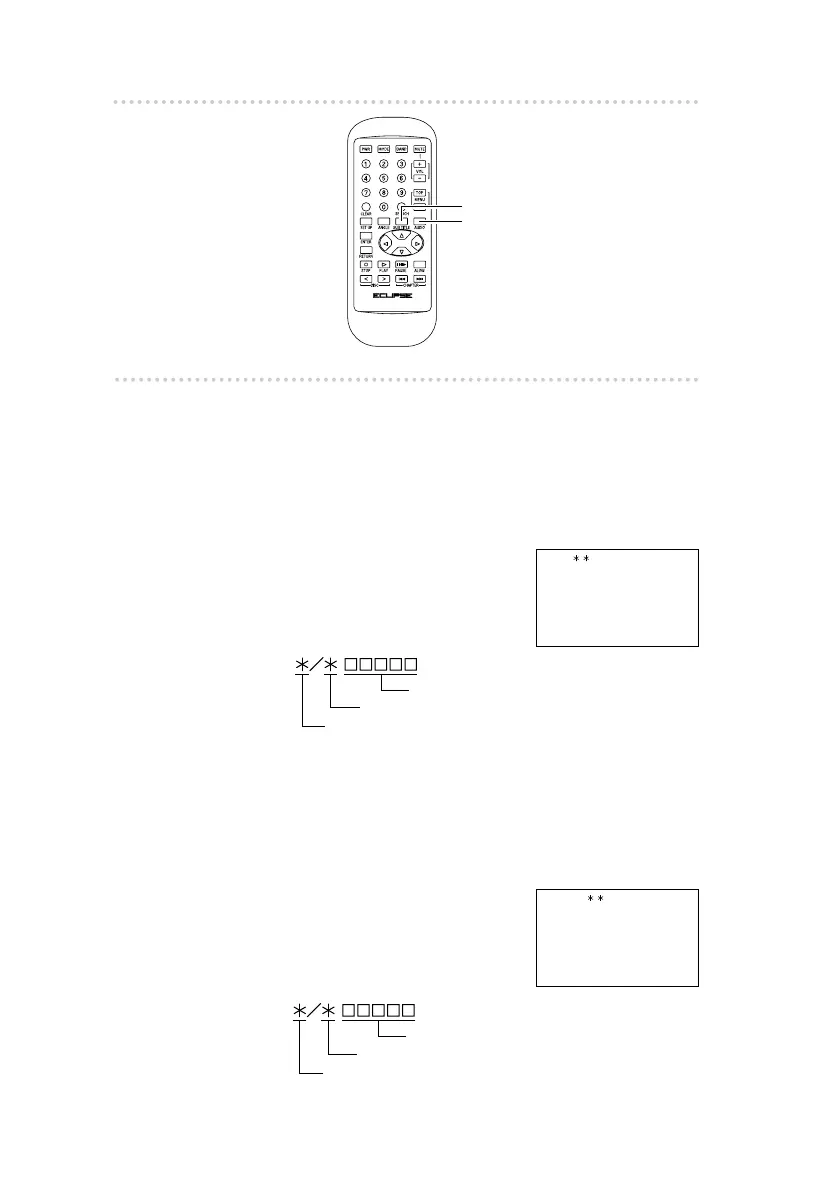
How to operate the DVD player
3838
n Selecting different multiplex audio
channels
If the [AUDIO] button is pressed during DVD-Video playback,
the audio channel languages which are recorded on the DVD
disc can be displayed on the screen (if using a DVD disc
which has multiplex audio channels recorded).
1 .
Press the [AUDIO] button.
The multiplex audio channel
changes each time the button
is pressed.
n Selecting different subtitle languages
If the [SUB TITLE] button is pressed during DVD-Video
playback, the subtitle languages which are recorded on the
DVD disc can be displayed on the screen (if using a DVD disc
which has different subtitle languages recorded).
1 .
Press the [SUB TITLE]
button.
The subtitle language changes
each time the button is
pressed.
Current subtitle language number
Total number of available subtitle languages
Current subtitle language
Current audio channel number
Total number of available audio channels
Current language
[SUB TITLE] button
[AUDIO] button



 To Next Page