How to operate the DVD player
3434
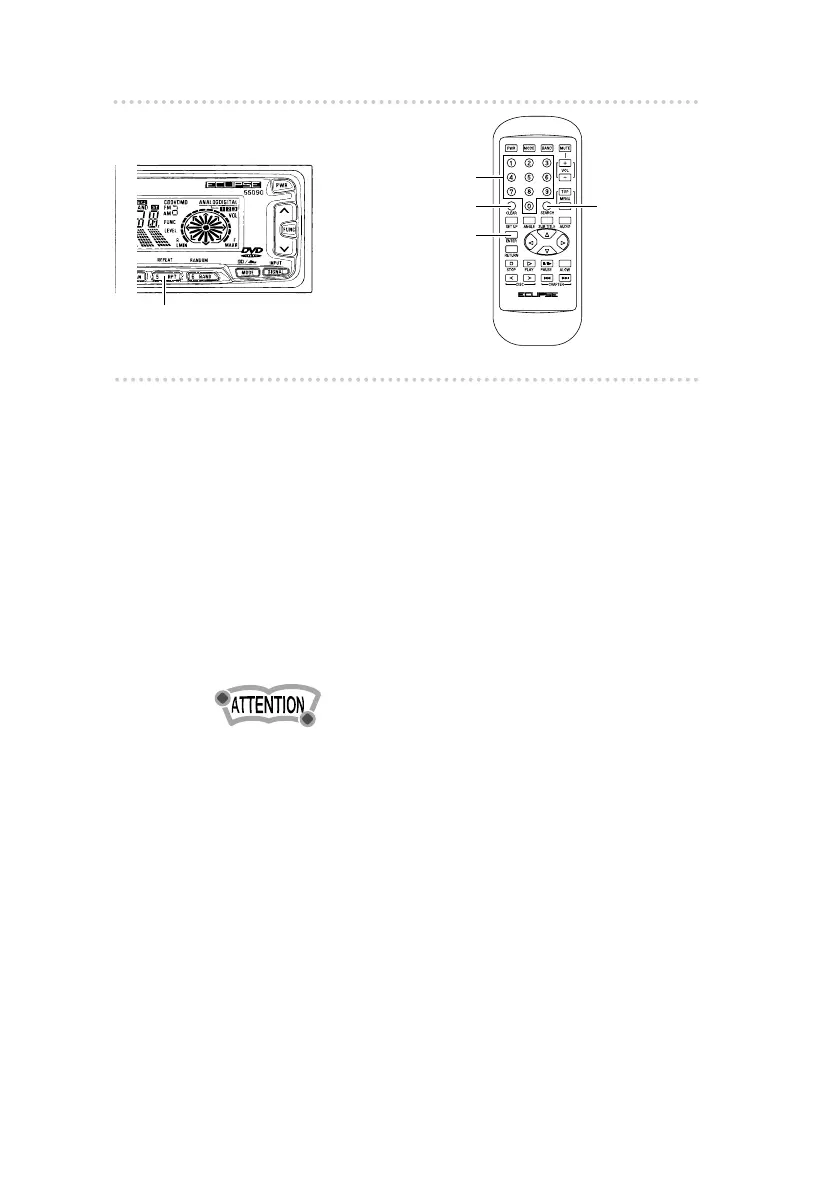
n Searching for pictures
1 .
Press the [SEARCH] button.
The mode changes to Chapter Search Title
Search Search Mode Cancel each time the
button is pressed.
2 .
Use the numeric input buttons on the
remote control to enter the number for the
picture you would like to search for, and
then press the [ENTER] button.
The pictures for the number which was entered will
then start playing back.
•If you make a mistake when entering the number, you can
press the [CLEAR] button to clear the entry.
n Repeat playback (REPEAT)
1 .
Press the [5] button on the player.
If pressed and released immediately (within one
second), the chapter will be repeated, and if pressed
and held (for one second or more), the title will be
repeated.
If this button is pressed once more, repeat mode will
be cleared.
Button[5]
[CLEAR] button
[ENTER] button
[SEARCH]
button
Numeric
input buttons



 To Next Page