Basic operation
2626
n Displaying the clock
1 .
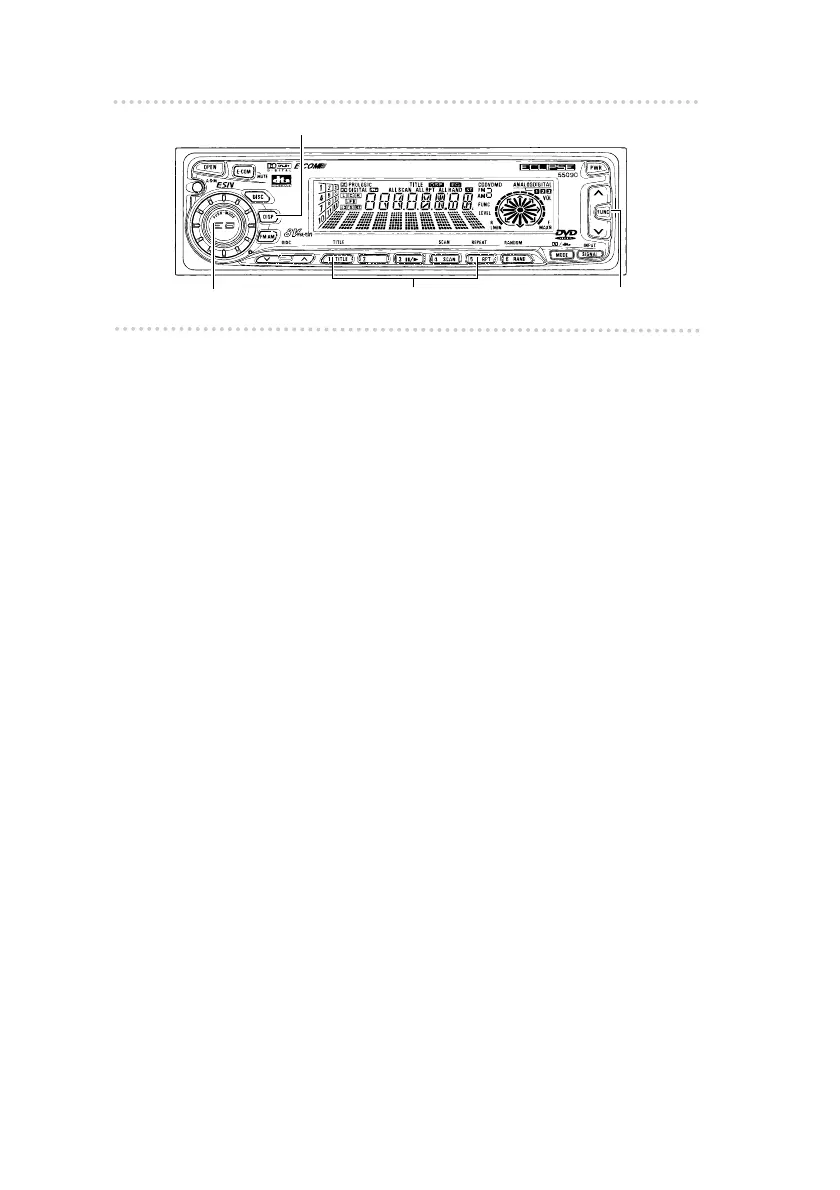
Press the [DISP] button repeatedly until the
time is displayed.
Refer to the section on "Setting the clock" to set the
time display.
n Others
t Disabling the guide tone feature (for button
operation)
The receiver is set at the factory to emit a beep tone in
response to button operation. The guide tone feature may
be disabled in the following procedure:
1 . Press and release the [FUNC] button.
2. Press and hold button [6] until the [BEEP OFF]
display appears on the screen.
Pressing the button will switch modes between the
[BEEP ON] and the [BEEP OFF].
3. Press the [FUNC] button again.
t Setting the clock
This receiver uses the 12-hour A.M. / P.M. display notation.
1 . Press the [DISP] button repeatedly to switch to the
clock adjustment mode.
2 . To adjust the hour, press either button [1] or [2]
while holding the [DISP] button down.
Button [1]: Turns the hour back.
Button [2]: Turns the hour forward.
[AUDIO CONTROL] button Buttons [1] to [6]
[DISP] button
[FUNC] button



 To Next Page