33
Navigation
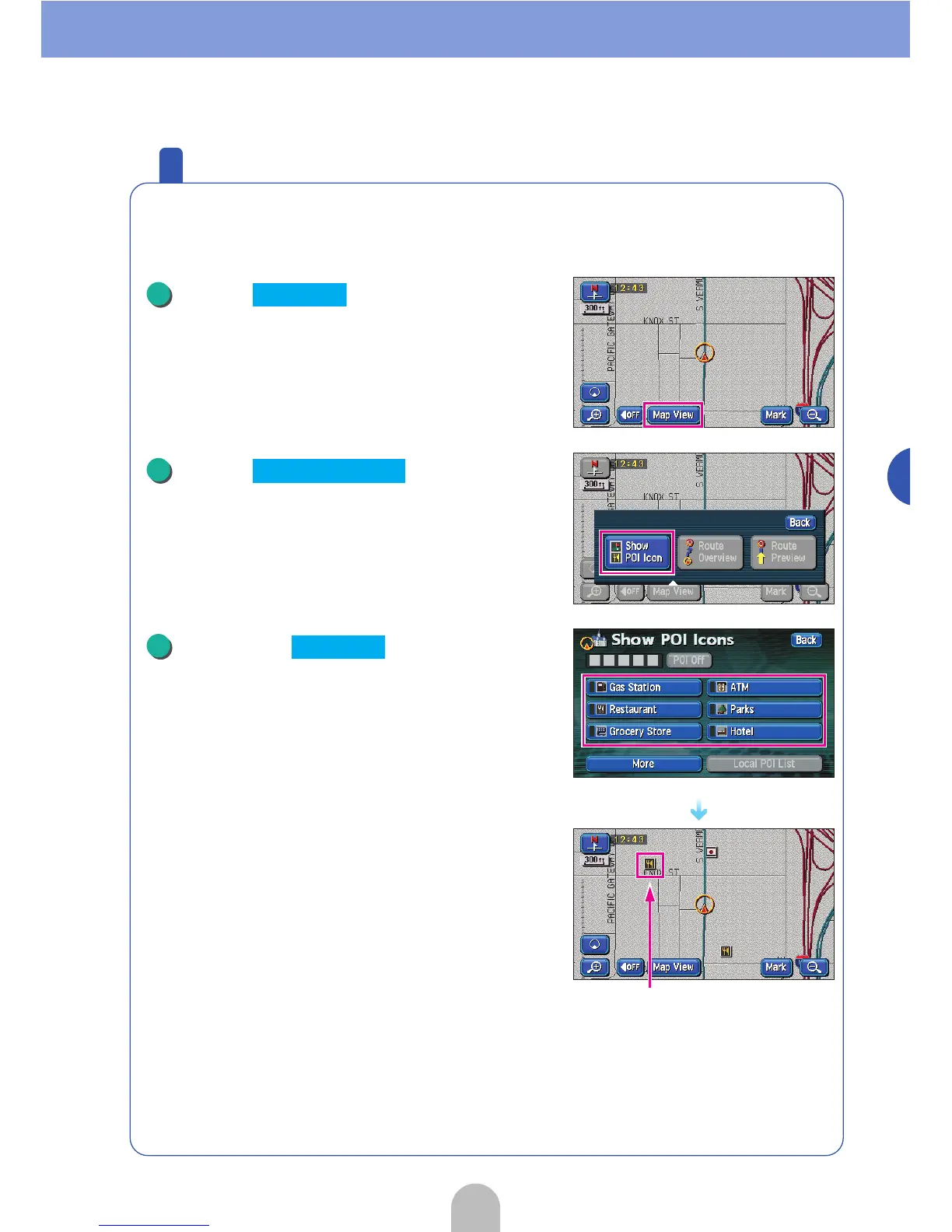
Display various points of interest on the map
Various points of interest (landmarks) can be shown on the displayed
map.
Touch .
Touch .
Touch the to be
displayed.
● Other than the 6 types of multiple landmarks and
screens can be displayed. For details, see "POI
display" in the OWNER'S MANUAL/Navigation.
● The selected POI landmark is displayed.
1
Map View
2
Show POI Icon
POI landmark
3
POI Icon



 To Next Page