Page 33 of 51
EFW5L_IFU REV NEW
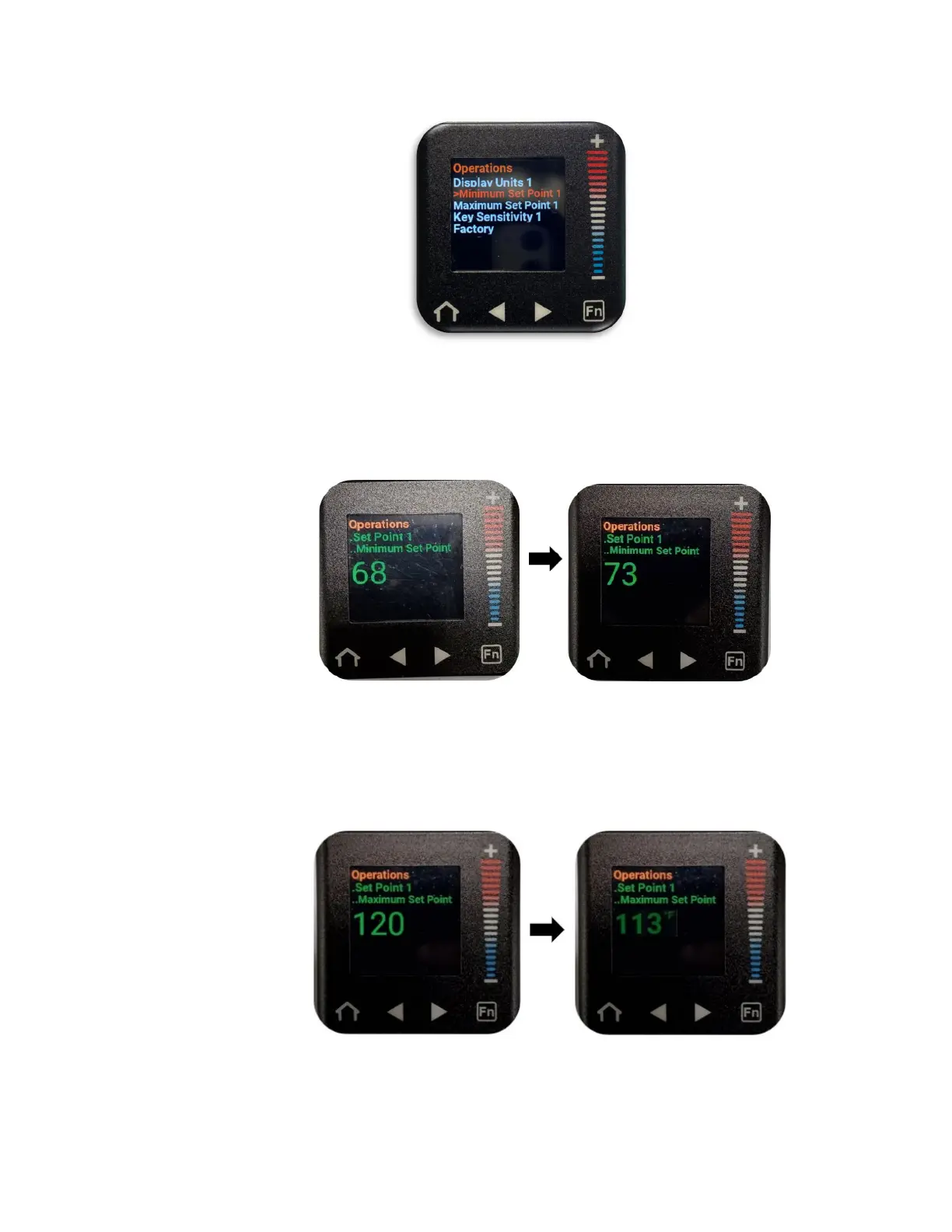
c. Press the right arrow button to enter the Minimum Set Point submenu.
d. Press the “+” or “–” buttons to increase or decrease the number displayed, until
the desired Minimum Set Point is shown.
The user cannot set this value below 68°F (20°C).
e. Press the right arrow button to enter the Maximum Set Point submenu.
f. Press the “+” or “–” buttons to increase or decrease the number displayed, until the
desired Maximum Set Point is shown.
The user cannot set this value above 120°F (49°C).


 To Next Page