Page 18 of 51
EFW5L_IFU REV NEW
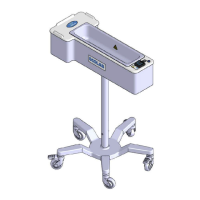
Table 8: Controls, Indicators, and Components
Power Indicator Light
emitting diode (LED)
Blue LED that lights up when the warmer system is
turned on.
Controls power to the warmer system.
Shows Set Point temperature, Current fluid
temperature, and error messages during operation.
Button on the controller used to increase Set Point
temperature and to scroll between selections in
Slider on the controller that allows the user to
increase (slide in the direction of the + Button) or
decrease (slide in the direction of the – Button) the
Set Point temperature by more than 1 degree at a
time. Not recommended for use with a drape.
Button on the controller used to decrease Set Point
Temperature and to scroll between selections in
Button on the controller used to enter selected
submenu.
Button on the controller used to return to previous
submenu.
Button on the controller that returns the screen to
home after viewing the Operations menu.
Basin with integrated heat source which supports
drape and warms fluids.
Can be gripped to move the unit when the wheels
are unlocked.
Provides storage for power cord when unit is not in
use.
Connects to unit and to electrical wall socket to
provide power to the unit.
Locks the wheels to prevent unintended movement
of the unit.


 To Next Page