Page 25 of 51
EFW5L_IFU REV NEW
6.6.2 Adjusting Set Point Temperature
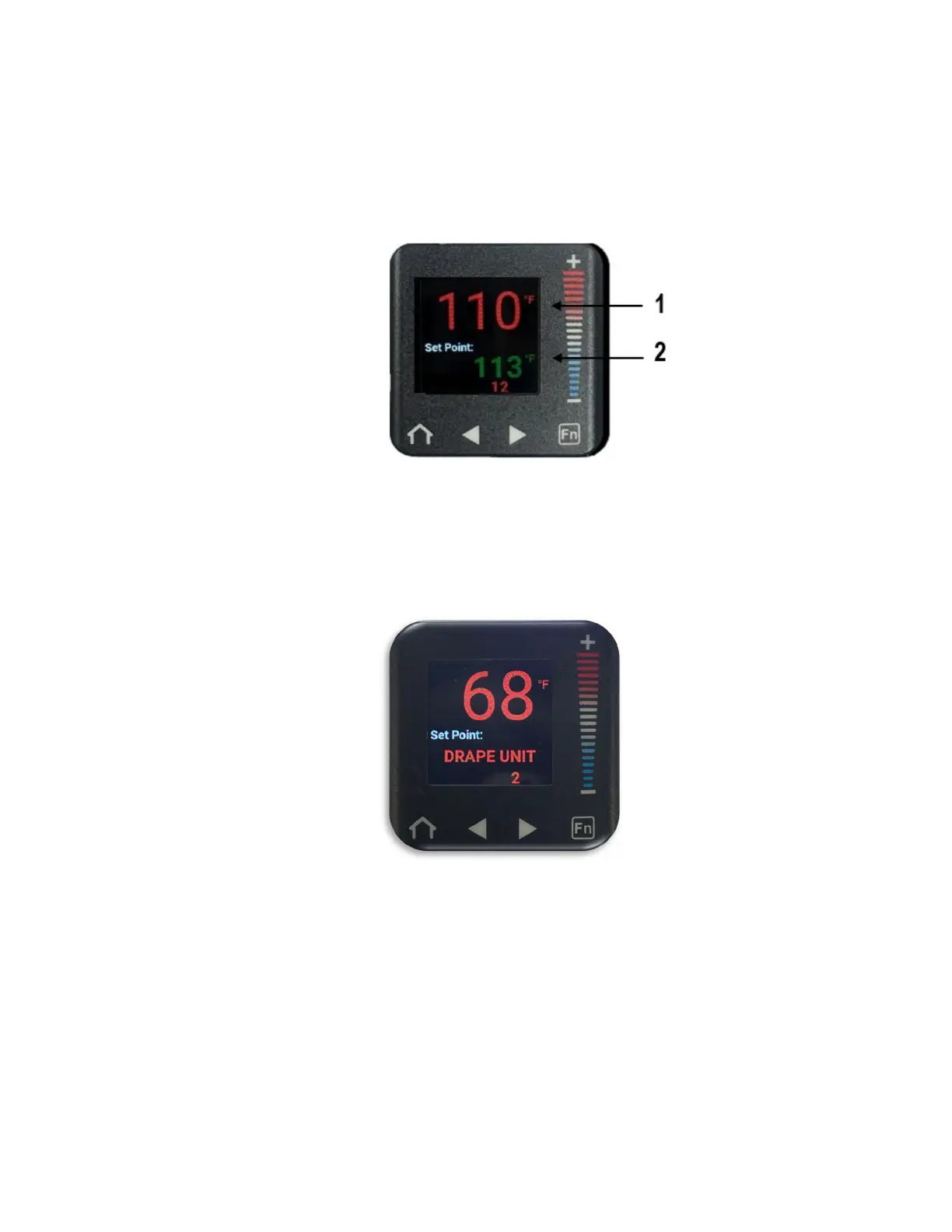
The home screen displays the Current fluid temperature (1) on the upper display in red
font and the Set Point temperature (2) on the lower display in green font in the selected
temperature scale (°F or °C). The Set Point temperature can be adjusted by the user.
Note: If the Set Point was requested to be locked by the factory, the ability to
adjust the Set Point by the user is disabled.
Note: If a valid EPD400 drape is not detected, the controller will display “Drape
Unit” and the ability to adjust the Set Point by the user is disabled.
To adjust the Set Point temperature:


 To Next Page