Page 36 of 51
EFW5L_IFU REV NEW
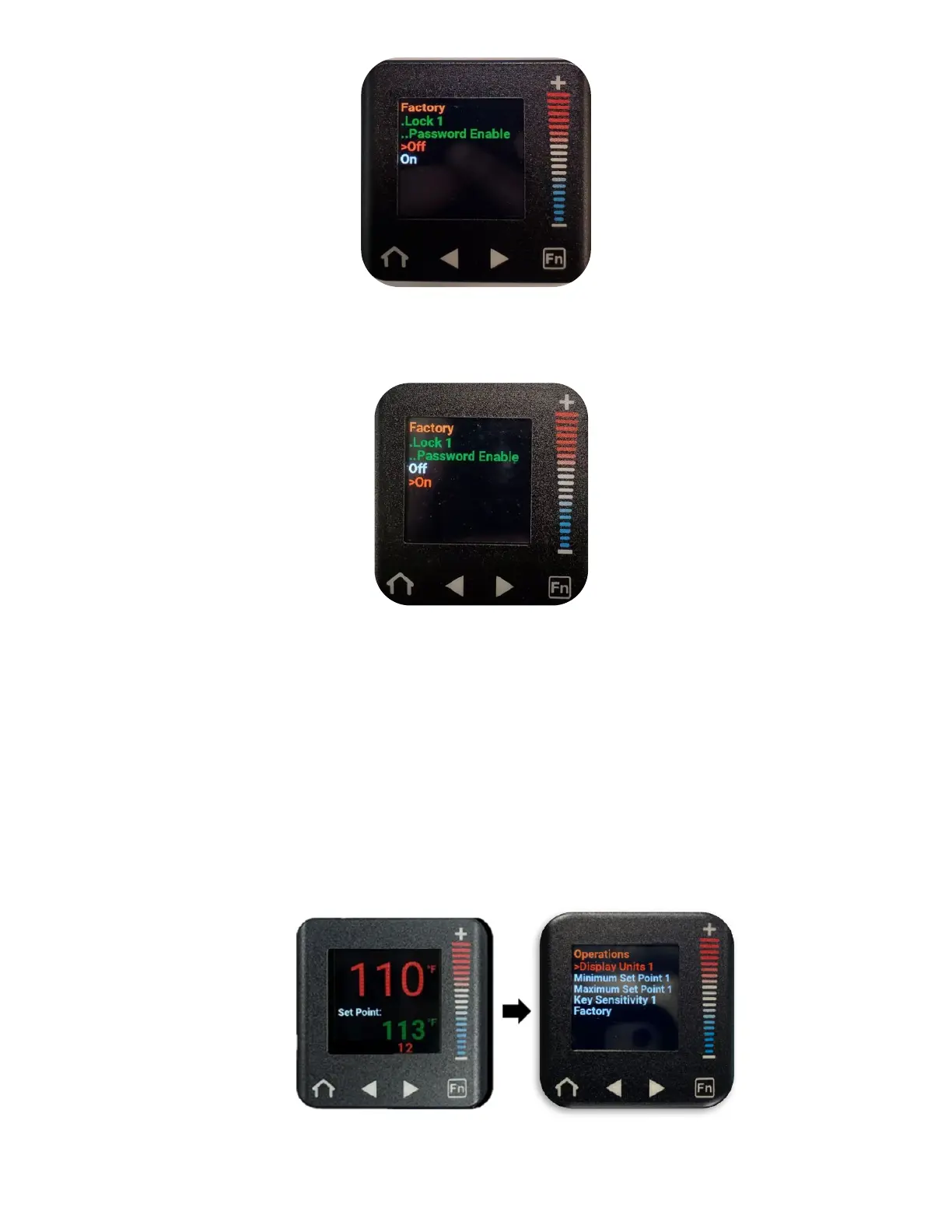
g. Press the “–” button to scroll down to “On” (“On” will be in a red font when
selected).
h. Press the home button to return to the home screen with the Password now
enabled.
6.6.9 Disabling Password Protection
(Note: If the set point temperature is locked (write security is set to 0), the password
enable/disable feature is also locked and cannot be adjusted. Refer to section 6.5.3.2 to unlock
the set point temperature and adjust write security to 5 prior to enabling/disabling the
password.)
a. From the home screen, press the right arrow button to navigate to the Operations
menu. (“Display Units 1” will be selected in a red font).


 To Next Page