Page 32 of 51
EFW5L_IFU REV NEW
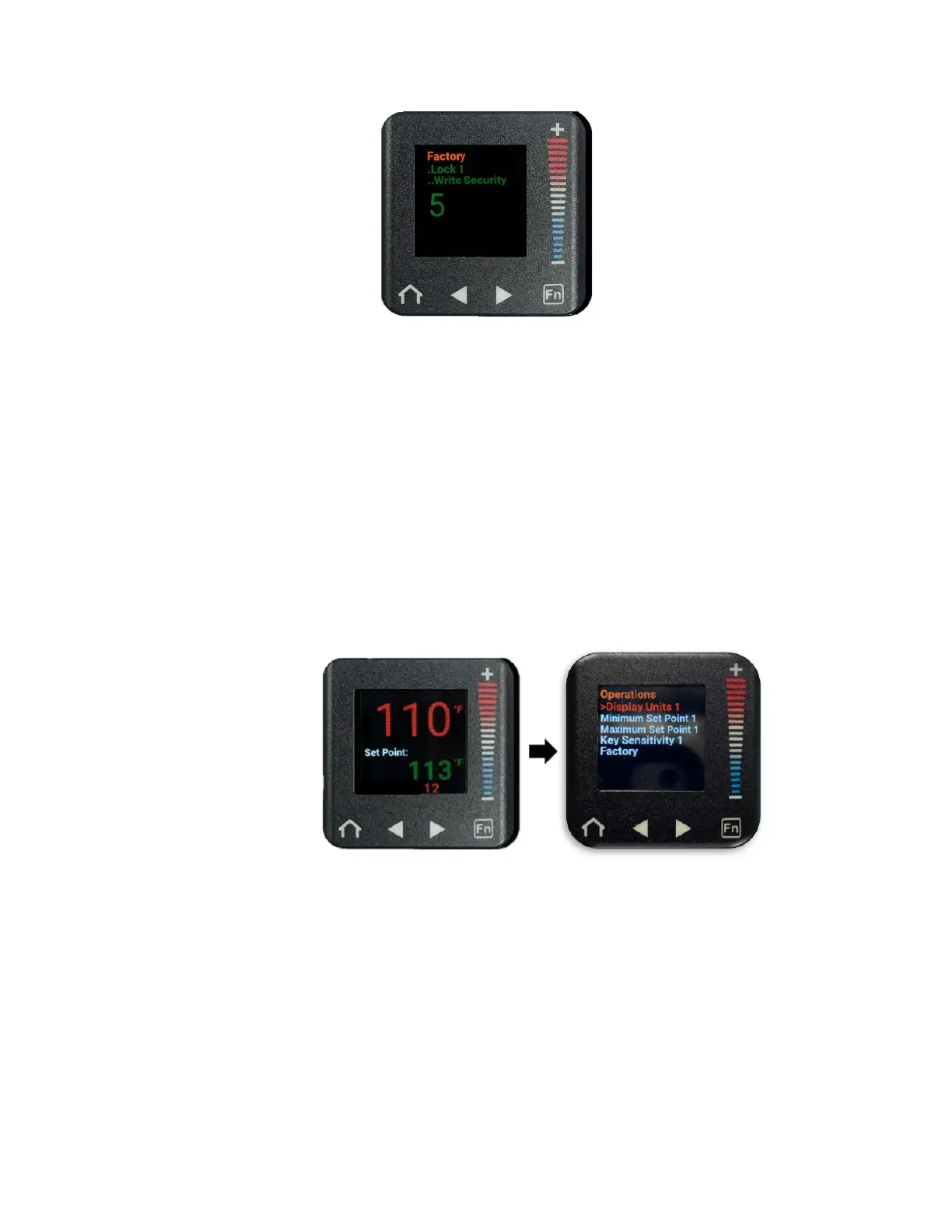
l. Press the home button to return to the home screen with the Set Point temperature
now unlocked.
m. To confirm that the Set Point temperature is successfully unlocked, press the “+” or
“–” buttons to attempt to increase or decrease the Set Point temperature. The Set
Point temperature should change. If you are unable to adjust the Set Point
temperature, repeat the steps in Section 6.6.5.
6.6.6 Setting a new Set Point Temperature Range within the Factory Set Point Temperature
Range
a. From the home screen, press the right arrow button to navigate to the Operations
menu. (“Display Units 1” will be selected in a red font).
b. Press the “–” button to scroll down to “Minimum Set Point 1” (“Minimum Set Point 1”
will be in a red font when selected).


 To Next Page