AG45134 Rev. 3 4 - 3
The filters can become clogged
with dust and other debris if it is
not cleaned regularly. A clogged
filter can result in the loss of
internal pressure and increase
the possibility of a system
malfunction. Clean the filters
whenever they show signs of
contamination with dust or other
debris
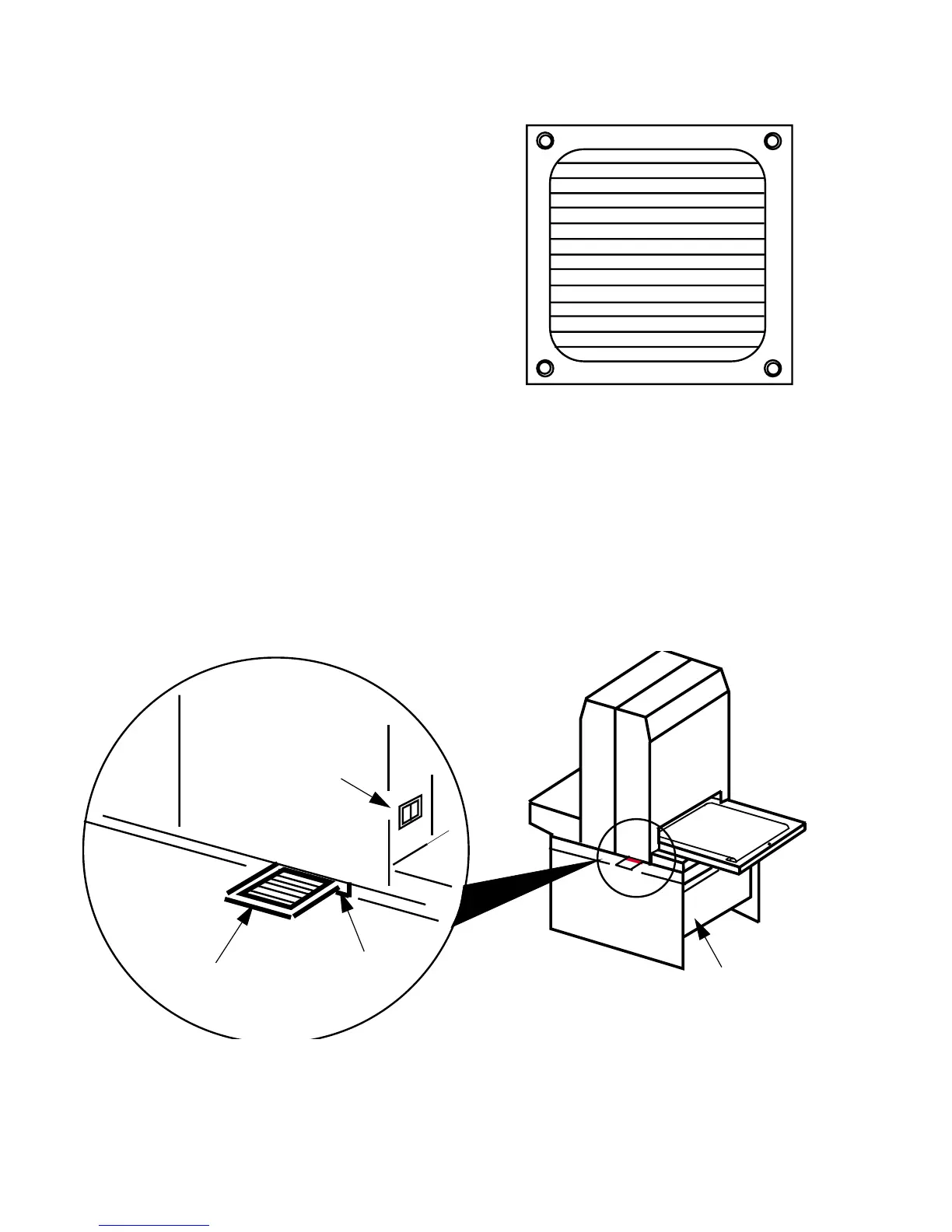
Here’s how to remove and
replace the filters:
Step 1. Turn the power switch off.
Step 2. From inside the pedestal, reach up and under the machine where
the on/off switch is located. See Figure 4-2.
Step 3. Place your fingers on the filter. It has a corrugated feel.
Step 4. Gently push the filter toward the outside of the machine until the
filter protrudes from the slot shown below.
Figure 4-2 Fan Filter Removal
FAN FILTER
SLOT
ON/OFF
SWITCH
PEDESTAL



 To Next Page