4200 User Manual Edgewater Networks, Inc.
Version 3.0 66
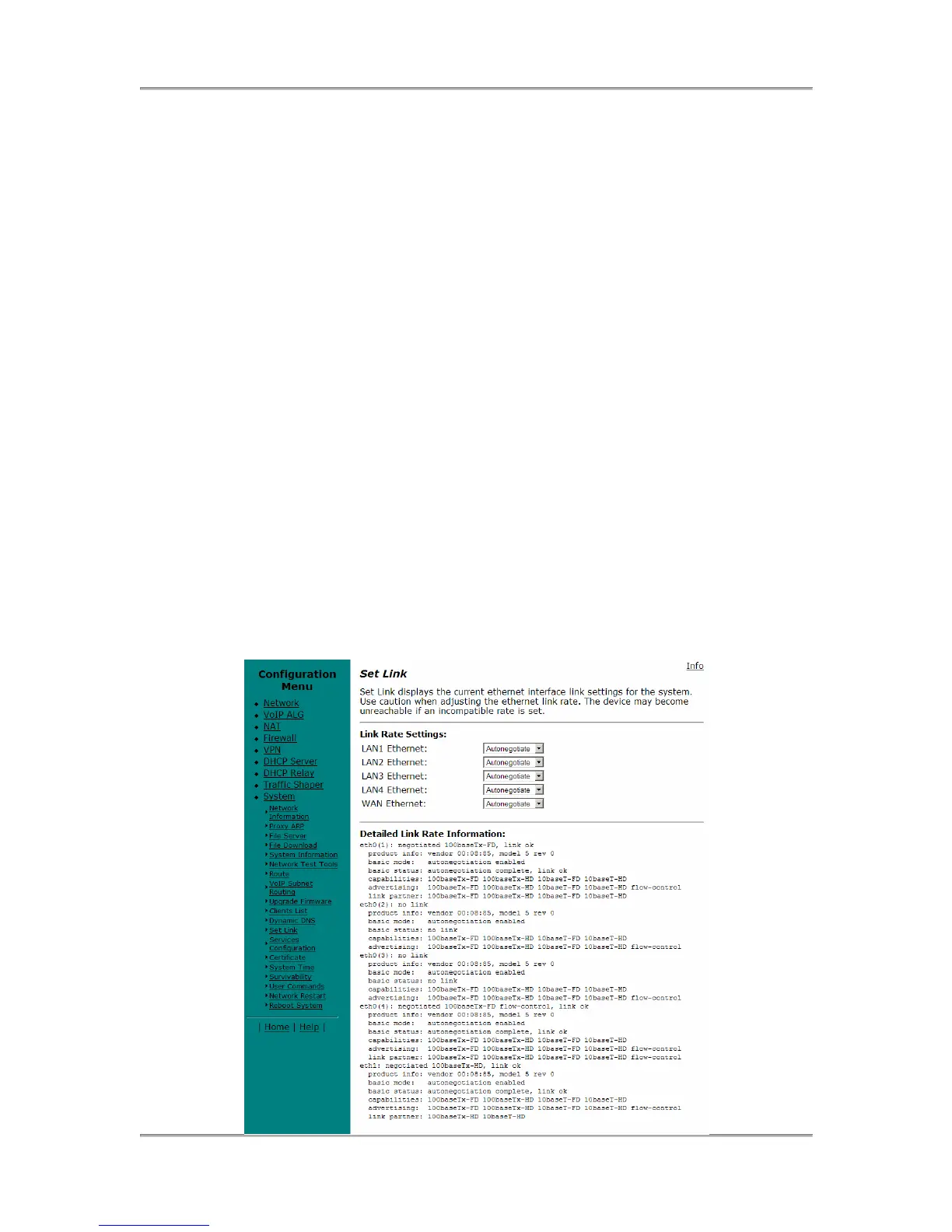
Set Ethernet Link Rate
WARNING: The vast majority of ethernet networking devices
including the 4200 use “Autonegotiate” as a default setting.
Chances are that you will not have to set the Ethernet link rate as
described below. Please use caution if manually configuring the
link rate as a speed or duplex mismatch will result in a loss of
connectivity.
If needed configure the rate of the physical Ethernet port on the 4200. The default
setting for the Ethernet port is to “Autonegotiate” both the link speed and duplex
with locally attached devices.
A. Select System.
B. Select Set Link.
C. Select LAN Ethernet on the port you are attaching to and apply the correct
settings for that device.
D. Select WAN Ethernet and apply the correct settings for that device.
10baseT-HD = 10Mbits per second using half duplex transmission
10baseT-FD = 10Mbits per second using full duplex transmission
100baseT-HD = 100Mbits per second using half duplex transmission
100baseT –FD = 100Mbits per second using full duplex transmission
Autonegotiate = The 4200 will Autonegotiate link rate and duplex with the
directly attached device.
E. Press Submit.


 To Next Page
 Loading...

