AP Mode
16
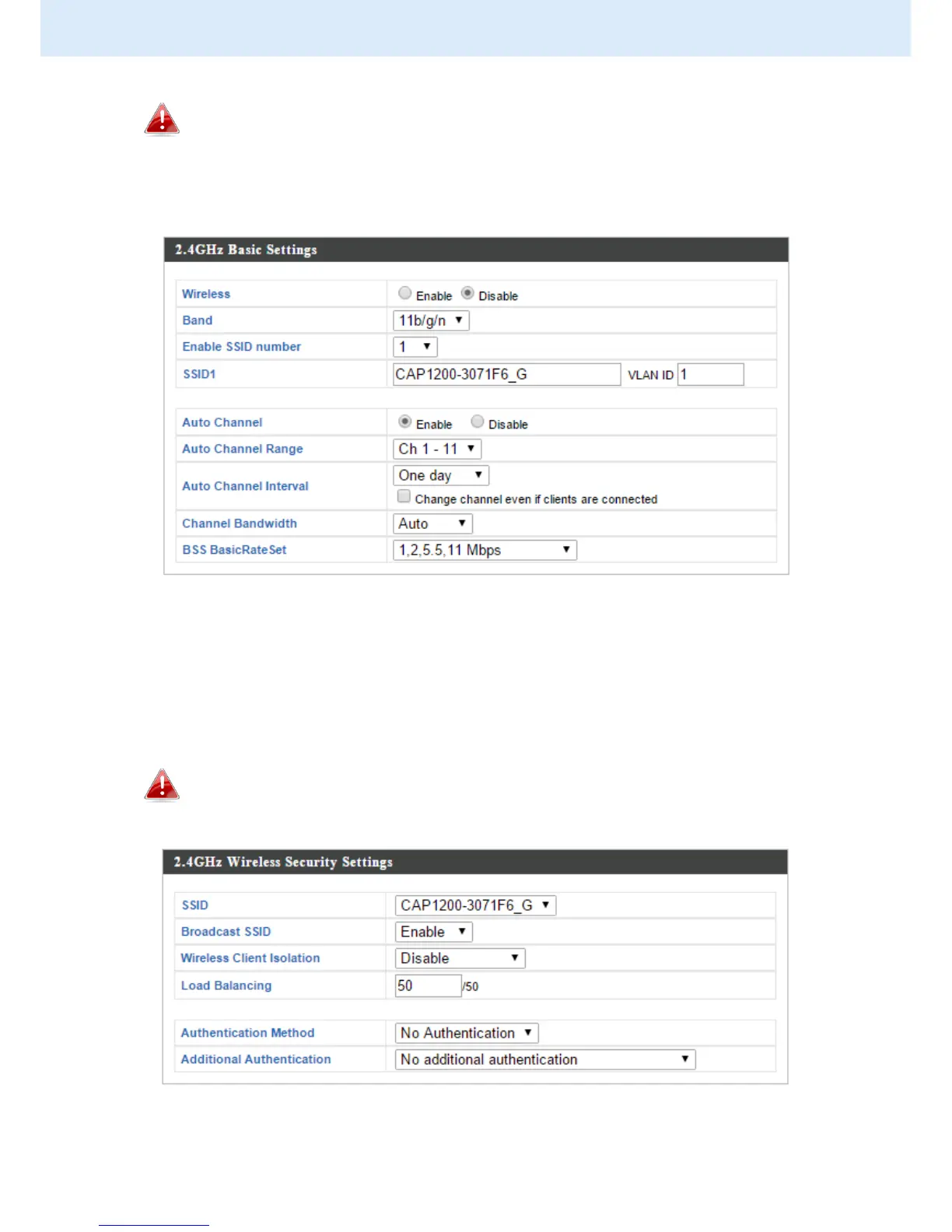
To utilize multiple 2.4GHz SSIDs, open the drop down menu
labelled “Enable SSID number” and select how many SSIDs you
require. Then enter a new SSID in the corresponding numbered
fields below, before clicking “Apply”.
4. To configure the security of your access point’s 2.4GHz wireless
network(s), go to “Wireless Settings” > “2.4GHz 11bgn” > “Security”.
Select an “Authentication Method” and enter a “Pre-shared Key” or
“Encryption Key” depending on your choice, then click “Apply”.
If using multiple SSIDs, specify which SSID to configure using the
“SSID” drop down menu.



 To Next Page