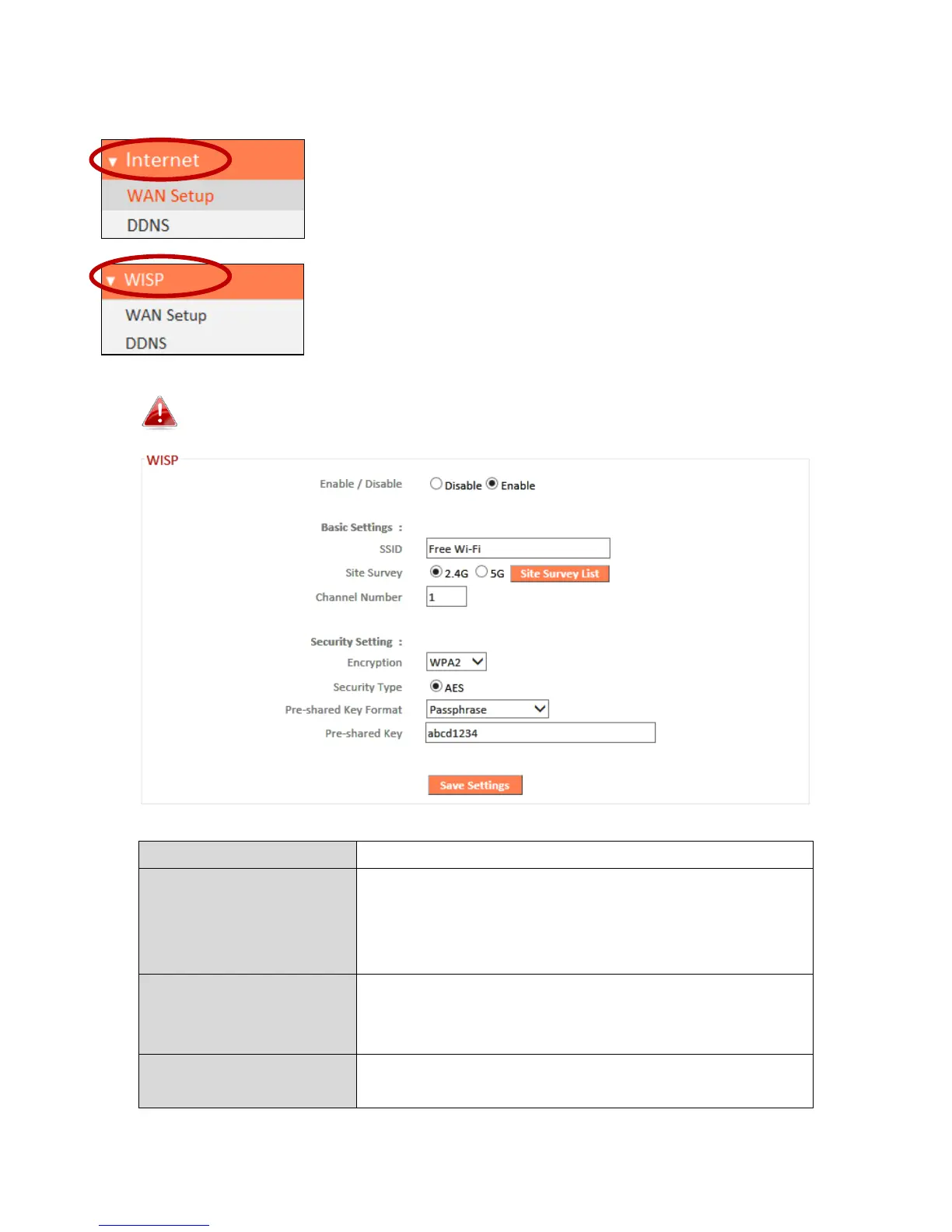
III-4-3. Internet/WISP
The “Internet” menu provides access to WAN and
DDNS settings. Click on an item from the submenu to
view and/or configure the settings.
In WISP mode, the screen below will be displayed:
Enable or disable your WISP connection.
The name of the WISP network which your
EW-7208APC is connected to. Manually enter
an SSID if you wish or use “Site Survey”
below.
Select wireless frequency and click “Site
Survey List” to open a new window and select
your WISP network.
Please refer to III-3-5-1. Basic for a
description of security settings.



 To Next Page