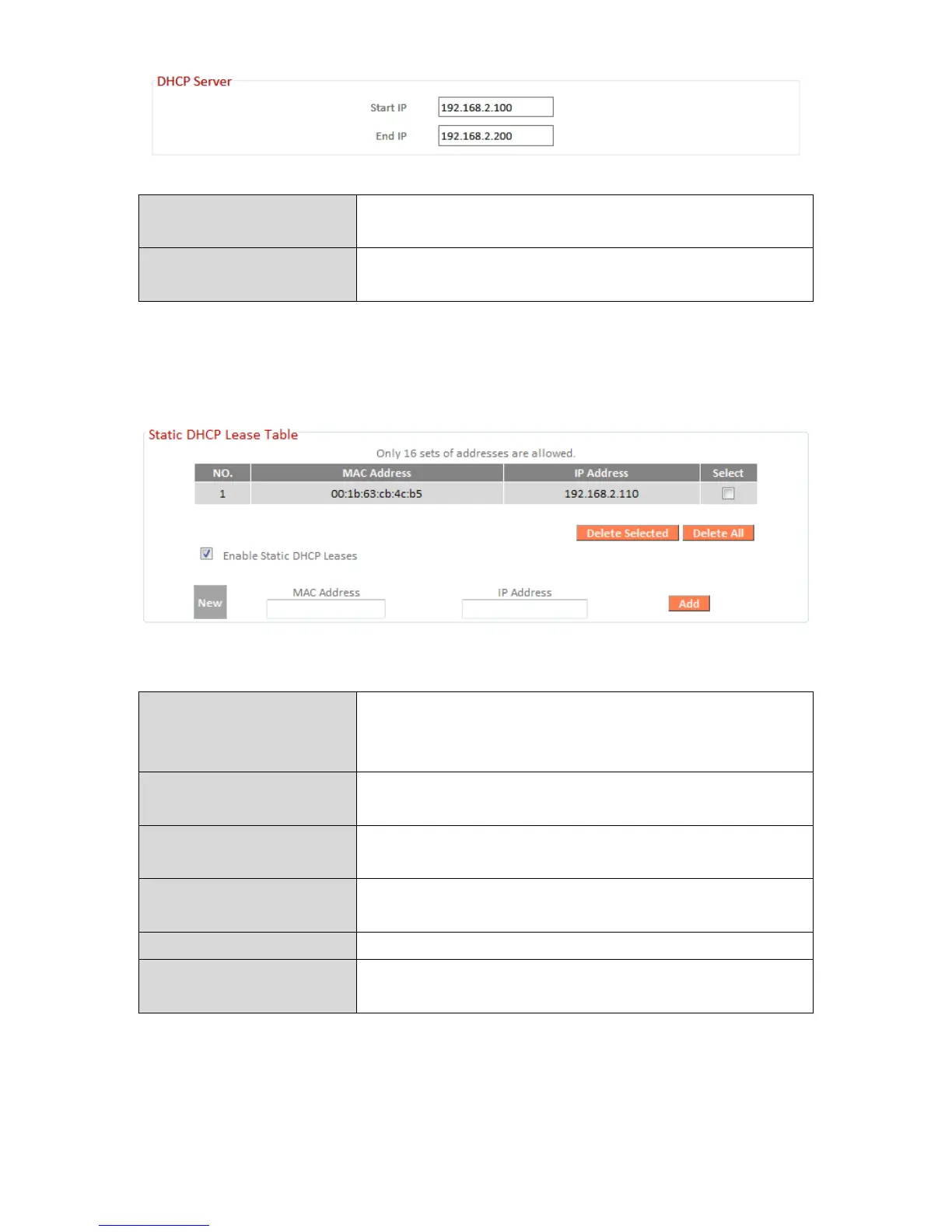
Enter the start IP address for the DHCP
server’s IP address leases.
Enter the end IP address for the DHCP
server’s IP address leases.
Your device’s DHCP server can be configured to assign static (fixed) IP addresses to
specified network devices, identified by their unique MAC address.
Enable Static DHCP
Leases
Enable/disable static DHCP leases. This must
be enabled in order to assign any network
device a static IP address.
Enter the specified network device’s MAC
address here.
Assign a fixed IP address for the specified
network device here.
Add the information to the “Static DHCP
Leases Table”.
Clear the MAC address and IP address fields.
Delete Selected /
Delete All
Delete selected or all entries from the table.



 To Next Page