101
The descriptions of every setting of weekly schedule in this menu will be given below:
Item Description
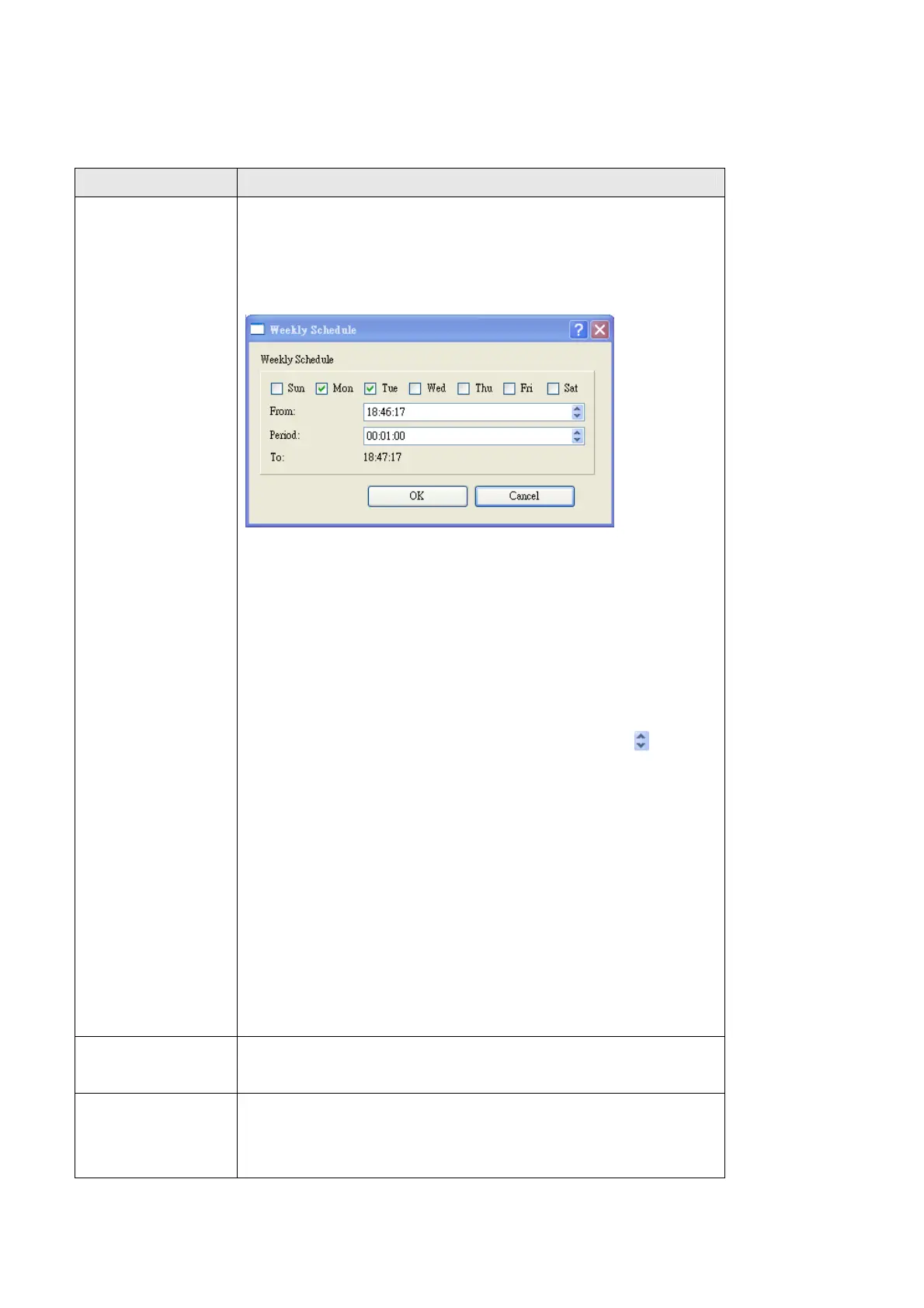
New Create a new weekly recording schedule. After you click
this button, you’ll be prompted to specify the recording
schedule:
Sun - Sat: Check the weekday(s) that recording should
be executed for this schedule. At least one weekday
should be checked.
From: Please specify time you wish to start recording for
this schedule, time format is HH:MM:SS (24-hour
format). You can also use up and down button to
adjust selected time field.
Period: Please specify how long this recording schedule
should be in HH:MM:SS format.
To: Displays when this recording schedule will end
(‘From’ time plus ‘Period’)
Click ‘OK’ to save this schedule or click ‘Cancel’ to
discard changes.
Edit You can select an existing schedule and click ‘Edit’ to
change its start / end time.
Delete You can delete an existing schedule. Please select a
schedule, then click ‘Delete’. You’ll be prompted to
confirm the delete.



 To Next Page