108
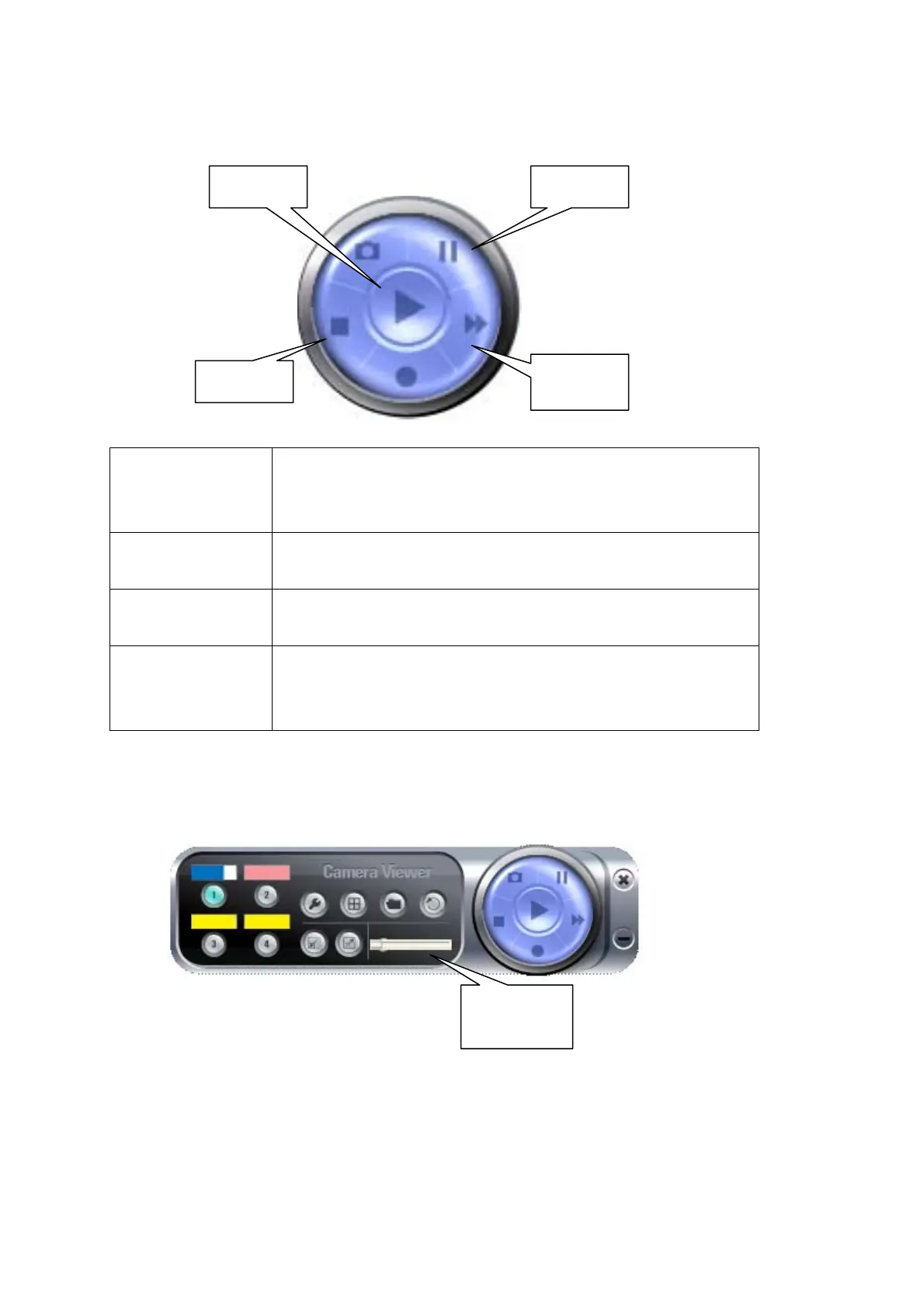
When a video file is opened, you can use these controls to control video playback:
Play The video file will play automatically when it loads. If you
paused video playback, you can click this button to
resume playing.
Stop
Stop video playback and close video file.
Pause
Pause video playback. Click ‘Play’ to resume.
Fast Forward Click this button to increase video playback speed. The
more time you click this button, the speed of video
playback will be faster.
The progress of video playback will also displayed by the progress indicator on the
dashboard:
The slide pointer of progress indicator will move right as video plays. You can also
use mouse to drag the slide pointer, to control the progress of video playback.
Stop
Pause
Fast
Play
Progress
Indicato



 To Next Page