DCP 350 User Manual
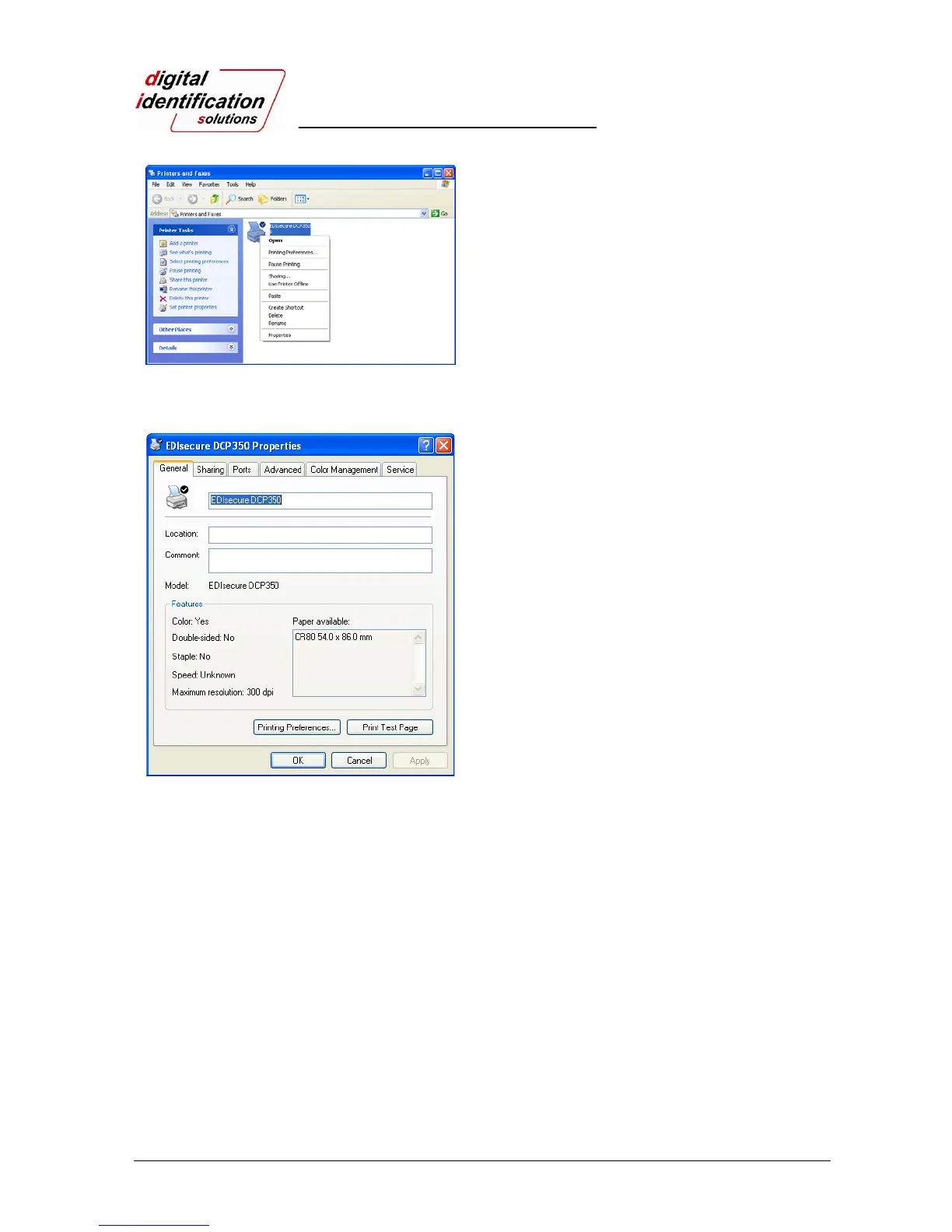
Pic.32 Install XP printer driver 14
2.3.13.
Check “EDIsecure
®
DCP350” is generated in Printers
and Faxes window.
2.3.14.
After selecting the icon of “EDIsecure
®
DCP 350” click
the right mouse button and select the “Properties”.
Pic.33 Install XP printer driver 15
2.3.15.
Select “General” tap and click “Print Test Page”
button on the EDIsecure
®
DCP 350 Card Printer
Properties window.
2.3.16.
Printer will start the printing and there will be the
window which asks the printing success. If the
printing is normal, click the “OK”
(If the printing is abnormal or the printer error is
occurred, remove the problem refer to “Trouble
Shooting” section and execute test printing again.)



 To Next Page