DCP 350 User Manual
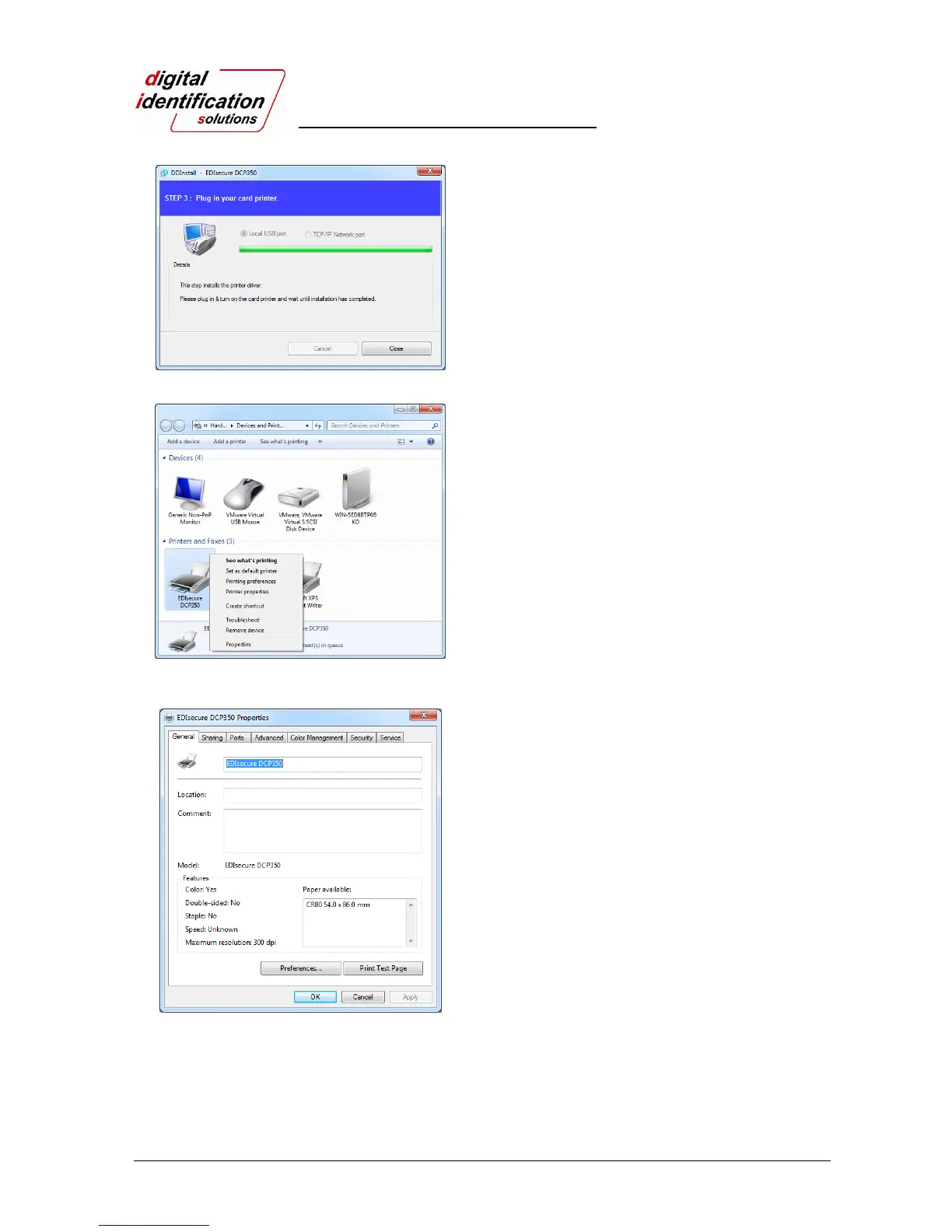
Pic.44 Install Win7 driver 11
2.4.11.
When driver installation is completed, please click
“Close”.
Pic.45 Install Win7 driver 13
2.4.12.
Please open “Devices and Printers” from
“Hardware and Sound”. Please check if “EDIsecure
®
DCP 350 Printer” is created.
2.4.13.
Please click the right mouse button after cursor is
placed on “EDIsecure
®
DCP 350 Printer” icon.
Click “Printer properties”.
Pic.46 Install Win7 driver 16
2.4.14.
Please select “general” tab and click “Printer test
page” in “EDIsecure
®
DCP 350 Printer Properties”
window.
2.4.15.
Please check test card if it is printed properly and
click “Close” if a card is printed properly.
(If card is not printed or error comes out, please refer
“Trouble Shooting”.)



 To Next Page