DCP 350 User Manual
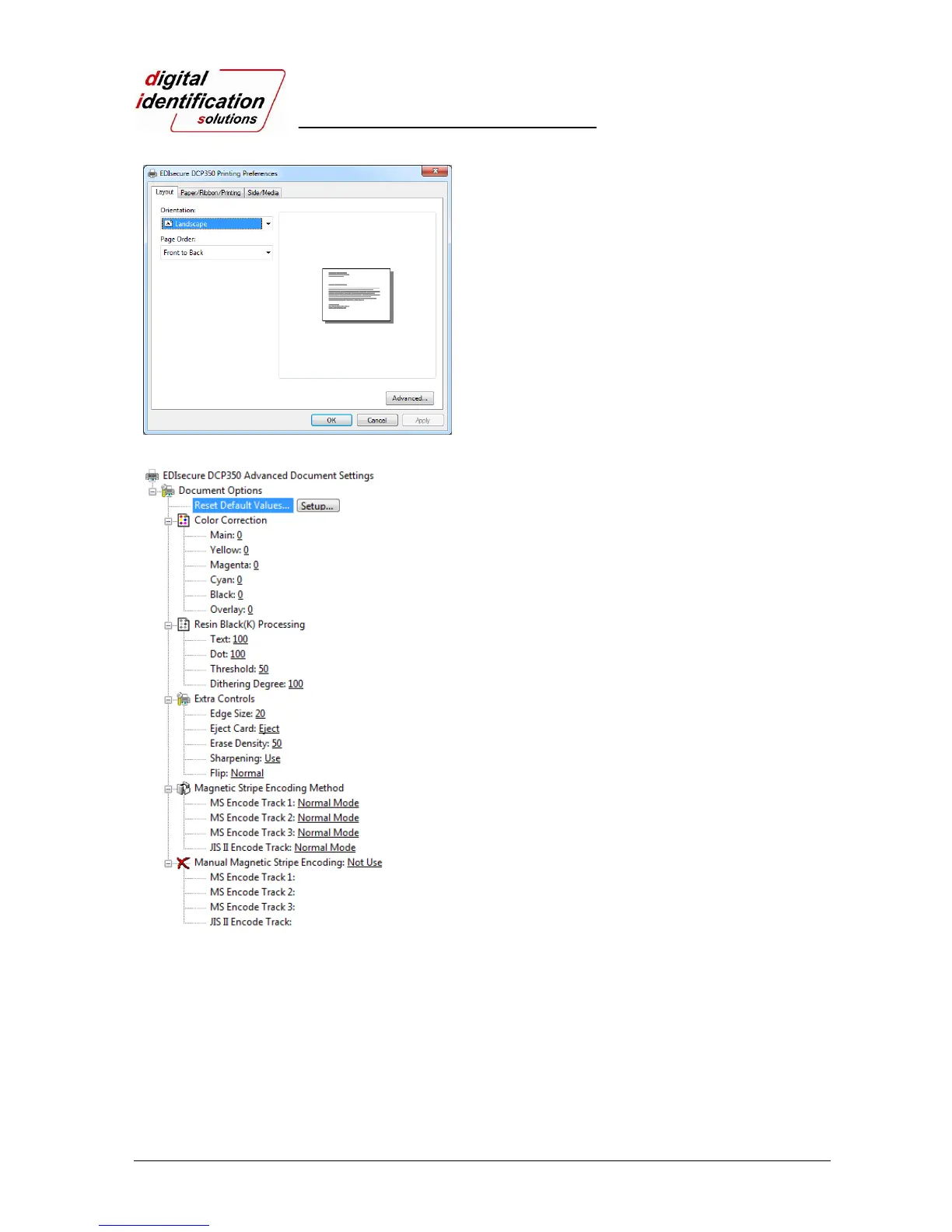
Pic.65 Layout
3.2.1.1. Layout
You can select either horizontal or vertical printing
direction. To apply your selection, click “OK”.
Pic.66 Advanced Setup
3.2.1.2. Advanced setup
Reset Default Values: Reset to default.
Color Correction: You can correct gamma for
colors. You need to use CardPrinterSetup to adjust
color densities.
Resin Black (K) Processing: Set criteria for resin
black processing.
Text: to set density criteria for extracting black
objects
Dot: to set density criteria for extracting black dots
Threshold: to set density criteria on dithering
Dithering Degree: to set sharpness on dithering
Extra Controls :
Edge Size: to set not printed area in case of not
using Edge-To-Edge
Eject Card: to set if eject a card after printing
Sharpening: to calibrate image sharpened
Flip: to set printed direction of image on card
Magnetic Strip Encoding Method: to set magnetic
stripe encoding method for each track
Normal: to encode on LoCo Card forwards
Reverse: to encode on LoCo Card backwards
Bit: to encode on LoCo Card in Bit
HiCo Normal: to encode on HiCo Card forwards
HiCo Reverse: to encode on HiCo Card backwards
HiCo Bit: to encode on HiCo Card in Bit
Manual Magnetic Stripe encoding: to put in data
on
magnetic stripe manually
Not Use: not to use magnetic stripe encoding
Encoding and Printing: to print after magnetic
stripe
encoding
Encoding Only: to encode only



 To Next Page