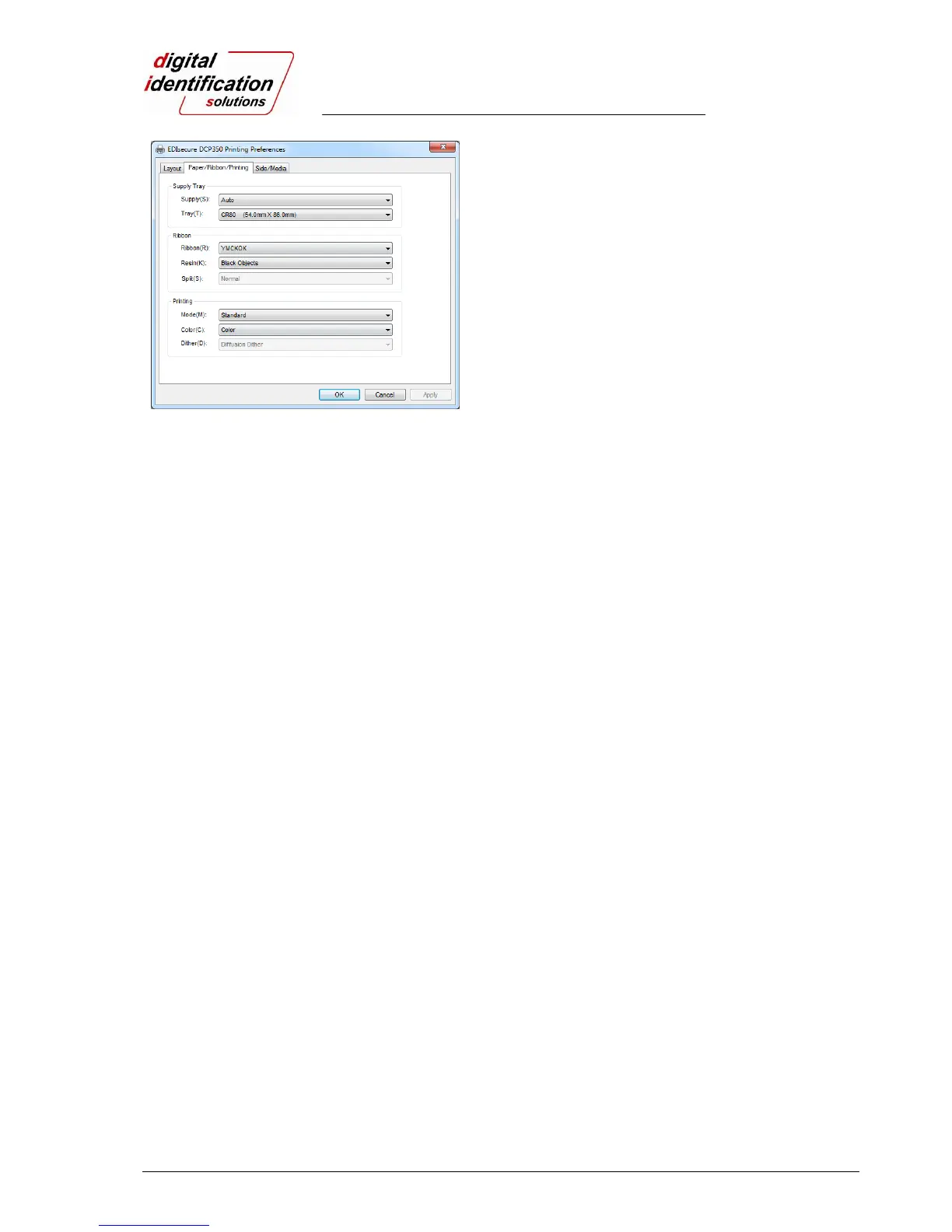
DCP 350
Pic.67 Paper / Ribbon / Printing
3.2.1.3. Paper / Ribbon / Printing
Paper/Tray
Paper
Please select “Auto” as the EDIsecure
®
DCP 350 supports CR80 cards only.
Tray
Please select “CR-80” as the EDIsecure
®
DCP 350 has 1 input hopper.
Ribbon
Ribbon
It shows the type of installed ribbon. You don’t need to select this option as the EDIsecure
®
DCP 350 recognizes ribbon automatically with RF Tag.
Resin
You can set the method to extract resin black when you use design programs. It will be set
automatically.
Black Objects: to extract resin black automatically for text, line, box, circle, binary images,
etc.
Black Texts: to extract resin black for text only
Black Dots: to extract resin black for all of black
Not Use: not to extract resin black
Split
You can set the both sides (Front:YMCO, Back:K) to save color ribbon(YMCKO, HP-YMCKO,
BYMCKO). It is only activated while printing both sides option is set.
Printing
Mode
User can set the mode among 4 kinds of mode below. It depends on printing speed and print
quality.
Standard: Default print mode. Shows best print quality.
Fast: Fast print mode. It is performed with K and KO ribbon only. Printed quality might be
lower than Standard.
Partial: Partial print mode. It is printed partially for the print area only. Faster speed but lower
quality performed.
Semi-Partial: Semi-Partial print mode. It is printed from the print area to edge. It is faster than
Standard mode and prevents the print quality.
Color
You can select color or black&white print. (“Color” option is available only with color ribbon.)
Dither
There are 3 possible selections, Threshold, Random, and Diffusion Dither. It is performed with
K and KO ribbon only. (Please select “Diffusion Dither” for high quality.)



 To Next Page