DCP 350
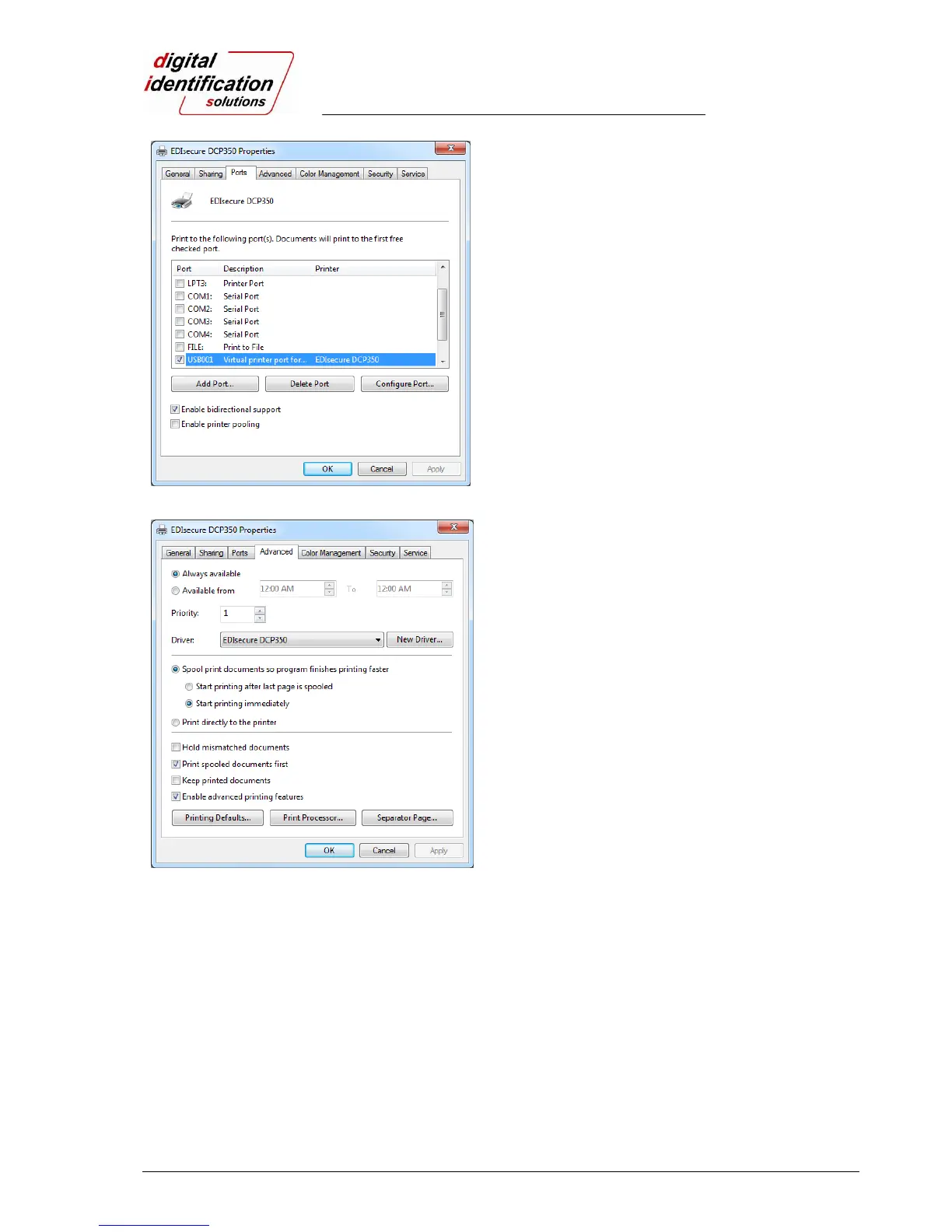
Pic.70 Ports
3.3.2. Ports
Port tab shows which port is connected with the
EDIsecure
®
DCP 350. The EDIsecure
®
DCP 350 has
a connection with the USB Virtual printer port as
shown in Pic.70 because the EDIsecure
®
DCP 350
uses USB connection to a PC.
(Caution! This port is selected automatically. It is
recommended to maintain default.)
Pic.71 Advanced
3.3.3. Advanced
It is available for Working Time setting, Priority order,
Spool print etc. in “Advanced” tab. “Advanced” setting
follows MS Windows standard. If you want to change
the setting, please refer to the Window manual.
(It is recommended to maintain default.)



 To Next Page