DCP 350
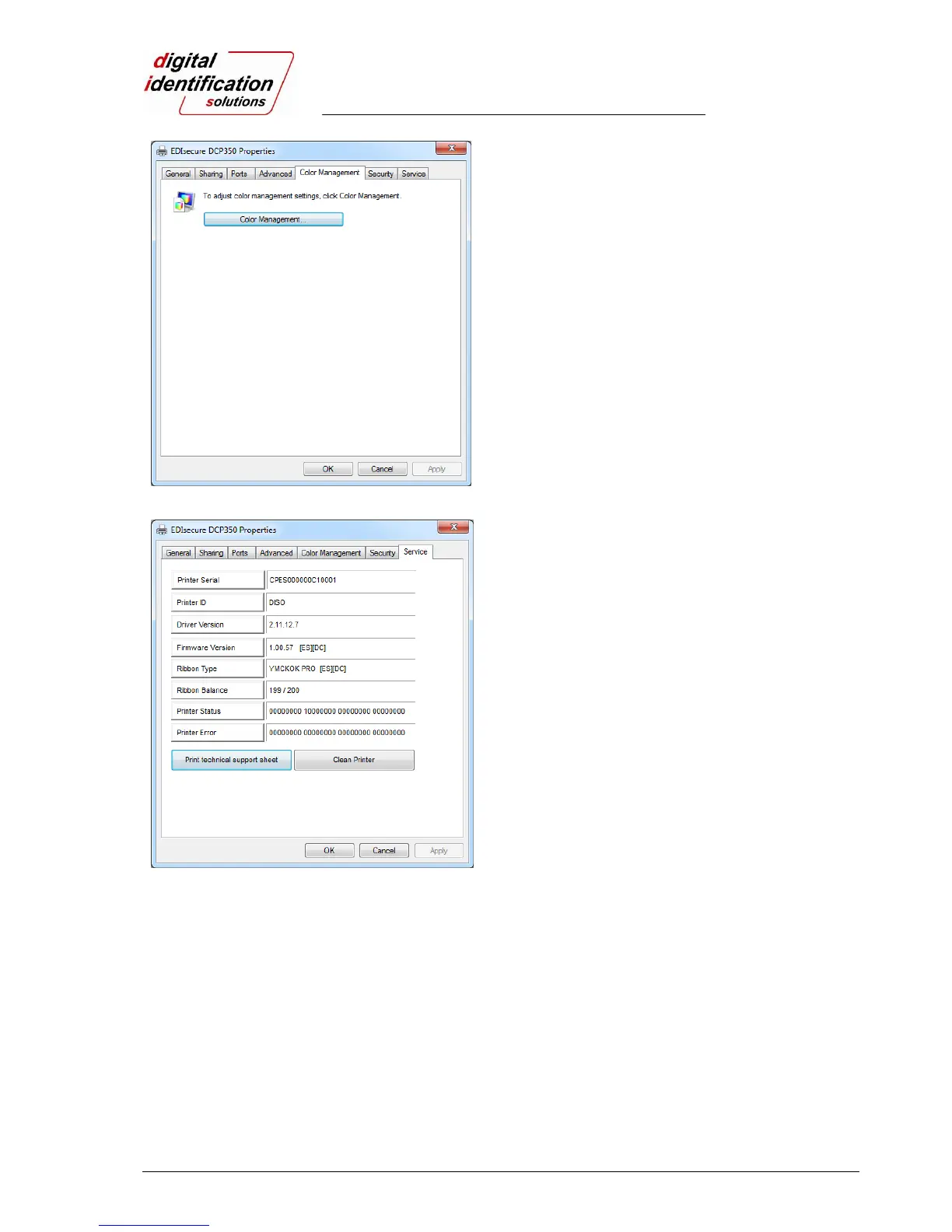
Pic.72 Color Management
3.3.4. Color Management
In the “Color management” tab, you can select color
management profile fit to the printer.
The EDIsecure
®
DCP 350 uses color profile to
express optimal color. The driver selects color profile
automatically to fit each ribbon.
(It is recommended to maintain default.)
Pic.73 Service
3.3.5. Service
You can check the printer serial, printer ID, driver
version, firmware version, type of ribbon & balance
and printer’s status.
You can print the “technical support sheet” on a card
to check printer’s setup value.
To clean the printer, please insert a cleaning card in a
hopper and click “Clean Printer”. For further details,
please refer “6.1. Cleaning Printer”.
Please refer “4.2.6 Printer Status” for numbers of
“Printer Status” and “Printer error”



 To Next Page