EE Bright Box User Manual
104
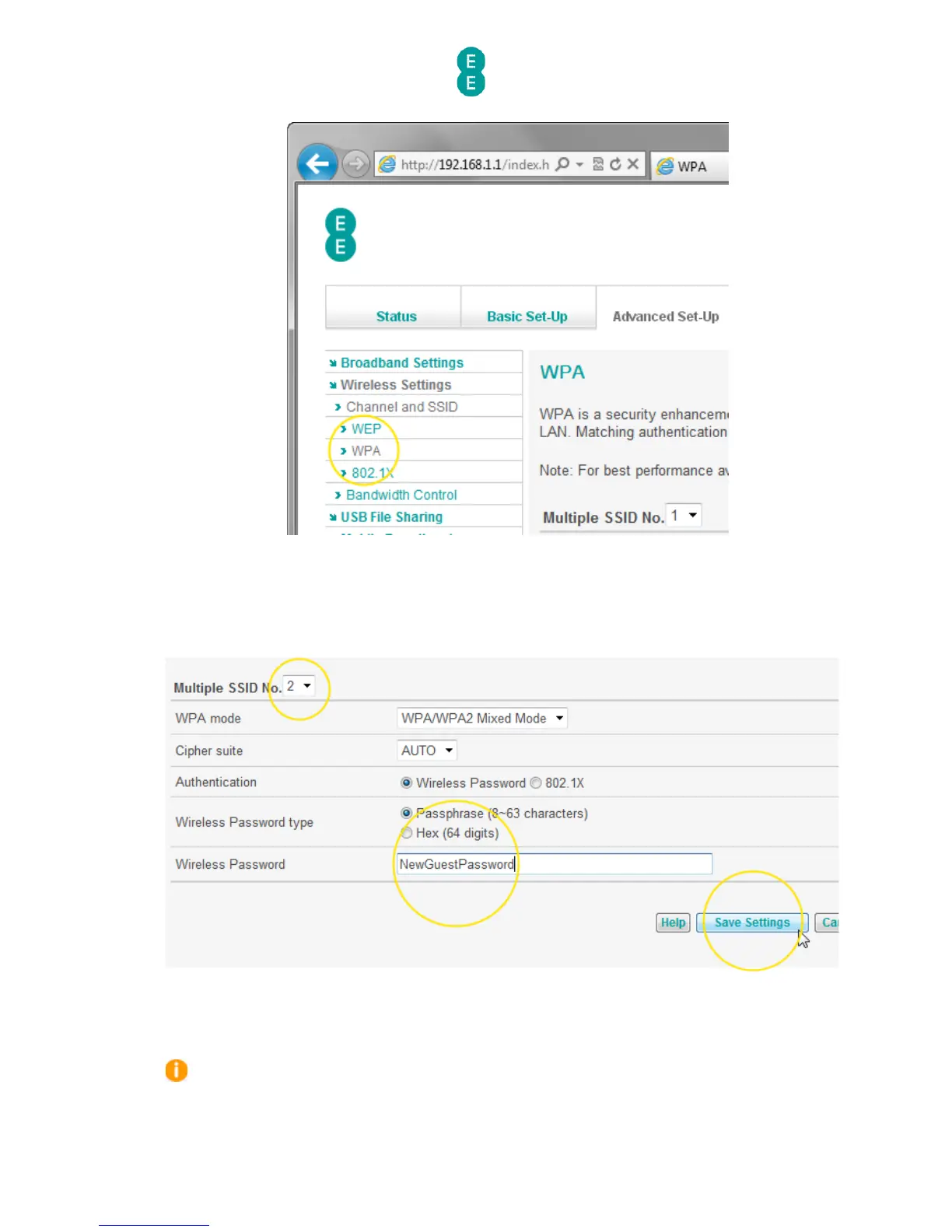
11. In the ‘Multiple SSID No.’ dropdown, select ‘2’
12. In the ‘Wireless Password’ field, enter a password for your new wireless network – the
password should be between 8-63 characters
13. Click Save Settings:
14. You can now give your new wireless network name and password to guests.
If you wish to set up one of your wireless network names in the WEP wireless security
mode you will need to set the ‘Wireless Mode’ dropdown on the Channel and SSID page to
‘11b+11g’. You must then configure the WEP key/password on the Advanced Set-Up > WEP



 To Next Page