This section displays the current wireless settings of the
Bright Box router. These settings can be used to manually
establish a wireless connection to the router. In most
cases only the ‘Network Name (SSID)’ and ‘Network Key’
(also known as the wireless password) are required to
establish a connection.
How to enable and disable WPS
Wi-Fi Protected Setup (WPS) is disabled by default on the Bright Box router. The setting can
be enabled and disabled in the Wi-Fi Protected setup admin page:
1. Login to the router’s admin pages.
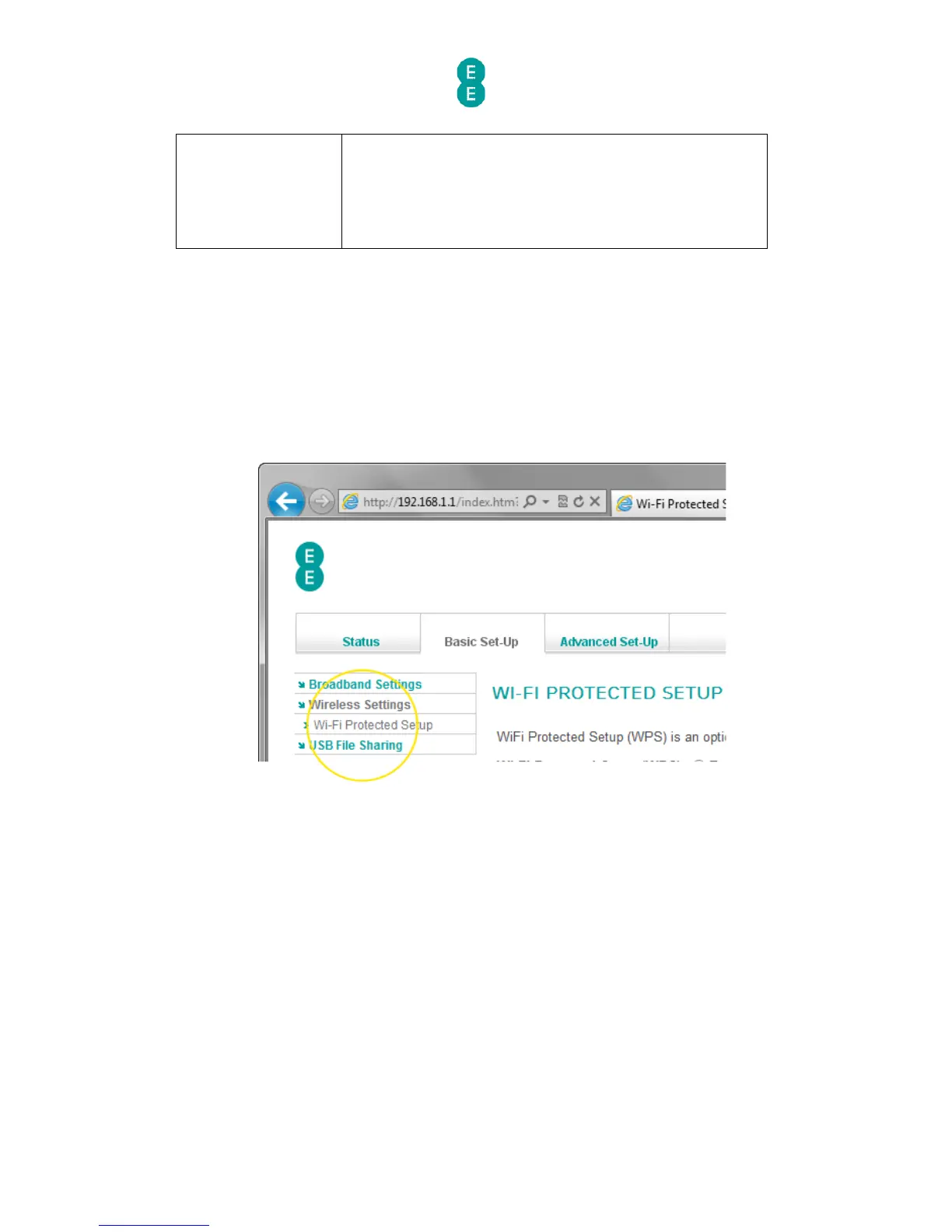
2. Click on the Basic Set-Up tab and then select Wireless Settings from the left hand
menu.
3. Select Wi-Fi Protected Setup from the left hand menu:
4. The Wi-Fi protected setup page will open:



 To Next Page