EE Bright Box User Manual
27
CHAPTER 4: THE BRIGHT BOX ADMIN PAGES
ACCESSING THE BRIGHT BOX ADMIN PAGES
In order to configure settings on the Bright Box wireless router, you will need to log in and
out of the router’s admin pages using your web browser.
The admin pages will only allow one user (defined by the IP Address of the connected
wireless or Ethernet device) to access the pages at one time. As such if swapping between a
wired or wireless connection on the computer it is advised that you log out of the pages once
you’ve finished the task. If you forget, you’ll receive an error, and need to wait 10 minutes, or
restart the router.
How to log in to the Bright Box admin pages
To log into the Bright Box wireless router admin pages:
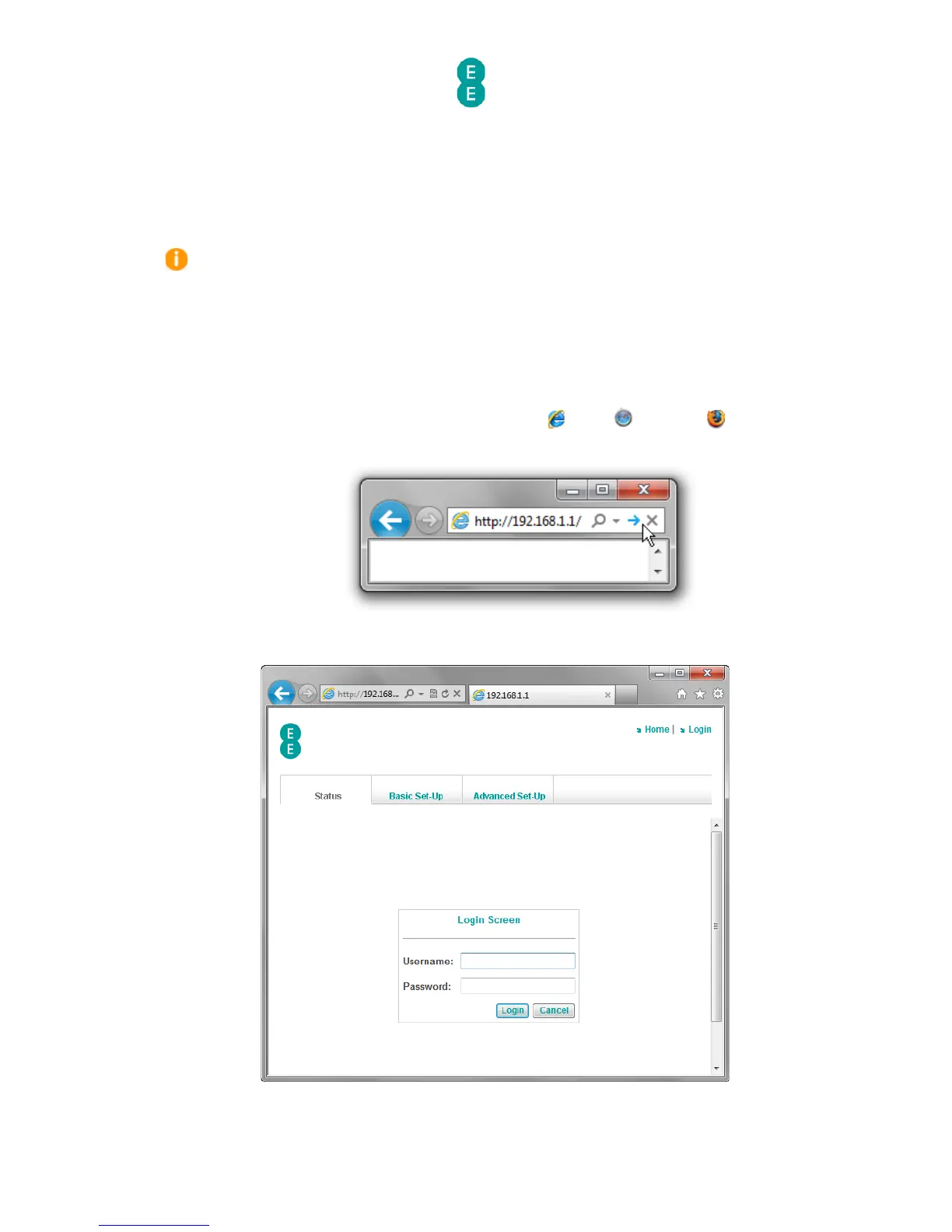
1. Open a browser, for example Internet Explorer Safari or Firefox .
2. In the address bar type, http://192.168.1.1
3. The router’s admin page login will open:
4. Enter the Username and Password to login to the router admin pages:



 To Next Page