EE Bright Box User Manual
173
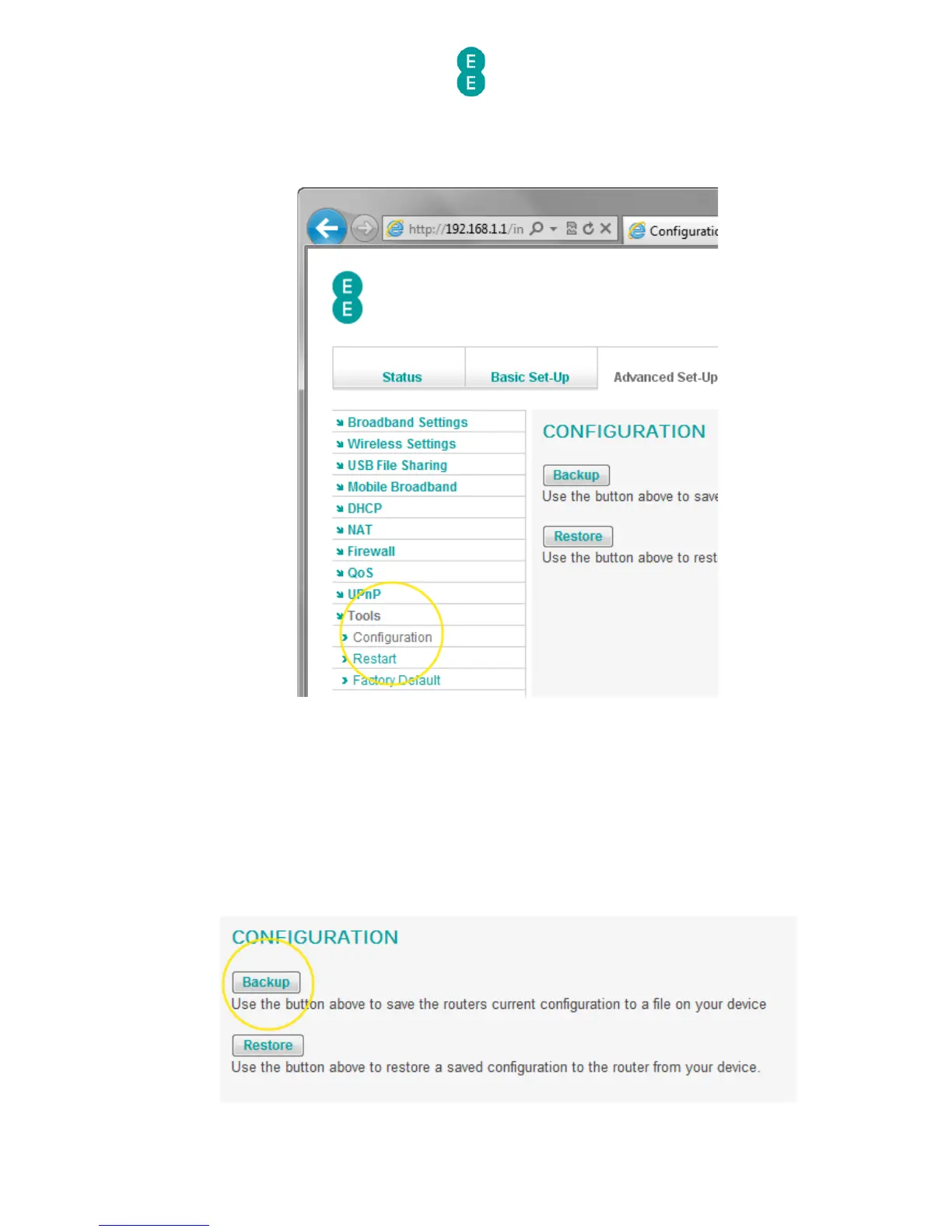
3. Click on Tools in the left hand navigation menu to expand the Tools menu:
4. Click on Configuration on the left hand menu:
How to save a copy of your router’s settings
To back up the Bright Box router configuration settings in a file that you can restore at any
time, do the following:
1. Login to the router’s admin pages.
2. Click on the Advanced Set-Up tab and click Accept on the ‘Please proceed with
caution’ page.
3. Click on Tools in the left hand navigation menu to expand the Tools menu:
4. Click on Configuration on the left hand menu
5. Click the Backup button:



 To Next Page