EE Bright Box User Manual
176
you are away from the router (for example connected over a wireless connection) you may
find it more convenient to restart the router in the admin page.
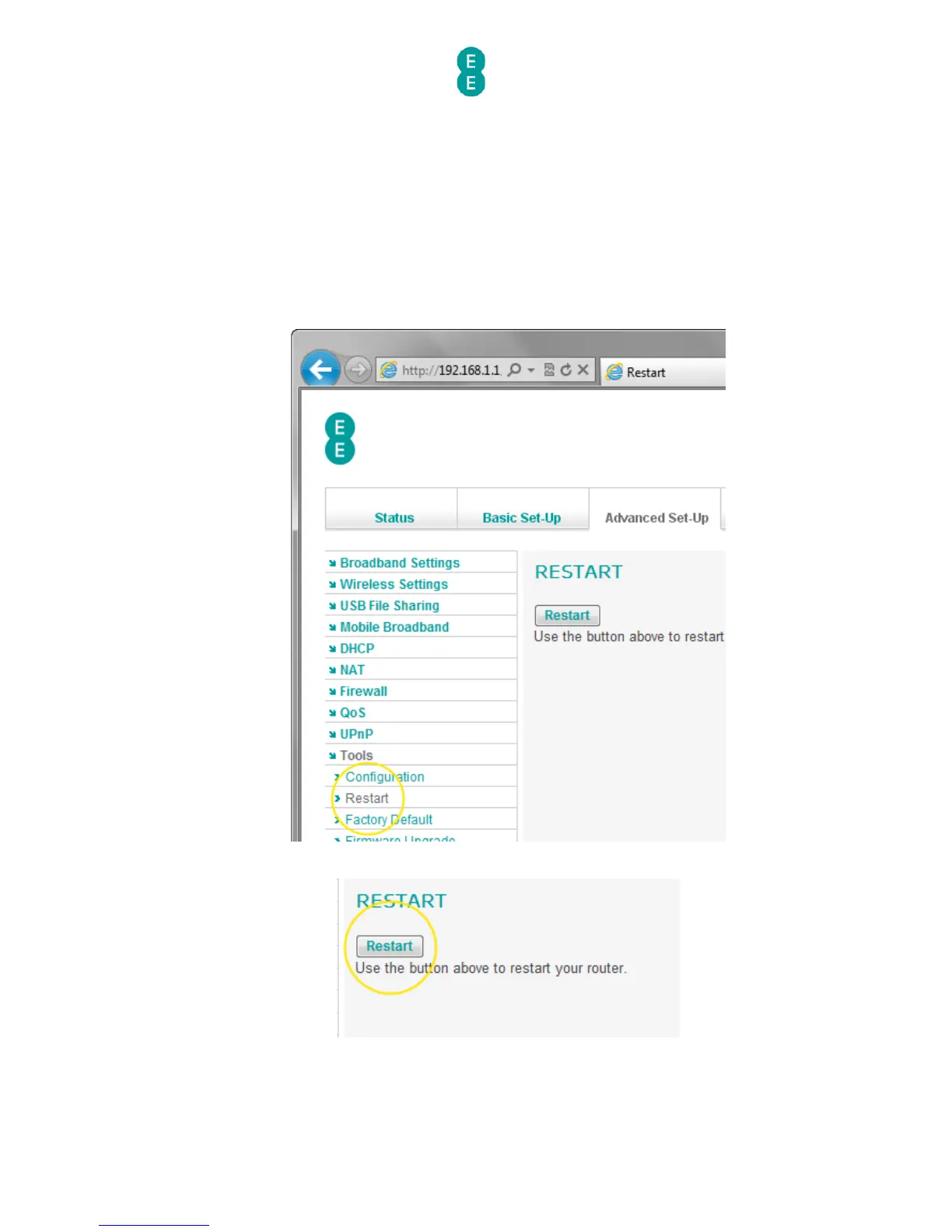
How to restart your router
To restart the Bright Box router:
1. Login to the router’s admin pages.
2. Click on the Advanced Set-Up tab and click Accept on the ‘Please proceed with
caution’ page.
3. Click on Tools in the left hand navigation menu to expand the Tools menu:
4. Click on Restart on the left hand menu:
5. Click the Restart button:
6. Click OK when prompted whether you want to restart your router:



 To Next Page