EE Bright Box User Manual
63
How to enable or disable wireless
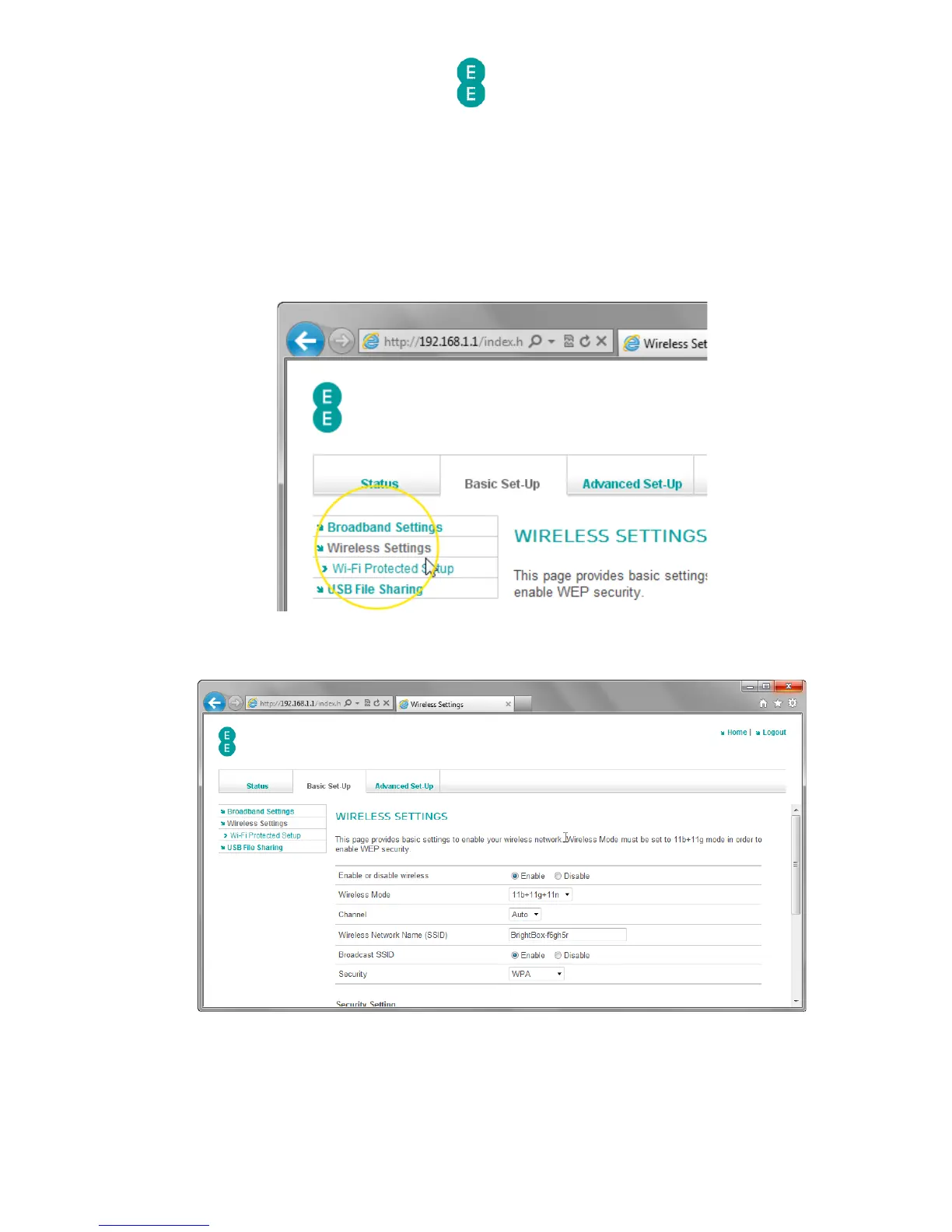
To enable or disable wireless on the router, follow the steps below:
3. Login to the router’s admin pages.
4. Click on the Basic Set-Up tab and then select Wireless Settings from the left
hand menu:
1. The Wireless Settings page will open:
2. In the 'Enable or disable wireless' field, select your required option in the example below
we're going to 'Disable' wireless on the router:



 To Next Page