EE Bright Box User Manual
77
How to disable Wireless Security
It is possible to disable the wireless security mode on the Bright Box router so that wireless
devices can connect to the router without having to enter a password.
Disabling wireless security should only be done with great care. With wireless security
disabled, anyone in range of the router can establish a wireless connection with the router
and use your Internet connection. This setting is not recommended by EE.
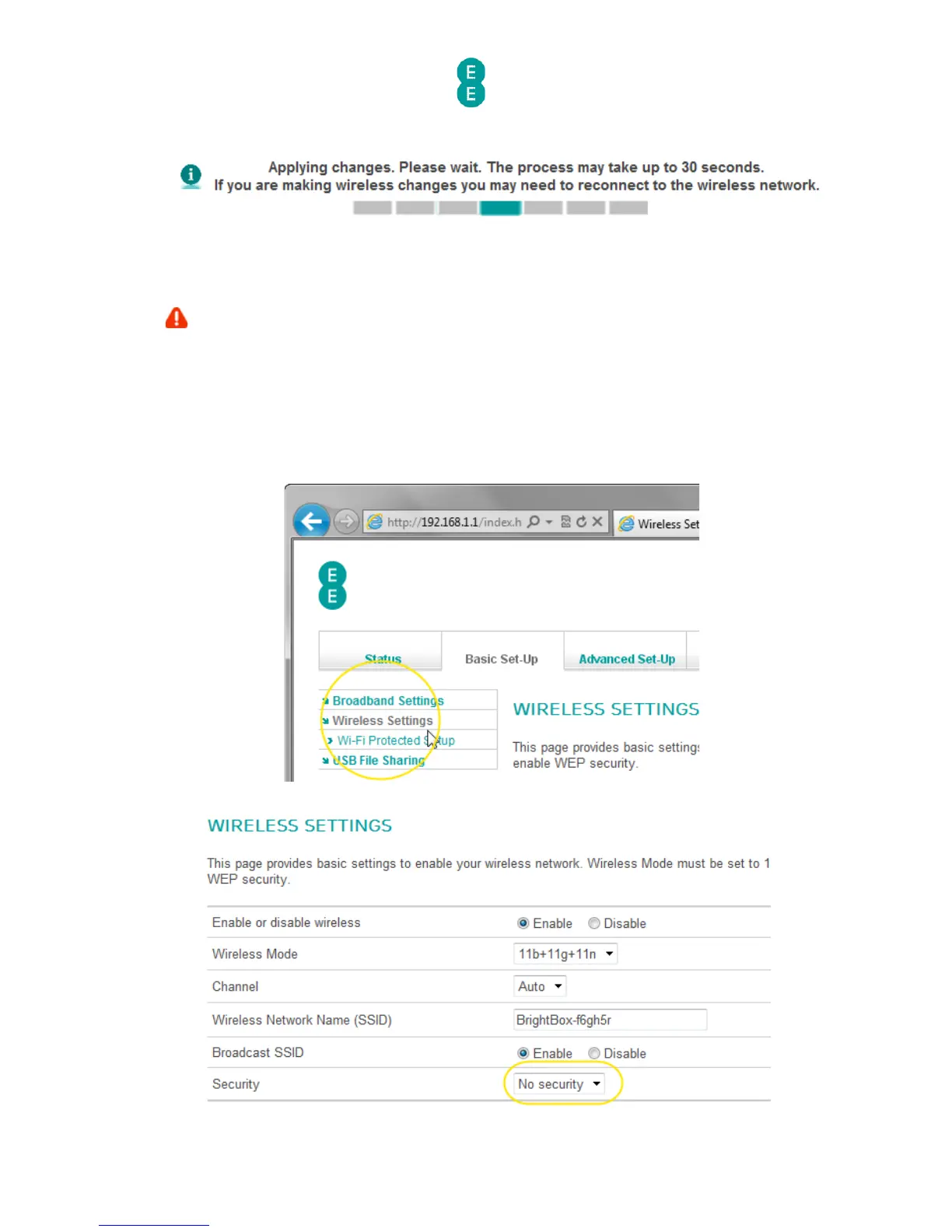
In order to disable wireless security:
1. Login to the router’s admin pages.
2. Click on the Basic Set-Up tab and then select Wireless Settings from the left hand
menu:
3. Select the ‘Security’ dropdown and choose the ‘No security’ option:



 To Next Page