EE Bright Box User Manual
83
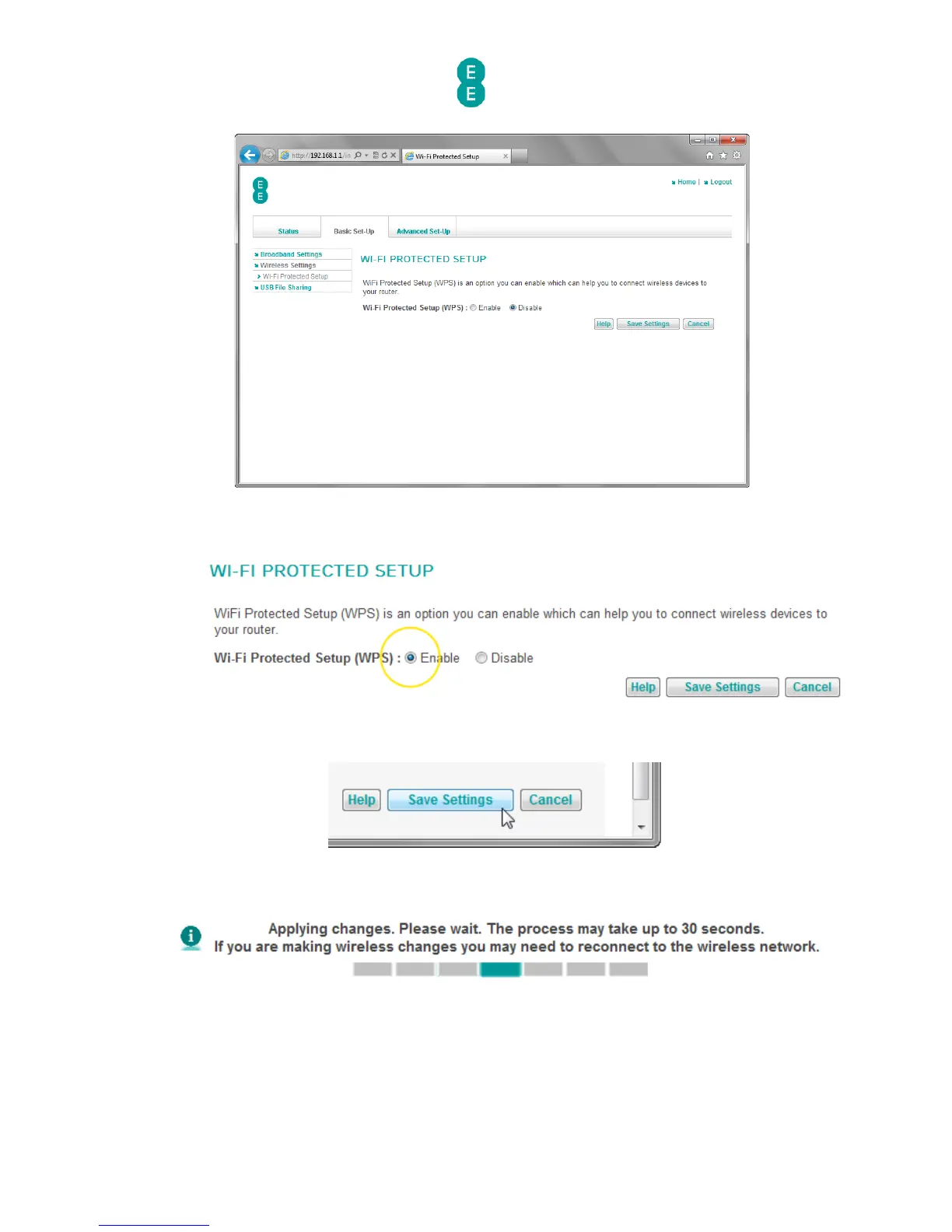
5. In the ‘Wi-Fi Protected Setup (WPS)’ field select the option you wish to use. In this
example we will select ‘Enable’ to enable the WPS feature:
6. Click Save Settings:
7. The router will apply the new settings:
8. You can now connect to your router using a compatible WPS device.
How to establish a WPS connection using push button configuration
(PBC)
To connect the Bright Box router to a WPS device that supports Push Button Configuration
(PBC) mode, you will need to do the following:



 To Next Page