EE Bright Box User Manual
149
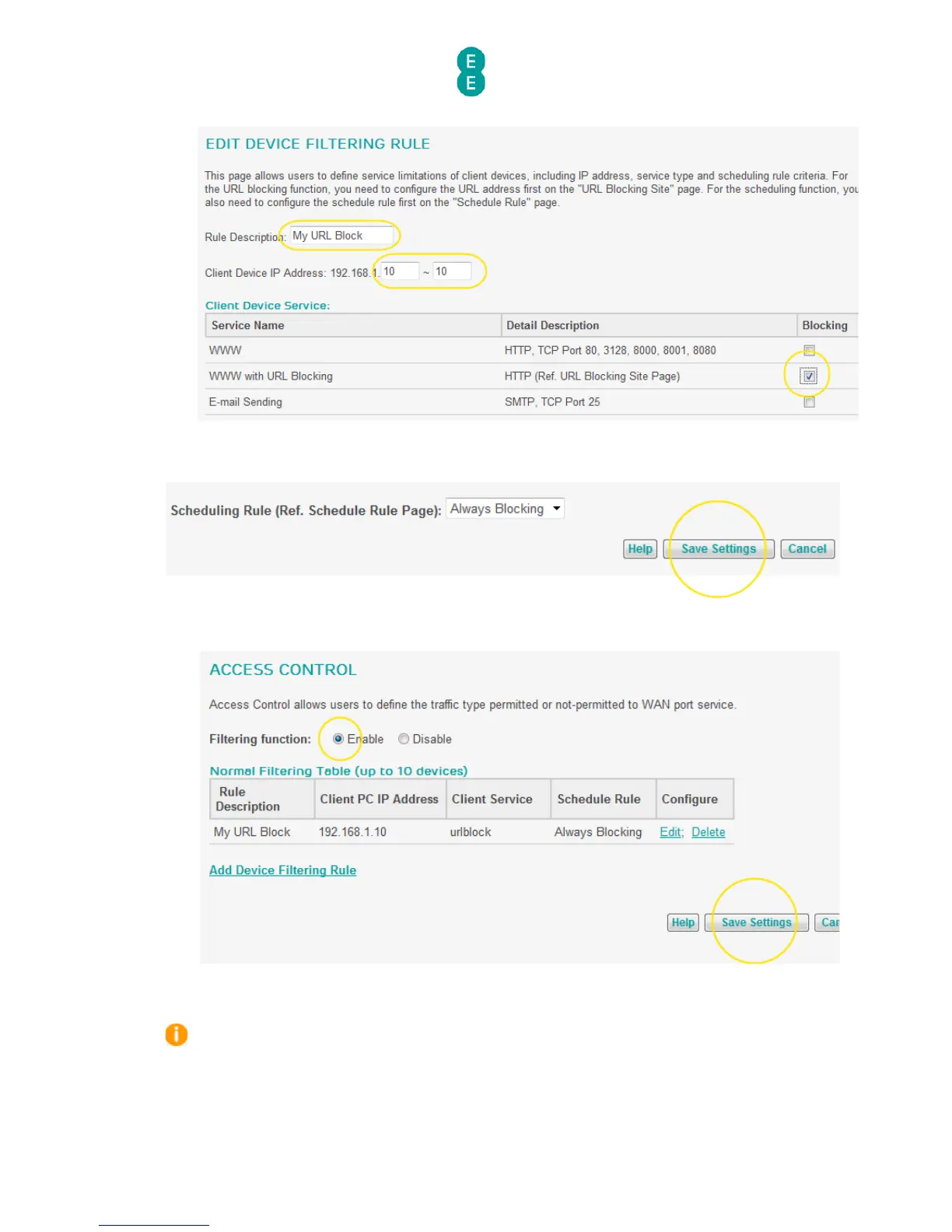
13. Do not change the ‘Schedule Rule’ option, leave it as ‘Always Blocking’ and click Save
Settings:
14. Select the ‘Enable’ option for the ‘Filtering function’ the Access Control page and click
Save Settings:
15. The URL Blocking rule will now be active, and any attempt to access the URL or a URL
containing the keyword entered in step in a web browser will prevent the page from
being displayed.
If you want to remove the URL Blocking rule at any time, navigate back to the Access
Control page and click the Delete link next to the URL Blocking rule:



 To Next Page