EE Bright Box User Manual
85
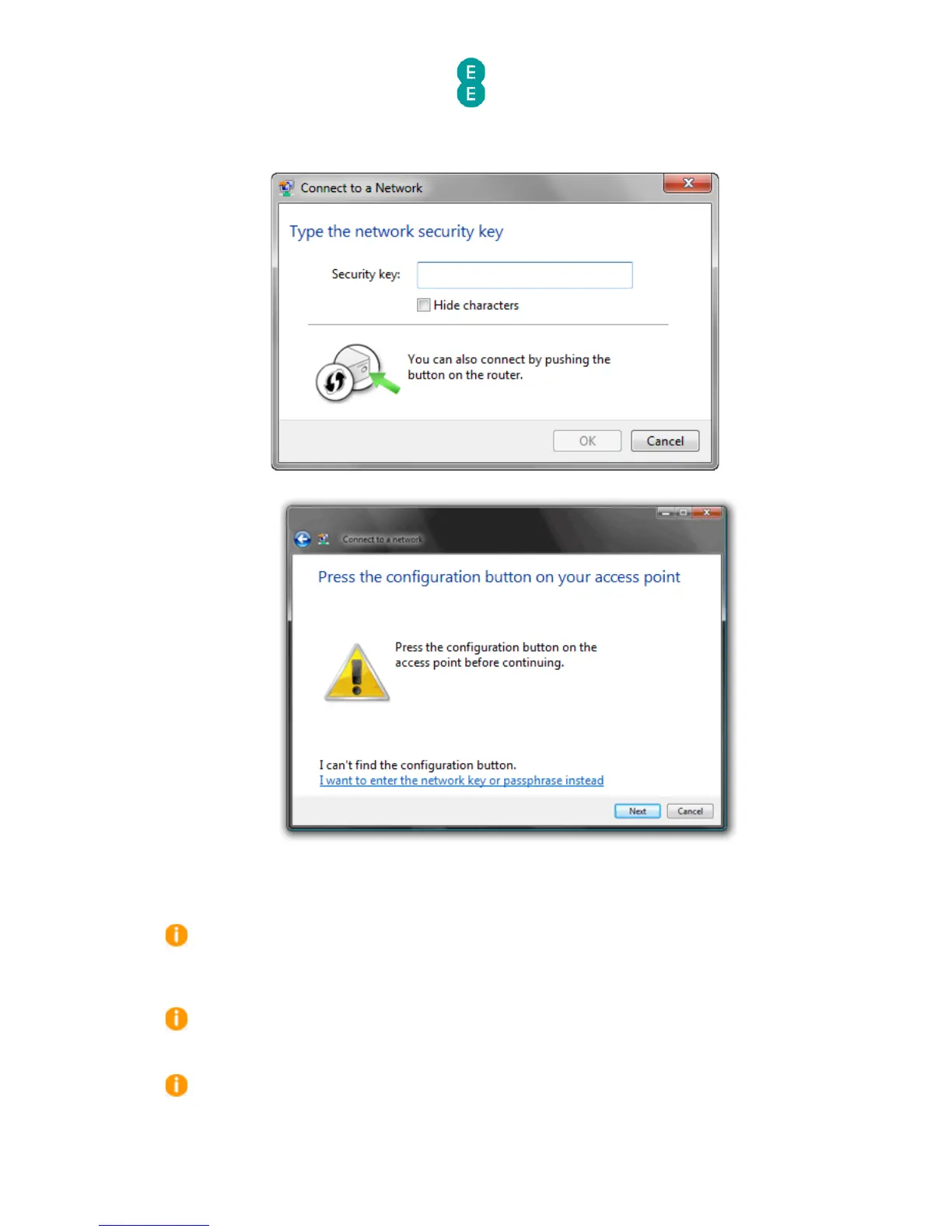
4. Launch the wireless connection software in your operating system (Windows Vista SP2
or Windows 7). In Windows 7 the screen should look like this:
5. In Windows Vista (SP2) the screen should look like this:
6. Click Next (Windows Vista SP2) or, in Windows 7 wait and the wireless connection will
be established automatically.
7. Alternatively, some wireless devices have their own WPS button on their case – you can
also press this button to establish a wireless connection to the router.
After you press the WPS button on the router, you will have a maximum of two minutes to
complete the WPS connection on your wireless device or adapter. After two minutes of
inactivity, the WPS session will be terminated. If a connection has not been established in this
time you will need to repeat the process above.
If, for whatever reason you are unable to successfully establish a wireless connection
using WPS, we recommend connecting using the manual password method. See
setting up a
wireless connection
on page 25 for further information
Some wireless adapters use their own software to establish a wireless connection with
WPS. Please follow the manufacturers instructions for WPS if this is the case.



 To Next Page