34Service Guide: EFI Fiery Central integrated server
Replacing parts
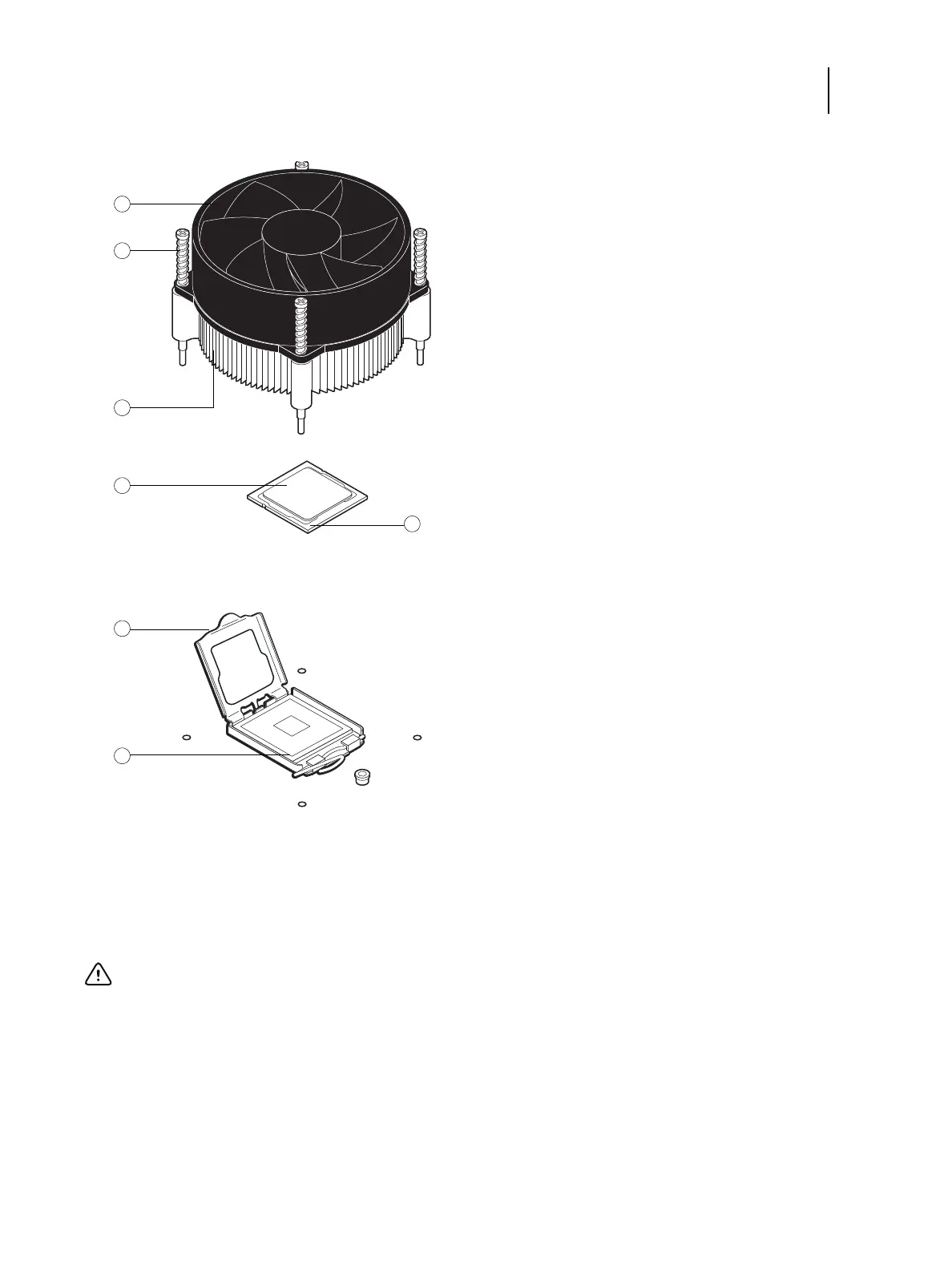
Figure 13: CPU cooling assembly
To remove the cooling assembly
1 Shut down, and then open the FC integrated server (see pages 18 and 18).
To access the CPU, you must remove the left panel.
1CPU fan 4CPU
2 Fastener screw (1 of 4) 5 Load plate open
3 Heatsink 6 Yellow triangle
Important: If you remove the CPU from the motherboard in order to install it on a new motherboard, unpack
the new motherboard and remove the protective plastic cover on the CPU socket. Transfer the protective cover
to the CPU socket of the old motherboard to protect the circuitry. Follow standard ESD precautions while
handling the motherboard and all components.


 To Next Page