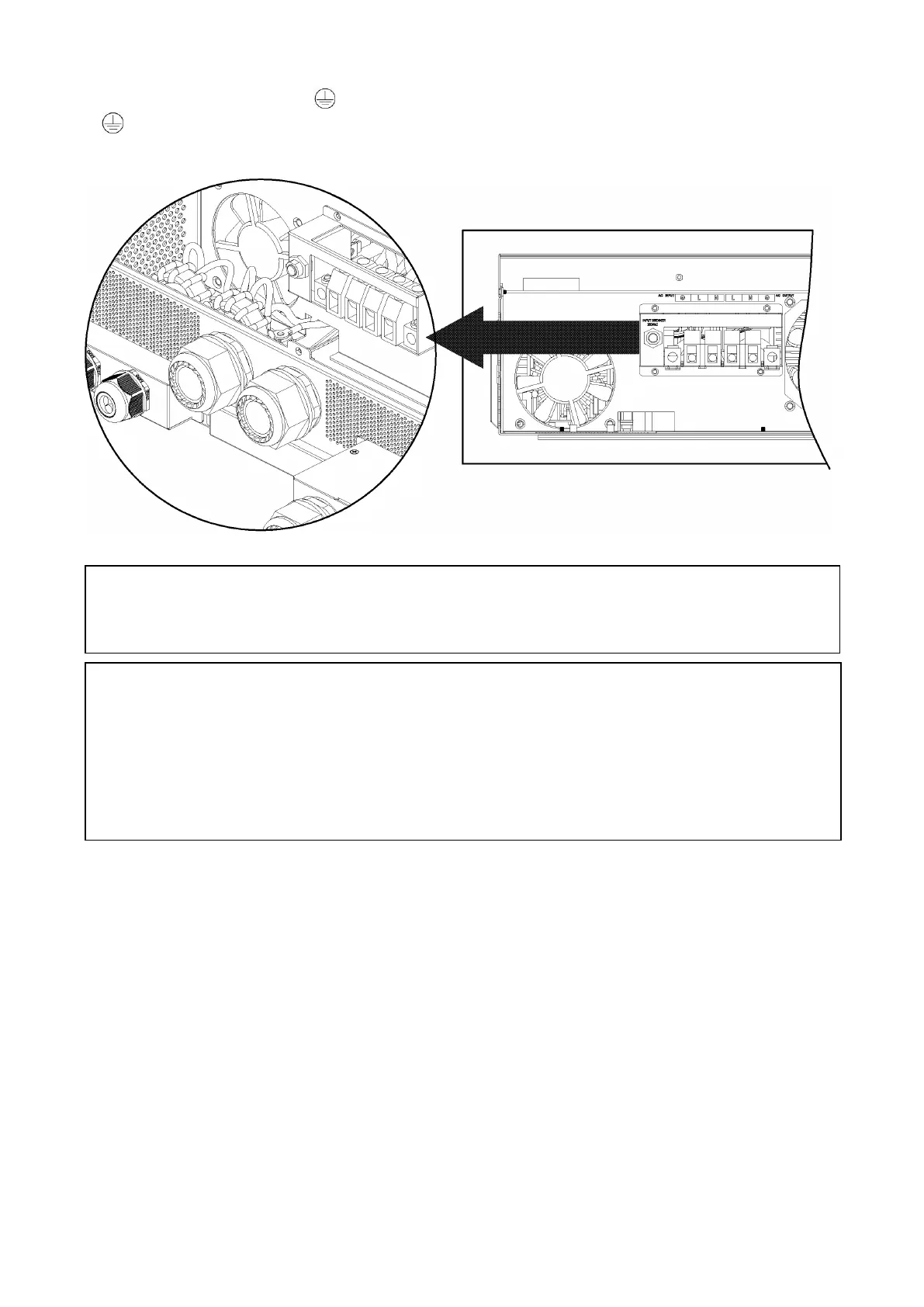
5. Connect the AC output wires according to labels printed on the case above the terminal blocks.
Connect the ground wire first ( ).
Ground (Green or Green with Yellow stripe)
L→LINE (Black for Line 1)(Red for Line 2 in 120/240 split-phase configuration)
N→
Neutral (White or Gray)
6. Make sure the wires are properly connected and the terminal blocks are torqued to spec.
CAUTION:
Appliances with heavy start and run demands, such as air conditioners, require
special consideration. For many air conditioners for example, at least 2~3 minutes to restart
can be required to allow enough time to balance refrigerant gases. If a power outage occurs and
recovers in a short time, it may cause damage to connected appliances. To prevent damage,
please check with the manufacturer of the appliance to see if it is equipped with a time-delay function
or soft-start feature before installation. Overload of the inverter/charger may trigger a fault leading
to sudden loss of AC output power, which may cause damage to appliances with motors/compressors.
CAUTION: Important
Connect AC wires to the correct terminals. If L and N wires are reversed, it will cause a
short-circuit and damage the equipment and loads connected to the system.



 To Next Page