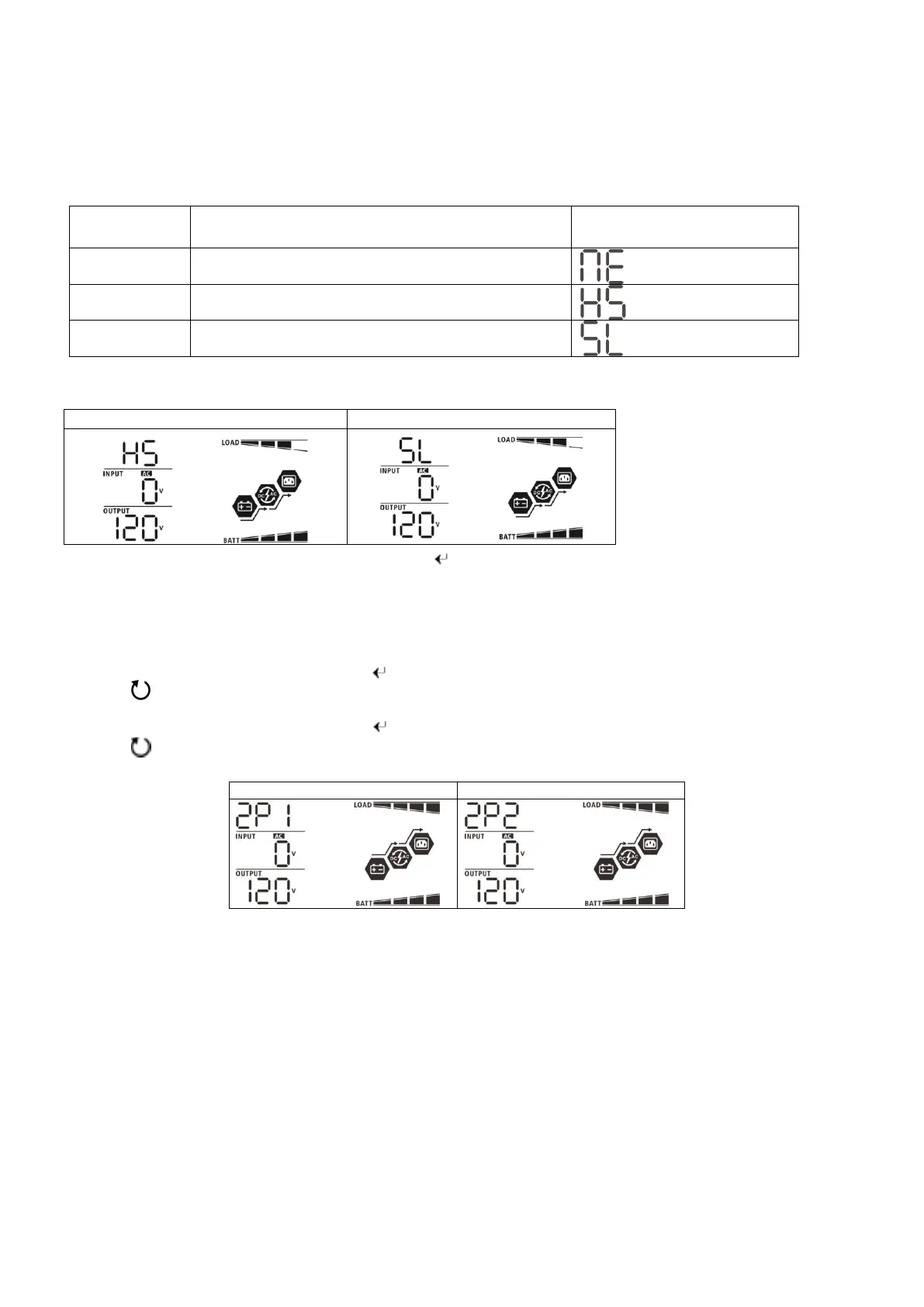
Display Code Reference:
Code Description Icon on
NE Unidentified unit master or slave
HS Master unit
SL Slave unit
Step 2: Supply power from the battery bank to the inverters by turning on the DC breakers or
disconnect, and power
on all inverters.
LCD display in Master unit LCD display in Slave unit
Step 3: After the startup countdown, hold the enter “ ” button for 3 seconds to access the settings menu.
Step 4: Use the down arrow to go to program setting 28 (AC output mode).
Step 5: Place all inverters into standby mode (fully depress the power button - inverter screen will remain on).
Steps 6: On your host inverter; press enter “ ” to access setting 28, program inverter to 2P1, and press the
escape “ ” button to save and exit.
Step 7: On your slave inverter; press enter “ ” to access setting 28, program inverter to 2P2 180, and press the
escape “ ” button to save and exit.
Note:
Step 7
must be completed within 25
seconds of the end of step 5. The system will shut down after the
connected inverters are taken out of phase. This is a safety feature that ensures all AC output is correctly
programmed.
If completion in 25 seconds
is not possible and the system shuts down, begin by restarting the last
inverter which was successfully programed and continue until all inverters have been setup correctly.
Step
8: Once all inverters are set to the correct XPX under setting 28, turn off all battery power via breakers.
(Power down system)
Step 9: Using a multimeter, verify there is no voltage on the inverter’s battery lugs.
Step 10: Turn on all battery breakers, and power on inverters.
Step 11: Switch on all AC in breakers. If a fault occurs, make sure L1 and L2 are phased correctly.
Step 12: Switch on all AC output breakers.
• Ensure all wire connections are correct.
• Ensure all breakers of the inputs and outputs are in the off position.
EG4 Electronics
240V Split-phase
Step 1: Check the following requirements before commissioning:
Unit 1 LCD display in L1
Unit 2 LCD display in L2-phase
Note: Master and slave units
are randomly defined if units
are powered on together. To
define a host unit, start the
unit you wish to be the host
first.



 To Next Page