OPERATING THE INVERTER/CHARGER
Power ON/OFF
After completing installation of the unit it is ready for powering on for setup. Start by pressing the On/
Off switch (located on the display panel) to turn on the unit.
Inverter Start-Up
After the inverter is turned on, the WELCOME light show will be started with RGB LED bar. It will slowly cycle
through entire spectrum of nine colors for ~10-15 seconds, and the LCD screen will display a countdown.
After initialization, the LED status bar will switch to the default color. See the LCD settings sections to adjust
the default.
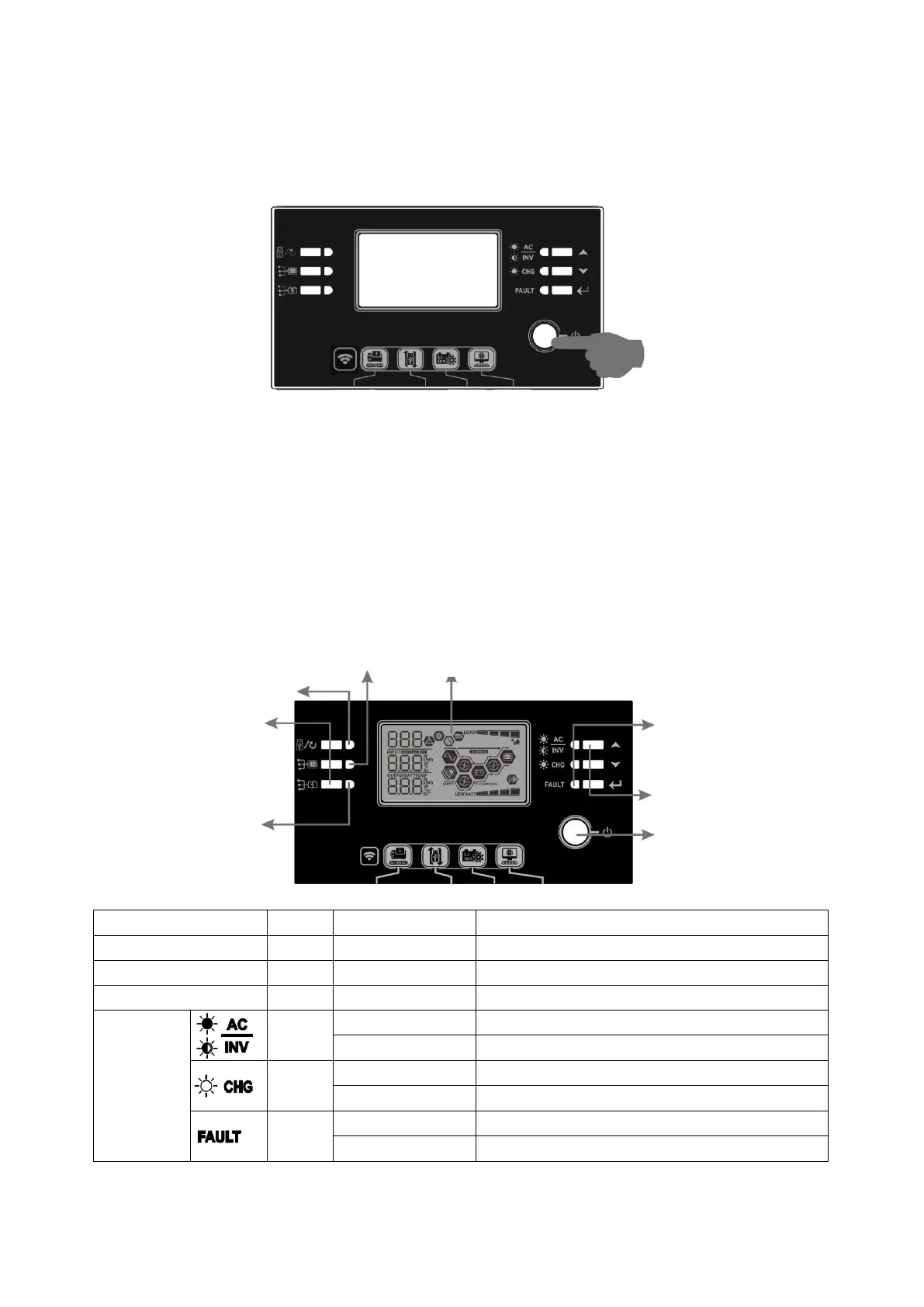
Display Panel Layout
The operation and the LCD module, shown in the chart below, includes six indicators, six function keys, on/off
switch and a LCD display to indicate the operating status and input/output power information.
Indicators
LED Indicator Color Solid/Flashing
Messages
Setting LED 1 Green Solid On Output powered by utility
Setting LED 2 Green Solid On Output powered by PV
Setting LED 3 Green Solid On Output powered by battery
Status
indicators
Green
Solid On Output is available in line mode
Flashing Output is powered by battery in battery mode
Green
Solid On Battery is fully charged
Flashing Battery is charging.
Red
Solid On Fault mode
Flashing Warning mode
Status indicators
Function keys
On/off switch
Function keys
Setting LED 3
Setting LED 1
Setting LED 2
LCD display



 To Next Page