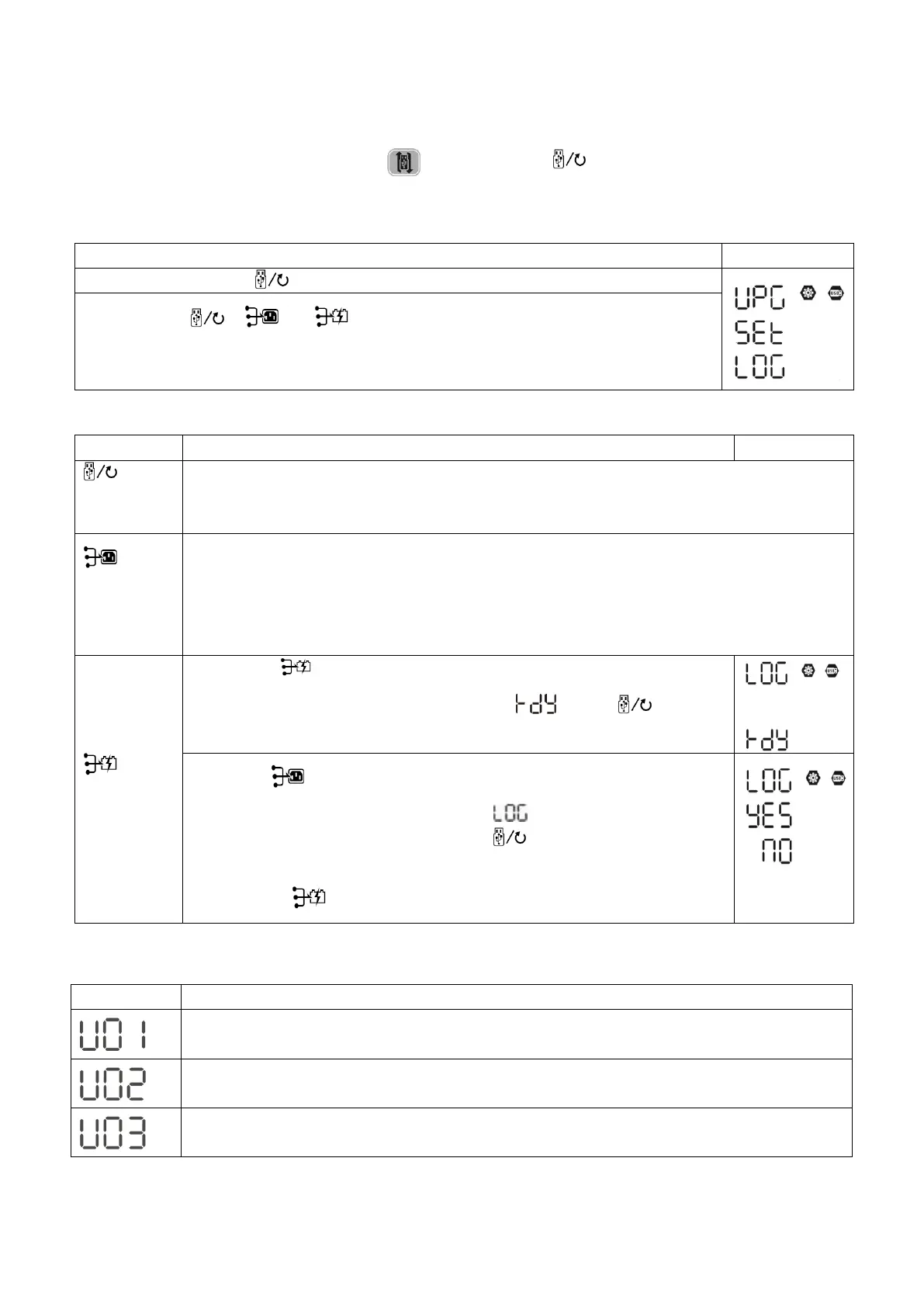
Insert an OTG USB disk into the USB port ( ). Press and hold “ ” button for 3 seconds to enter USB
Setup Mode. These functions including inverter firmware upgrade, data log export and internal parameters
re-write from the USB disk.
Procedure LCD Screen
Step 1: Press and hold “ ” button for 3 seconds to enter USB function setting mode.
Step 2: Press “ ”, “ ” or “ ” button to enter the selectable setting programs
(detailed descriptions in Step 3).
Step 3: Please select setting program by following the procedure.
Program# Operation Procedure
LCD Screen
:
Upgrade
firmware
This function is to upgrade inverter firmware. If firmware upgrade is needed, please check
with your dealer or installer for detailed instructions.
:
Re-write
internal
parameters
This function is to over-write all parameter settings (TEXT file) with settings in the On-The-Go
USB disk from a previous setup or to duplicate inverter settings. Please check with your dealer
or installer for detail instructions.
:
Export data
log
By pressing “ ” button to export data log from the inverter to USB disk. If
the selected function is ready, LCD will display “ ”. Press “ ” button to
confirm the selection again.
⚫ Press “ ” button to select “Yes”, LED 1 will flash once every second
during the process. It will only display and all LEDs will be on after
this action is complete. Then, press “ ” button to return to main
screen.
⚫ Or press “ ” button to select “No” to return to main screen.
NOTE:If no button is pressed for 1 minute, it will automatically return to main screen.
Error message for USB On-the-Go functions:
Error Code Messages
No USB disk is detected.
USB disk is protected from copy.
Document inside the USB disk with wrong format.
NOTE: If any error occurs, error code will only show for 3 seconds. After 3 seconds, it will automatically
return to display screen.
USB Function Settings
There are three function keys on the display panel to implement special functions such as USB OTG,
timer setting for output source priority and timer setting for charger source priority.
1. USB Function Setting



 To Next Page