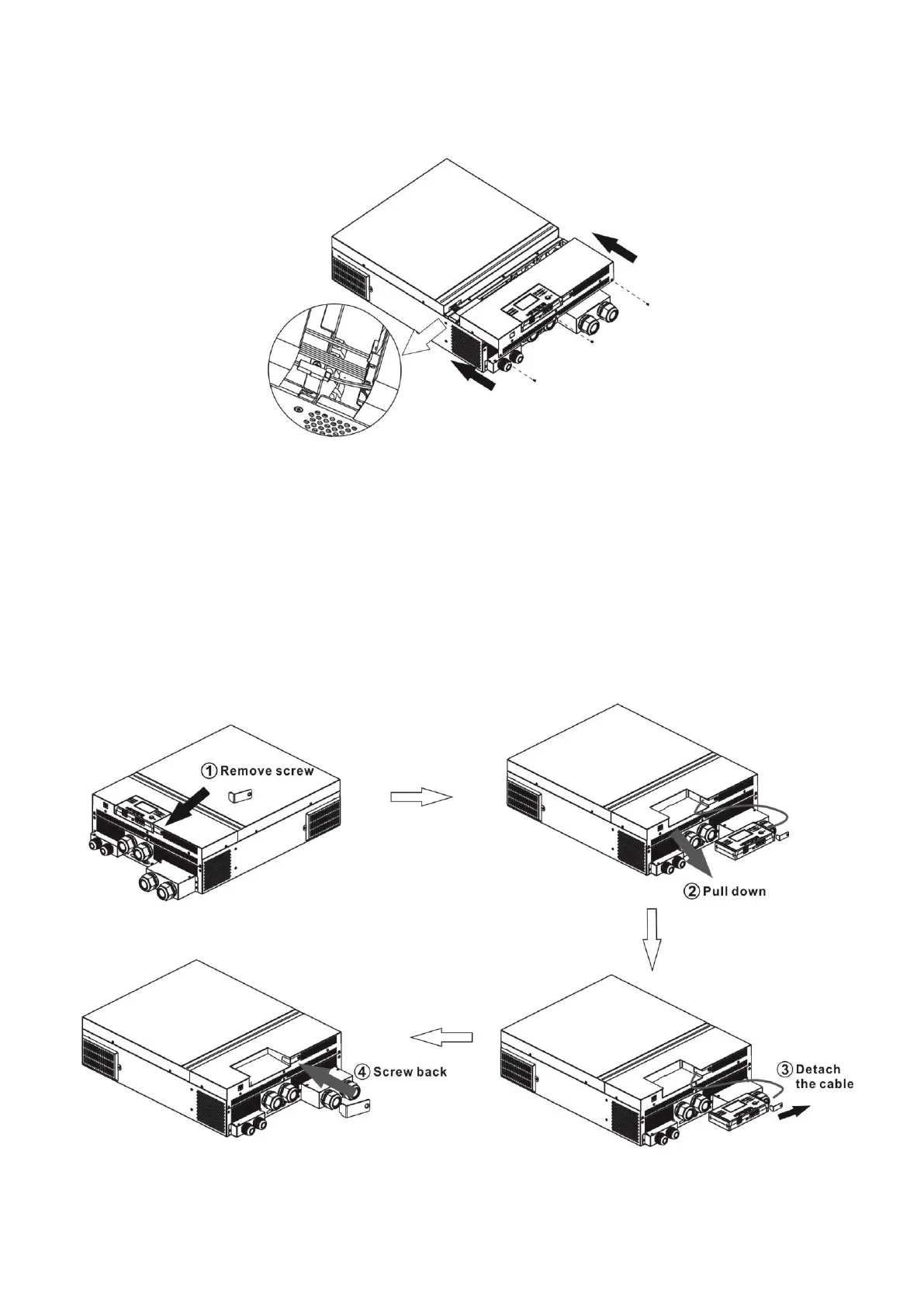
Final Assembly
After completing the wiring process, slide the front cover part way back on, then re-connect the three
front cover cables (fig. 1). Finish by sliding the front cover all the way back on and securing the screws.
Figure 1.
Remote Display Panel Installation
For remote system viewing, the LCD module can be removed from the front cover and installed with an
optional communication cable. Follow the steps below for remote display setup.
Step 1. Removing the Display
1. Remove the screw on the bottom of the display, remove the metal retention tab.
2. Slide the display out of the front cover.
3. Detach the cable from the original communication port. Tuck the cable into the front cover opening.
4. Replace the retention plate onto the front cover.



 To Next Page