【Rated Information】displays information of Nominal AC voltage, Nominal AC current, Rated battery
voltage, Nominal output voltage, Nominal output frequency, Nominal output current, Nominal output apparent
power and Nominal output active power. Please slide up to see more rated information.
【History】displays the record of unit information and setting timely.
【Wi-Fi Module Information】displays the Wi-Fi Module PN, status and firmware version.
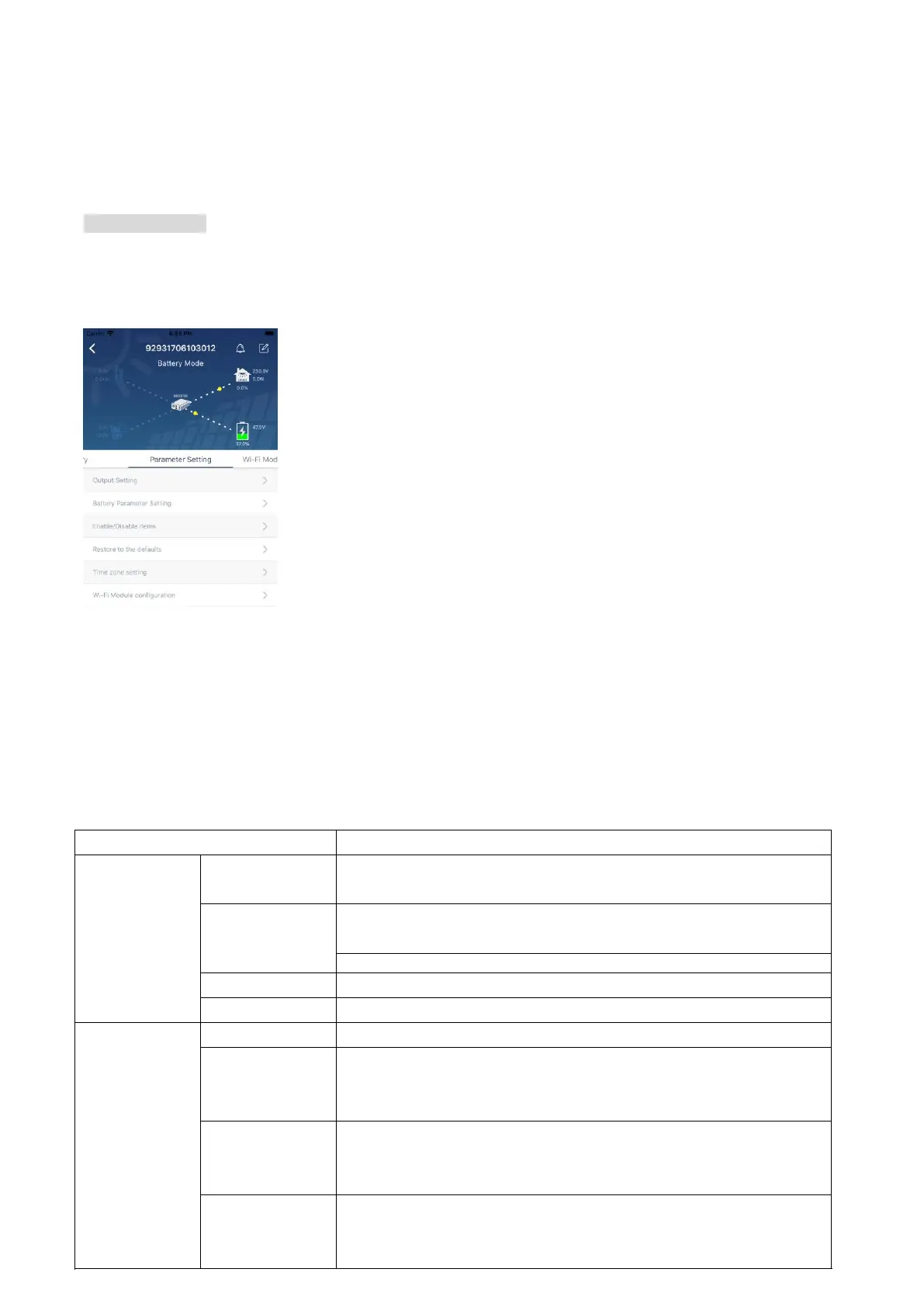
Parameter Setting
This page is to activate some features and set up parameters for inverters. Please note that the listing in
“Parameter Setting” page in below diagram may differ from the models of monitored inverter. Here we will
briefly highlight some of it,【Output Setting】,【Battery Parameter Setting】,【Enable/ Disable items】,
【Restore to the defaults】to illustrate.
There are three ways to modify setting and they vary according to each parameter.
a) Listing options to change values by tapping one of it.
b) Activate/Shut down functions by clicking the “Enable” or “Disable” button.
c) Changing values by clicking arrows or entering the numbers directly in the
column.Each function setting is saved by clicking “Set” button.
Please refer to below parameter setting list for an overall description and be noted that the available
parameters may vary depending on different models. Please always see the original product manual
for detailed setting instructions.
Parameter setting list:
To configure load power source priority.
When selecting "UPS", it's allowed to connect personal computer.
Please check product manual for details.
When selecting "Appliance", it's allowed to connect home appliances.
Set the output voltage.
Set the output frequency.
Battery
parameter
setting
Set the connected battery type.
Sets the voltage at which the battery stops.
Please see product manual for the recommended voltage range based
on connected battery type.
When “SBU” or “SOL” is set as output source priority and battery
voltage is lower than this setting voltage, unit will transfer to line mode
and the grid will provide power to load.
Back to discharge
voltage
When “SBU” or “SOL” is set as output source priority and
battery voltage is higher than this setting voltage, battery will be
allowed to discharge.



 To Next Page