eircom advantage IP Professional phone user guide
27
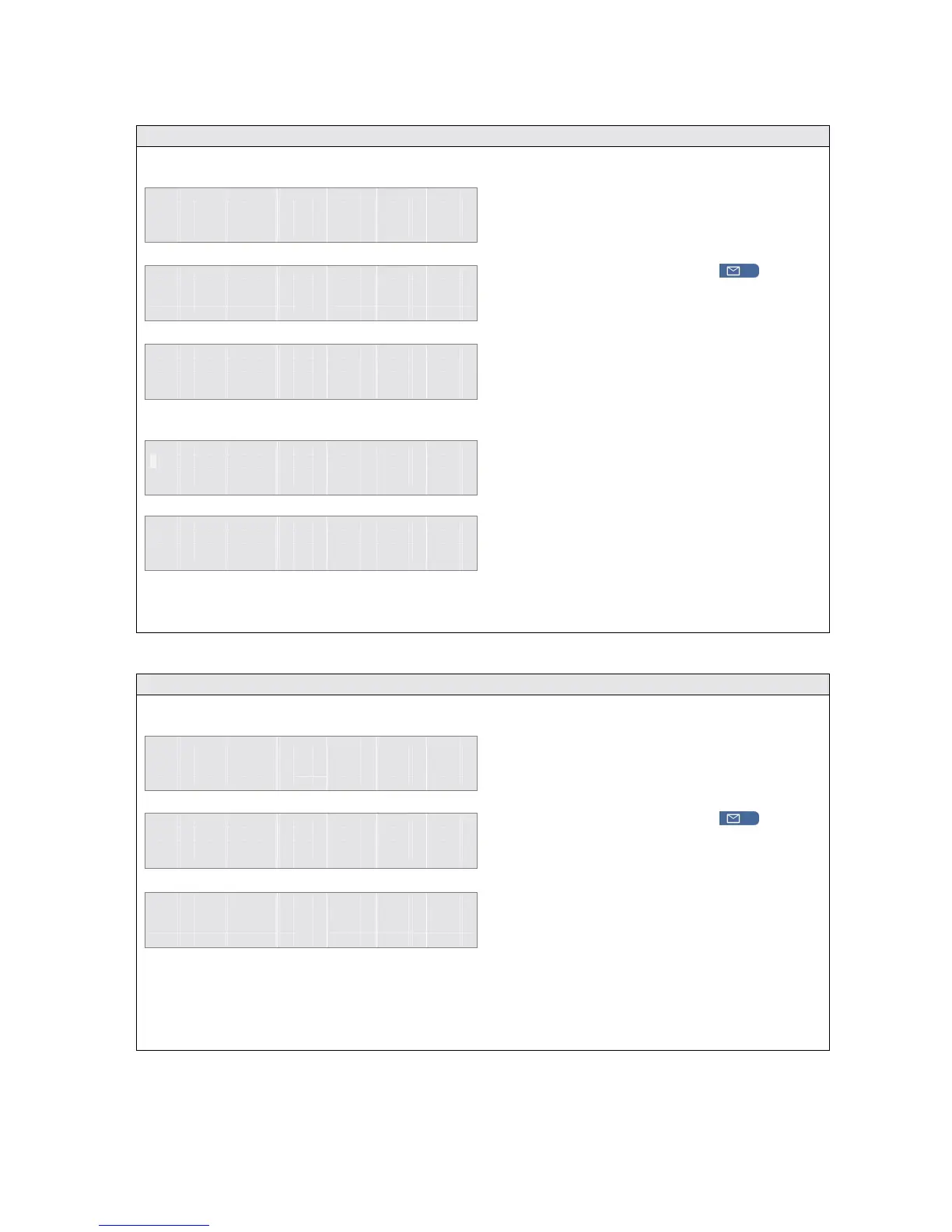
2.41 Store a missed call in the Personal Address Book
1 1 : 2 5 F r i 0 7 / 1 2 / 0 2
E x t e n s i o n 1 5
M i s s e d C a l l s = 0 3
M e n u s
P h o n e B k
C a l l
T i m e o f C a l l
►
S a v e
S e l e c t
↑
↑↑
↑ ↓
↓↓
↓
B a c k
E n t e r N a m e
_
A c c e p t B a c k
6 9 6 6 7 7 7 1 3
S t o r e d i n
P e r s o n a l A d d r B o o k
B a c k
M i s s e d C a l l L i s t
►
0 1 . 6 9 6 6 7 7 7 1 3
0 2 . J o h n W
S e l e c t
↑
↑↑
↑ ↓
↓↓
↓
E x i t
2.42 Delete a missed call from the missed call list
1 1 : 2 5 F r i 0 7 / 1 2 / 0 2
E x t e n s i o n 1 5
M i s s e d C a l l s = 0 3
M e n u s
P h o n e B k
T i m e o f C a l l
S a v e
►
D e l e t e
S e l e c t
↑
↑↑
↑ ↓
↓↓
↓
B a c k
Note: If there are no more entries left in the list, the display will show No Entries Found.
M i s s e d C a l l L i s t
►
0 1 . 6 9 6 6 7 7 7 1 3
0 2 . J o h n W
S e l e c t
↑
↑↑
↑ ↓
↓↓
↓
E x i t
To Store a missed call to the personal
address book when the third line of the
display indicates that a call was missed ;
• Press the MESSAGE
Key.
• Use the
keys to select the required
entry from the missed call list.
• Press the <Select> key
• Press the Save option.
The display will prompt the user to enter the
name for the Personal Address book entry.
On entering the name and pressing the
<Accept> key the system will confirm that the
missed call entry has been stored in the
personal address book of that user.
Pressing the <Back> key will return the user to
the missed call list on the previous screen.
To Delete a missed call from the missed call
list when the third line of the display indicates
that a call was missed:
• Press the MESSAGE
Key.
• Use the
keys to select the required
entry from the missed call list.
• Press the <Select> key
• Press the Delete option.
Selecting the Delete option will automatically
delete the entry and return the user to the
Missed Call List menu



 To Next Page